Screen-free educational robots: which to choose by age?
Screen-free robots by age: Tale-Bot Pro around $130, Code & Go around $75, Bee-Bot around $95, Botley 2.0 around $110. Check today's price on Amazon.

Screen-free robots by age: Tale-Bot Pro around $130, Code & Go around $75, Bee-Bot around $95, Botley 2.0 around $110. Check today's price on Amazon.
Some links on this page are affiliate links. The button opens Amazon so you can check today’s price.
At home, a screen-free robot is programmed with buttons, cards or an arrow remote. Four references we often compare are the Tale-Bot Pro (ASIN B0CZ6R182M) at around $130, listing marked 3 to 5 years (Amazon.com); the Code & Go kit (ASIN B01A5YMCH4) at around $75, ages 4 and up (Amazon.com); the Bee-Bot (ASIN B08BTJFYT3) at around $95 (Amazon.com); and the Botley 2.0 (ASIN B083T58PKM) at around $110, ages 5 and up, described as screen-free on the listing (Amazon.com). Prices move: the button opens today’s listing.
Amazon affiliate: a commission is possible on an eligible purchase, at no extra cost. This choice follows the listings in the reading, not a workshop trial.
These models share the same idea: the child sets a sequence of actions, the robot plays it on the floor, and nobody installs software for the first success. The detail by age is further down. The guides for 4 years and 5 years take up the same listings in the context of each age band.
| Robot | How you program it | Age on the listing | Amazon.com price |
|---|---|---|---|
| Tale-Bot Pro (Matatalab), ASIN B0CZ6R182M. Amazon.com | Buttons on the robot, no screen | 3 to 5 years | around $130 |
| Code & Go, mouse kit, ASIN B01A5YMCH4. Amazon.com | Buttons on the mouse, a maze | 4 years and up | around $75 |
| Bee-Bot (TTS), ASIN B08BTJFYT3. Amazon.com | Arrows on its back, a grid on the floor | Not stated in the title | around $95 |
| Botley 2.0, ASIN B083T58PKM. Amazon.com | An arrow remote, no screen | 5 years and up | around $110 |
Amazon.com snapshot.m. Another Tale-Bot Pro listing (ASIN B09LYTM5BC) had neither price nor stock that morning: the links on this page open the available listing, B0CZ6R182M.
Each button names the model from the reading. The price shown is the one from 9 November 2026 at 6:14 a.m.
The commands are on the robot: no tablet to start a sequence. The cards are there to tell the story of the path.
around $130 on 9 November 2026
A mouse with buttons and a board to assemble. The mouse alone, without the maze, is a different listing.
around $75 on 9 November 2026
A bee robot programmed by the arrows on its back. It moves one square at a time on a gridded mat.
around $95 on 9 November 2026
The listing describes it as screen-free: an arrow remote, obstacles and courses. Useful once the child can already hold a sequence of several steps.
Around $110 — check today's price
Listing B0CZ6R182M says 3 to 5 years. The commands are on the robot, with no screen: the child chains presses, and the robot moves forward and turns. The cards put that path into a story. It is the most expensive of the four that day. Getting started is in the Tale-Bot unboxing and the overview of the tool. The Matatalab page places the range.
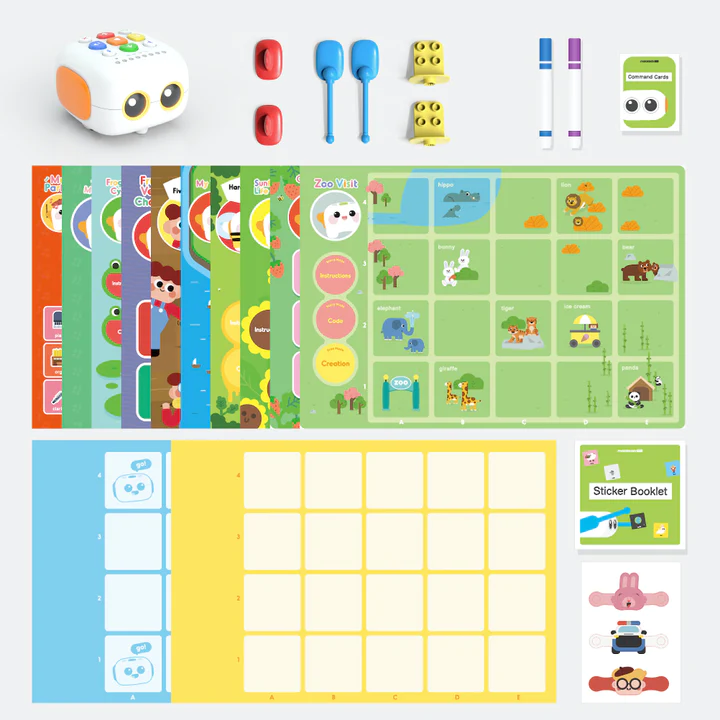
Tale-Bot Pro kit, Matatalab. The robot is controlled by the buttons on top; the cards and mats put the path into a story.
Kit B01A5YMCH4 is marked 4 years and up. The mouse remembers the presses on its back, then it crosses the board. The walls clip on: there are pieces to put away, or the next session starts with a search for them. The mouse alone (B01B14XK00) is typically around $45. Amazon.com Its listing also says 4 years and up. It does not include the kit’s maze: the course is then drawn on the floor.
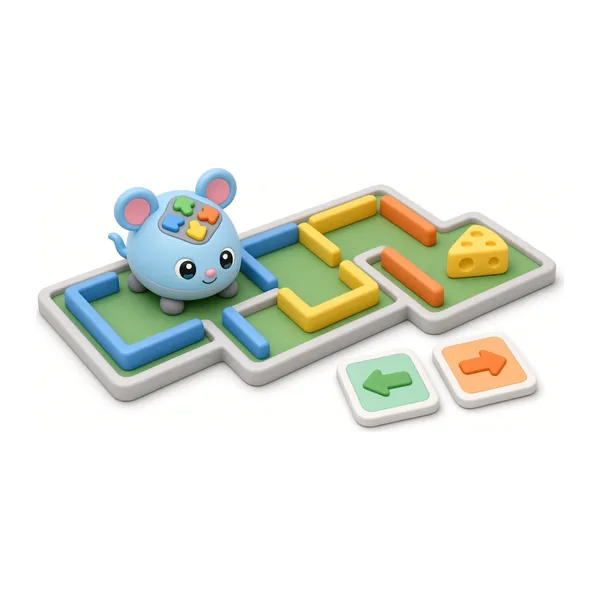
Code & Go kit, Learning Resources: the mouse is programmed with the buttons on its back, on the kit’s maze.
The TTS Bee-Bot (B08BTJFYT3) is programmed with the arrows on its back and moves square by square. The title of the 9 November 2026 listing does not give an age. The age-4 guide keeps it for preschool, because the controls stay visible on the robot and the path can be read on the grid. You need a mat or drawn squares: without a grid, the robot’s step no longer matches what the child counted.
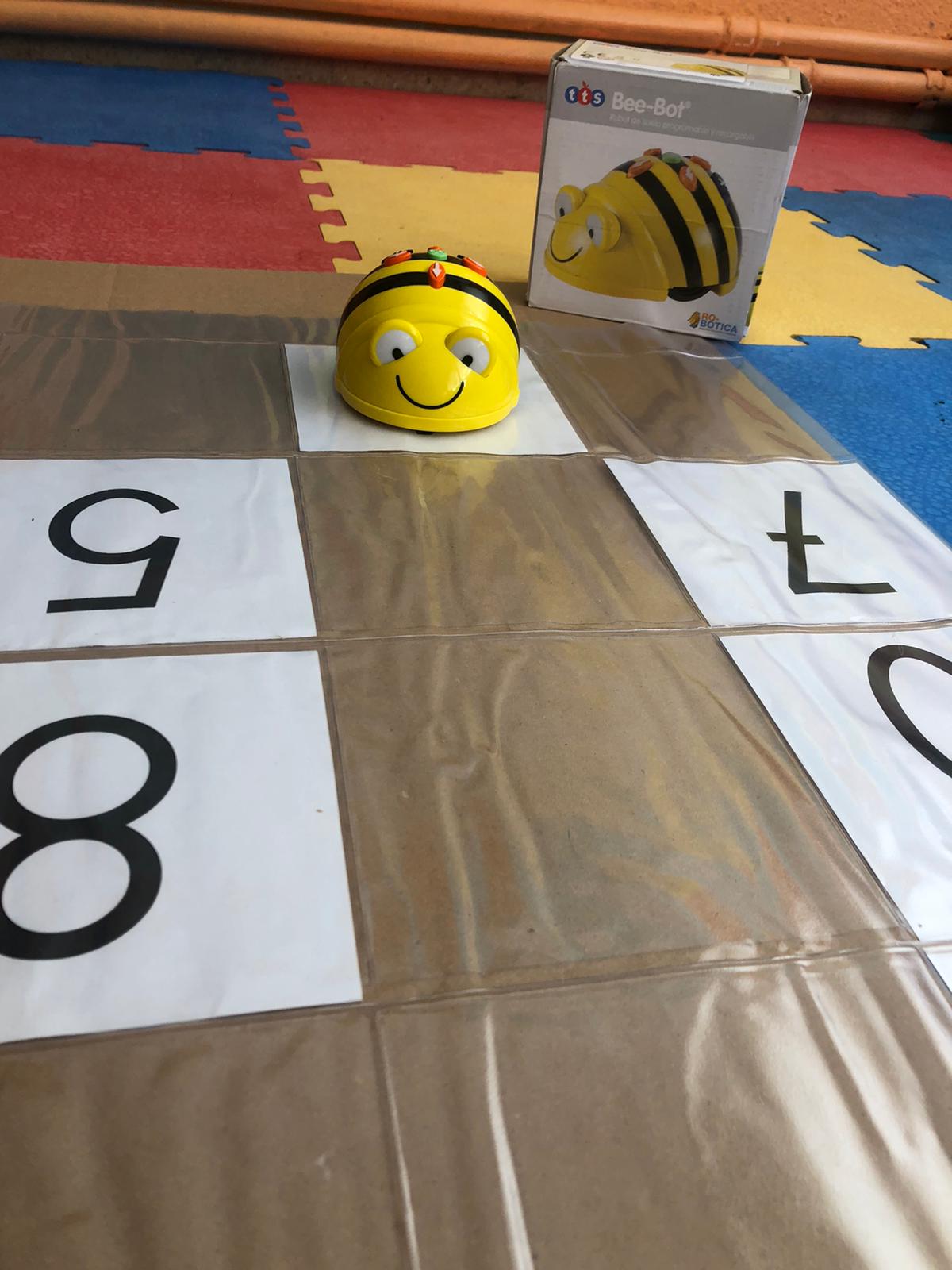
Bee-Bot. Photo: Wikimedia Commons — Bee - Bot.jpg, CC BY-SA.
Listing B083T58PKM places it from 5 years and describes it as screen-free: the child programs detours and courses from an arrow remote. At 4, it is worth it only if the child already chains several moves without getting frustrated. Otherwise the Tale-Bot, the Code & Go or the Bee-Bot come first. The age-5 guide and the age-6 guide spell out that step.
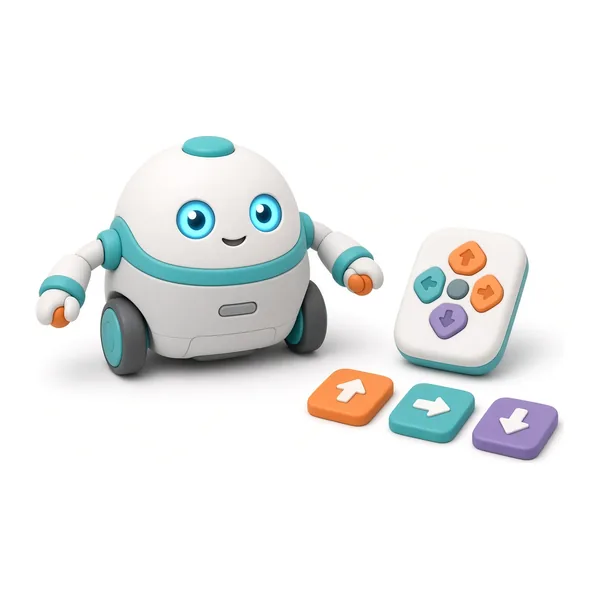
Botley 2.0, Learning Resources: robot and arrow remote, no tablet.
Check on each listing whether the batteries are in the box. Today’s price on Amazon is the one that counts: the amounts above are those from the 6:14 a.m. reading.
Around 3 or 4, a session often lasts five to ten minutes and the adult stays nearby. The Tale-Bot Pro matches the 3–5 listing when the child likes the path to be told as a story. The Code & Go kit or the mouse alone fit if buttons on the robot are enough and the budget stays the lowest of the four. The Bee-Bot fits on a grid, in class or at home, with the same short instructions. The step-by-step for this band is in a robot for a 4-year-old.
At 5, the child more often lasts ten to twenty minutes and starts to correct an order with help. Botley 2.0 is the model whose listing explicitly says “screen-free” and “5 years and up.” Code & Go and Bee-Bot stay right if the maze or the grid is already a pleasure. The frame is in which robot at 5 and in coding: when to start.
At 6, Botley 2.0 remains the most complete screen-free choice on this list. Code & Go still works as a reminder, with shorter challenges. The age-6 guide compares this step with robots that do use a screen.
Around 7, many children read a simple instruction and last twenty to thirty minutes when the challenge is clear. A screen-free robot still forces you to plan the whole path before you press. It gets short when the child wants to reread the program, add a condition or show it on the computer. The shift is described in the age-7 guide.
None of these four robots needs an account, a Bluetooth pairing or an update to play the first time. The sequence is in the room: you see it, you say it, you change a press or a card. It is the same breakdown as later in Scratch (“first this, then that”), on another medium. If the session starts only once the tablet is on, the robot no longer answers the original request.
The mBot (ASIN B07XR98YYQ, around $95, Amazon.com) and Codey Rocky (ASIN B07CGH8NZ7, around $165, listing 6 years and up, Scratch and Python, Amazon.com) are not in this choice: they are programmed on a screen, in mBlock. They become relevant when reading and the computer are already accepted. The comparison is in a programmable robot with Scratch and getting started is in mBot, a first robot.
The age written on the listing is a floor, not a promise. Also look at the size of the Code & Go pieces, the floor space for Botley, and the mat for the Bee-Bot. The first successes should be short: two or three orders, a robot that arrives, then you stop.
Cards and walls get lost faster than the robot. A box with compartments avoids the session spent hunting the “turn” arrow. Accessories (mats, outfits, new courses) renew the play; they are not in the prices above, which are those of the named robot or kit.
In class or in a club, the robot can be the character that has to deliver a message. You agree the order of the cards before you start. Later, the same sequence is rewritten as blocks on the board: the link with Scratch is then explicit. The landmark Scratch at school or at home is for that moment, not for unboxing day.
The map by families, beyond screen-free, is in which educational robot to choose in 2026.
Torn between two models or stuck on a build? Drop us a line and we will get back to you by email.
