Educational robot Christmas gifts 2026: picks by age & budget
Christmas 2026 gift guide for coding robots in the UK: mBot, mBot2, ELEGOO Penguin Bot and Raspberry Pi 5 with live Amazon.co.uk prices, photos and age tips for parents.

Christmas 2026 gift guide for coding robots in the UK: mBot, mBot2, ELEGOO Penguin Bot and Raspberry Pi 5 with live Amazon.co.uk prices, photos and age tips for parents.

AI-generated illustration
Disclosure: This guide includes Amazon affiliate links. As an Amazon Associate we earn from qualifying purchases, at no extra cost to you.
Browse all English buying guides — this Christmas 2026 edition focuses on kits we actually see in UK classrooms and home setups.

Best gift ages 8–12

Premium gift ages 10–14
Small budget

Teen builder
| Model | Age | Languages | Indicative price | Highlights | Where to buy |
|---|---|---|---|---|---|
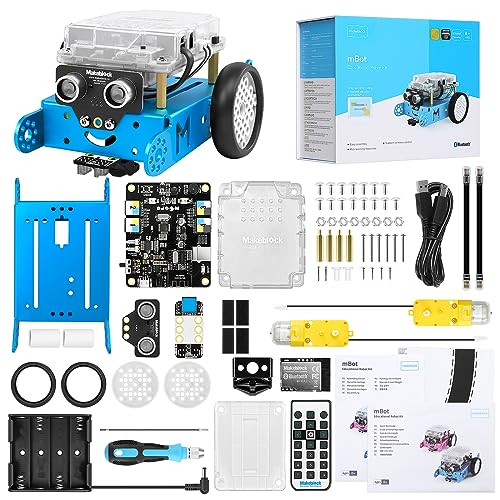 Makeblock mBot Best gift ages 8–12 | 8–12 years | Scratch, Arduino | See today's price | 15-minute build • Scratch-style blocks in mBlock | |
 Makeblock mBot2 Premium gift ages 10–14 | 10–14 years | Scratch, Python | See today's price | CyberPi with colour screen • Python and Scratch | |
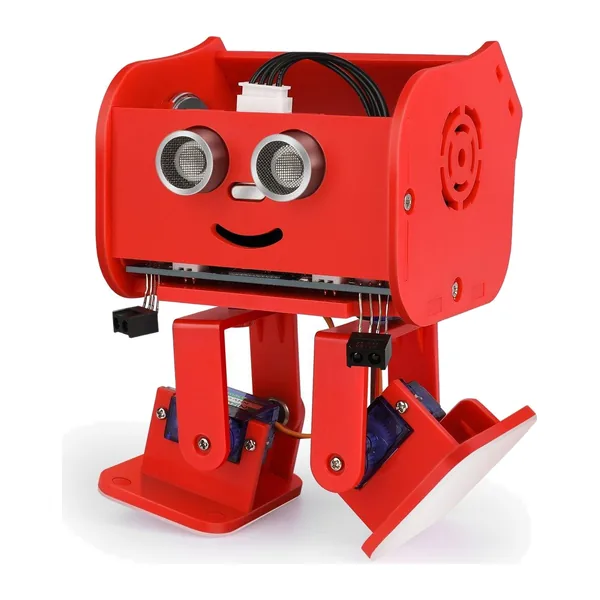
ELEGOO Penguin Bot Small budget | 8–14 years | Arduino C | Unavailable | Biped robot with personality • Dance & music projects | |
Raspberry Pi 5 (8GB) Teen builder | 12+ years | Python, C++, JavaScript | See today's price | 8 GB RAM for vision & Docker • Huge maker community |
Prices and availability as of 16 November 2026, 06:10; subject to change.
Christmas 2026 is the moment many families switch from passive screen time to a gift that builds skills. A programmable robot stays relevant for years: block coding at primary school, Python or Arduino at secondary. This guide is written for UK shoppers on Amazon.co.uk (prices refreshed via our product feed). Start from our main robot comparison if you need manufacturer specs first.

A rechargeable coding kit usually lasts several Christmas seasons: firmware updates, spare parts and a decent resale value if interests shift. Children practice loops and debugging without a textbook, and the family can share the unboxing on 25 December and a first working program before New Year. Compared with passive video watching, the screen time here is active — the child drives motion and sound.
Best first robot, ages 8–12
Prices and availability as of 16 November 2026, 06:10; subject to change.
At this stage children tolerate 15–30 minutes of assembly and understand “if obstacle then turn”.Scratch (visual block coding) and Arduino (a small programmable board) are the two paths most UK kits mention — you do not need both on day one. The Makeblock mBot remains the safe default on Amazon.co.uk: huge teacher community, mBlock 5 on Windows, line follower and ultrasonic projects out of the box.
Scratch, then Python
Prices and availability as of 16 November 2026, 06:10; subject to change.
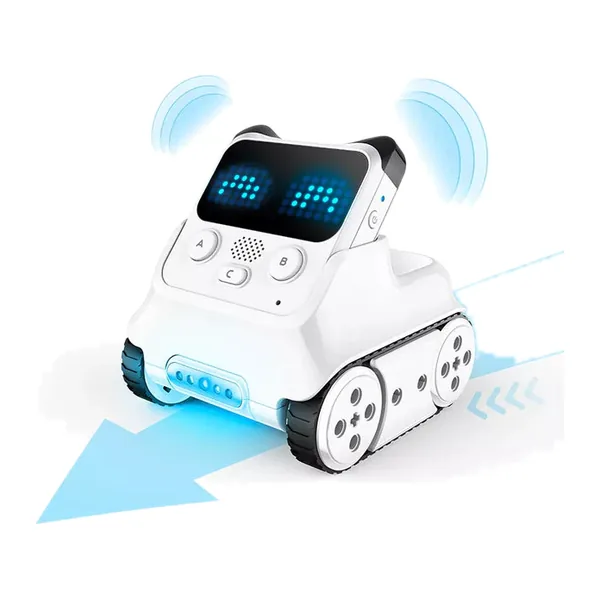
mBot2 adds CyberPi (colour screen, Wi‑Fi, microphone). Ideal when Scratch feels too easy but full Arduino wiring is not ready yet. Compare details in mBot vs mBot2.
Biped, Arduino C
Board only — Linux projects
Prices and availability as of 16 November 2026, 06:10; subject to change.
Teens who want typed code often prefer the ELEGOO Penguin Bot (biped, Arduino C) or a Raspberry Pi 5 (8 GB) for vision, web servers and robot HATs — see Pi 5 RAM guide.
Screen-free, age 4+
Prices and availability as of 16 November 2026, 06:10; subject to change.
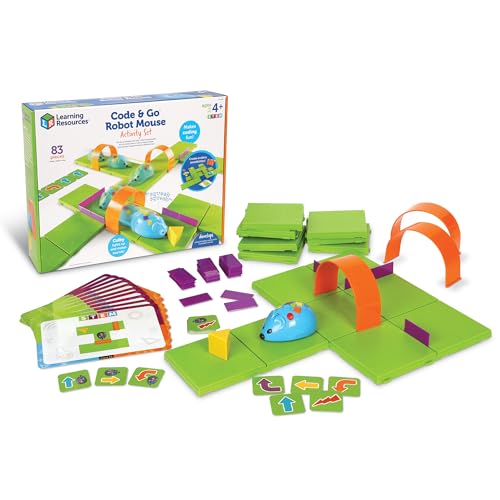
Look for physical buttons (Code & Go Robot Mouse, Matatalab Tale-Bot Pro). Avoid RC “robots” with no programming mode — they are toys, not learning tools. See our age-based robot guide for vetted options.

Each band below is a card for a kit whose Amazon.co.uk price, in our feed of 5 November 2026, falls in that range. The button opens today’s listing. Where the feed has no price, the card says to check the product page.
The mBot is £53 in this feed, so it sits here rather than in the middle band. The Penguin Bot has no price in the same file: confirm it on Amazon.co.uk before you treat it as a small-budget gift.
£53 on 5 Nov 2026
Biped Arduino kit
Screen-free, age 4+
Prices and availability as of 16 November 2026, 06:10; subject to change.
£100 on 5 Nov 2026
£131.12 on 5 Nov 2026
Prices and availability as of 16 November 2026, 06:10; subject to change.
The Raspberry Pi 5 (8 GB) had no price in the UK feed that day. Budget separately for the official 27 W supply, a case and a microSD card: the board alone is not a finished gift.
Board only — check today’s price
Prices and availability as of 16 November 2026, 06:10; subject to change.
Scratch-style blocks until about 10–11, then Python on mBot2 or micro:bit. Our mBlock first steps article walks through week one.
Yes — mBot appears in UK STEM clubs and primary computing. Align with the teacher before buying a duplicate kit.
No — Amazon prices move hourly. The comparison table shows our last API check; always confirm on the product page.
Canadian readers can open the same guide under /ca/ with Amazon.ca links and CAD pricing where our feed lists them. UK readers use /uk/ (Type G plugs). This English page targets Amazon.co.uk shoppers.
Emmanuel SAUVAGE and the robot-educatif.info editorial team update these guides when Amazon feeds change — compare the table above with the seller page before checkout. If you are unsure between two kits, open our mBot vs mBot2 comparison and the 2026–2027 robot calendar for release timing.
UK schools often standardise on one platform (usually mBlock + mBot). Ask the teacher before buying a second ecosystem. For smart-home curious teens, the same Raspberry Pi can later run Home Assistant — but that is a separate project from the mBot under the tree.
Priority: confidence. Short builds, visible wins, adult nearby for USB and screws. Avoid kits that require soldering or reading a 40-page PDF before the robot moves.
Introduce variables and simple debugging. mBot2 fits here if the child already did Scratch at school. Budget time for Bluetooth troubleshooting on Windows — our mBlock Bluetooth guide saves Christmas afternoon.
Consider Arduino-style kits or Pi 5 if the teen asks for « real code ». Pair with a clear monitor/keyboard plan and a desk that survives small screw spills.
Bottom line: match the robot to age, setup time and coding goal. The comparison table above highlights our four Christmas 2026 favourites with live UK pricing where available.
Torn between two models or stuck on a build? Drop us a line and we will get back to you by email.