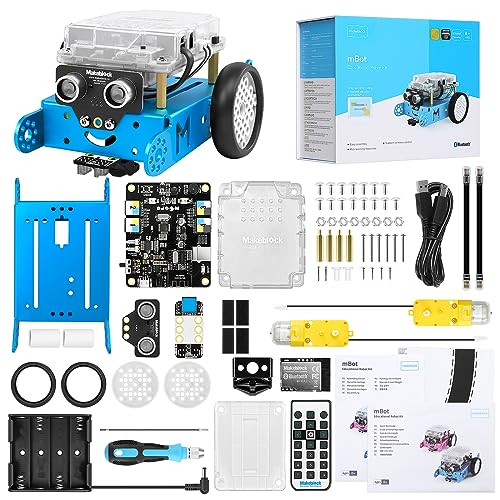

Educational robot Christmas gifts 2026
Christmas 2026 gift picks with UK Amazon prices, photos and age tips for coding robots.
mBot, coding robots, Arduino kits: our comparisons by age (6 to 15) to give a gift that actually teaches coding.
The site covers two subjects. Pick the one you came for.
The Canada homepage uses Amazon.ca links. US readers use /us/ with Amazon.com links. UK readers use /uk/, with Type G plug examples. Start with buying guides.
Every age group has different needs. Pick the one that fits:
Block coding, ready-built robot, simple sensor challenges
Typical pick: mBot with adult help for screws and USB — about 90 minutes first session.
Ages 9–12Scratch-style blocks first, then typed Python on mBot2
mBot2 adds Wi‑Fi and CyberPi; budget 30–60 min for Bluetooth pairing on Windows.
Ages 13+Wiring, C/C++ in the Arduino IDE, longer projects
ELEGOO Smart Robot Car after mBlock — solderless breadboard and motor drivers.
Ages 12+A real Linux computer for Python, cameras and home projects
Pi 5 (4 GB+) for Home Assistant or vision — compare Pi 3/4/5 before buying.
Four ways in: start, install, run a project, or fix a fault. The guides note UK mains (230 V, Type G) and US mains (120 V, Type A/B).
Side-by-side specification tables to help you decide

Christmas 2026 gift picks with UK Amazon prices, photos and age tips for coding robots.
mCore vs CyberPi, Wi‑Fi, Python path — official specs side by side for classroom robots.
Which Pi for robotics and Home Assistant: RAM, USB, power and real-world limits explained.
4 GB vs 8 GB on Raspberry Pi 5 for HA, cameras and concurrent Docker containers.
Step-by-step help to get started
Download mBlock 5, drivers and first USB connection for mBot or mBot2 on Windows 10/11.
Upload a first Scratch-style project: motors, ultrasonic sensor and line follower in one session.
Where typed C/C++ Arduino cars fit after block coding — wiring safety and IDE basics.