Open your garage door from your phone with ESP32, ESPHome and Home Assistant
Safe dry-contact wiring on the opener’s push-button input, reed sensor for open/closed, Home Assistant cover entity—with security warnings.
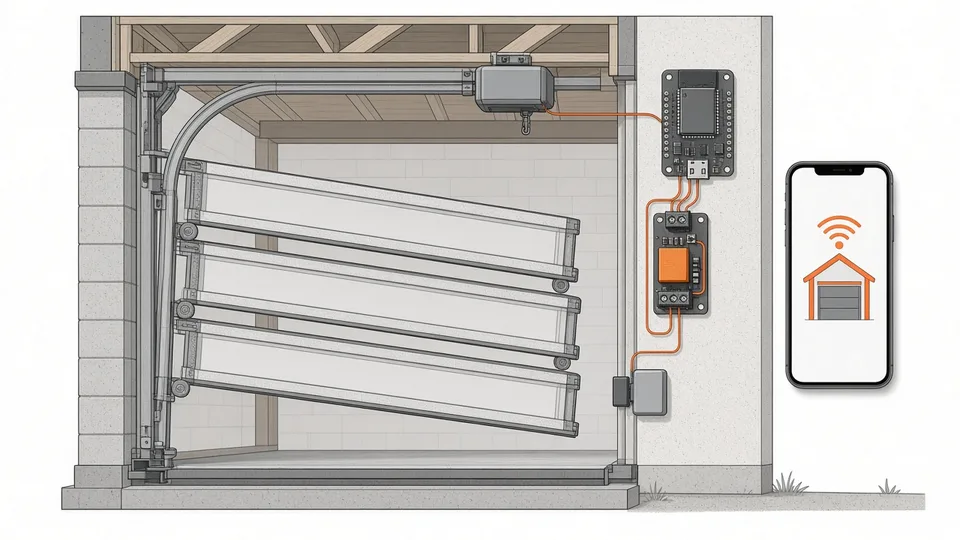
AI-generated illustration
Safe dry-contact wiring on the opener’s push-button input, reed sensor for open/closed, Home Assistant cover entity—with security warnings.
Also available in French.
Control the garage from your phone and know if it stayed open: a relay in parallel with the wall button sends the same short pulse as a physical press; a reed switch reports closed when the door is down. Home Assistant shows a garage cover in the mobile app.
| Time | Level | Parts |
|---|---|---|
| 2–3 h | Intermediate | ESP32, 3.3 V-compatible relay module, wired reed, USB 5 V supply |
A Shelly in dry-contact mode can substitute for the relay if you follow that device’s manual the same way.
| Part | Pin | To |
|---|---|---|
| Relay VCC | ESP32 3V3 (or 5 V per module spec) | |
| Relay GND | GND | |
| Relay IN | GPIO26 | |
| Relay COM / NO | dry contact | Opener button terminals (parallel with wall button) |
| Reed | GPIO27 + GND (internal pull-up) |
Reed closed when door fully down (magnet aligned).
Install ESPHome add-on. Use secrets for Wi-Fi and API keys. Download the full example: /code/esphome/porte-garage.yaml.
Core behaviour:
restore_mode: ALWAYS_OFF).open_action only if reed says closed; close_action only if open—so “open” on an open door does not start closing by mistake.mode: single debounces double taps.Flash USB first: esphome run porte-garage.yaml; then OTA.
Dashboard button with confirmation:
type: button
entity: cover.garage_door
name: Garage door
show_state: true
tap_action:
  action: toggle
  confirmation:
    text: "Operate the garage door?"
Alert if open 15 minutes—adapt entity ids to yours.
Firmware runs on the ESP32; relay defaults off at boot—power glitch should not pulse the door.
YAML was validated with esphome config / compile (ESPHome 2026.9); we did not install on a live door—your opener manual is authoritative.
Docs: ESPHome template cover · HA remote access.
Also: ESPHome temperature · door reed on Pi · ESP32 projects.
Torn between two models or stuck on a build? Drop us a line and we will get back to you by email.