Raspberry Pi 3 vs 4 vs 5: which one to buy in 2026?
Raspberry Pi 3 Model B vs Pi 4 Model B vs Pi 5 compared: CPU, RAM, USB, Ethernet, PCIe and power. Spec table and a clear recommendation for each use case.
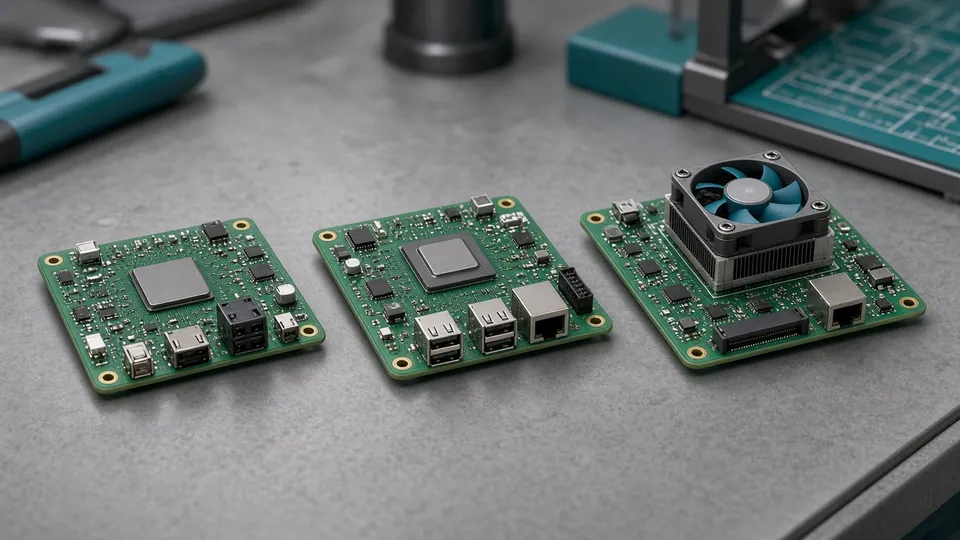
AI-generated illustration
Raspberry Pi 3 Model B vs Pi 4 Model B vs Pi 5 compared: CPU, RAM, USB, Ethernet, PCIe and power. Spec table and a clear recommendation for each use case.
Between the Raspberry Pi 3 Model B, the Pi 4 Model B and the Pi 5, the difference is not just price: USB 3, true Gigabit Ethernet, dual video output, then PCIe and up to 16GB of RAM on the Pi 5 all change what a project can do. Specs below come from Raspberry Pi’s official product pages (Pi 3 B, Pi 4 B, Pi 5).
| Pi 3 Model B | Pi 4 Model B | Raspberry Pi 5 | |
|---|---|---|---|
| SoC | Broadcom BCM2837 | Broadcom BCM2711 | Broadcom BCM2712 |
| CPU | 4 × Cortex-A53, 1.2 GHz | 4 × Cortex-A72, 1.8 GHz | 4 × Cortex-A76, 2.4 GHz |
| GPU / video | VideoCore IV, 1 × full-size HDMI | VideoCore VI, 2 × micro-HDMI (4K) | VideoCore VII, 2 × micro-HDMI (4Kp60) |
| RAM | 1GB LPDDR2 | 1 / 2 / 4 / 8GB LPDDR4-3200 | 1 / 2 / 4 / 8 / 16GB LPDDR4X-4267 |
| Ethernet | 100 Mbit/s | Gigabit | Gigabit |
| Wi-Fi / Bluetooth | 802.11n, BT 4.1 | 802.11ac, BT 5.0 | 802.11ac, BT 5.0 |
| USB | 4 × USB 2.0 | 2 × USB 3.0 + 2 × USB 2.0 | 2 × USB 3.0 + 2 × USB 2.0 |
| PCIe | No | No | PCIe 2.0 ×1 |
| Power | micro-USB 5V, 2.5A | USB-C 5V, 3A | USB-C 5V, 5A recommended |
| GPIO | 40 pins | 40 pins | 40 pins |
Raspberry Pi prices move often (stock, reseller margins, VAT or sales tax). We don’t quote figures: check current price with an approved reseller. US: Raspberry Pi 5 4GB on Amazon.com or Raspberry Pi 5 8GB on Amazon.com (affiliate links). Always check the board revision and what is included (power supply, cooler).
Stay with a Pi 3 if you are reusing hardware or running a very light project (GPIO, a sensor, a small script).
Go for a Pi 4 for a modest DIY NAS, a server that needs throughput, USB 3 drives, or an everyday Linux desktop on a budget.
Choose a Pi 5 if you need CPU headroom, 8GB or more, or the PCIe bus. Plan for active cooling and the 27W supply. Not sure which memory size? Read Raspberry Pi 5: which RAM to buy.
For Home Assistant, a Pi 5 with 4GB plus a Zigbee dongle works well; the ready-made alternative is Home Assistant Green.
For a teenager torn between a bare board and a robot, a Pi-based kit such as the SunFounder PiCar-X (affiliate link, Pi not included) mixes both.
Raspberry Pi lists its approved resellers country by country. In the US, you can find the boards at SparkFun (affiliate link).
In short: Pi 3 = the historic reference, now tight; Pi 4 = the sweet spot for networking and USB; Pi 5 = top performance and RAM, at the cost of heat and price.