Robotics kit for adult beginners: what to choose in 2026
A robotics kit for an adult or teen beginner: Arduino, ESP32, or Raspberry Pi, choosing criteria, a 2026 shortlist, and realistic first projects.

Getting started
Home Assistant
Buying
A robotics kit for an adult or teen beginner: Arduino, ESP32, or Raspberry Pi, choosing criteria, a 2026 shortlist, and realistic first projects.
Some links on this page are affiliate links. The button opens Amazon so you can check today’s price.
This page does not state euro prices for the kits. Prices and availability were checked on amazon.com on 19 October 2026 and can change. Open the button to see today’s price.
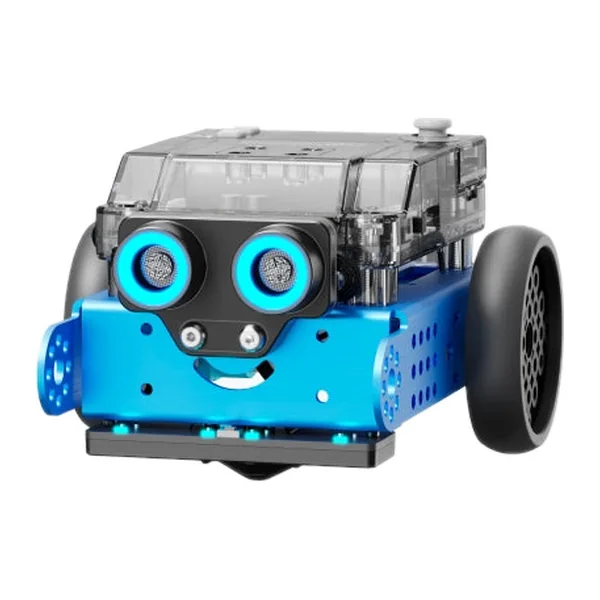
For an adult or a teen who is starting, the best robotics kit is a complete Arduino robot car with tutorials online: you build it in an afternoon and you really learn electronics and code. Then, depending on what you enjoy most (wiring, Python, camera vision), you move on to the ESP32 or the Raspberry Pi. Toy robots such as the mBot suit children. Here we are talking about kits you assemble and program yourself. If the home is a rental and the kit has to fit in a cupboard, start from robotics equipment for renters: floor space and moving day decide before the spec sheet.
| Platform | Main language | Strength | Who it is for |
|---|---|---|---|
| Arduino (UNO, Nano) | C/C++ (Arduino IDE) | Simple, sturdy, a huge community | A complete beginner who wants to understand electronics |
| ESP32 | C/C++ or MicroPython | Wi-Fi and Bluetooth built in, control from the phone | A beginner who wants a connected robot quickly |
| Raspberry Pi | Python | A real Linux computer: camera, vision, AI | A “code” profile who wants Python and vision |
In short: Arduino to learn the basics, ESP32 for connected projects, Raspberry Pi for Python and the camera. If you are hesitating between the last two, our article Raspberry Pi or a robot kit? compares the two approaches.
A beginner kit is worth mostly its documentation: a PDF or a site with wiring diagrams, commented example code, and a lesson-by-lesson path. The makers best known to hobbyists (ELEGOO, Freenove, SunFounder) publish their tutorials online and the code on GitHub. Check that they exist before you buy.
Chassis, motors, sensors, board, cables, and a battery holder. Many kits do not include the 18650 cells or the batteries: read the product listing, or the robot will not roll on the day. Also plan a USB data cable (not a charge-only cable).
If you want to code in Python (data, AI, automation), start with a Raspberry Pi. If you want to understand what happens in the wires, Arduino remains the best school. Our Arduino C track and our Python lessons are free companions for either one.
Count the kit, plus sometimes the batteries, a charger, and for a Raspberry Pi the board itself (often sold separately), a microSD card, and a power supply. A Raspberry Pi kit shown at an attractive price can therefore come back much higher than a complete Arduino kit.
| Kit | Role in this guide |
|---|---|
| ELEGOO Smart Robot Car V4.0 | Best first kit |
| ELEGOO UNO R3 Super Starter Kit | For learning electronics |
| Freenove 4WD car for ESP32 | Connected robot |
| Freenove 4WD for Raspberry Pi | Python and camera |
| SunFounder PiCar-X | Vision and AI |
This is the kit we recommend most often for starting, and for good reasons: it contains the essentials (a board compatible with Arduino UNO R3, chassis, motors, sensors, a line-following module, an infrared remote, a tutorial) and the build is solder-free. Check on the listing whether rechargeable batteries are included with the version on offer. ELEGOO tutorials chain the classic projects: avoid obstacles, follow a line, drive the robot from the phone. You can program it in C in the Arduino IDE, or with blocks to start gently. Our comparison of Arduino robot kits goes into it at more length.
ELEGOO Smart Robot Car Kit V4.0 — teen (12 and up) and adult. Programming: Arduino C/C++, blocks. Badge: best first kit. ASIN B078Y9RYM2.
This is not a robot, and that is exactly why it is useful: an UNO R3 board compatible with Arduino, a USB cable, basic components, an LCD module, and a PDF tutorial of more than 22 lessons (a guide in French is announced). Lesson after lesson, you understand what each component does before you assemble it into a robot. It is the best choice if you are more curious about electronics than in a hurry to see something roll. Our free C on Arduino lessons follow the same logic.
ELEGOO UNO R3 Super Starter Kit — teen and adult beginner. Programming: Arduino C/C++. Badge: for learning electronics. ASIN B01JD2Z5XW.
Here the board is an ESP32 with a camera: the robot creates its own Wi-Fi network and is driven from a phone app, with video feedback. You program it in the Arduino IDE like a classic board, with the tutorial and the code to download from Freenove. The battery is not included. It is the right step between Arduino (simple, and with no network) and the Raspberry Pi (powerful, and heavier to get running). If you like the ESP32, it also opens the door to ESP32 smart-home project ideas.
Freenove 4WD Car Kit for ESP32 WROVER (camera included) — teen and adult beginner. Programming: Arduino C/C++. Badge: connected robot. ASIN B08X6PTQFM.
This car is built around a Raspberry Pi (board and battery sold separately) and is programmed in Python. The camera allows face following and line following, and the robot is driven from a computer or a phone. It is the right kit if your goal is to learn Python on a real project. You have to add the board: a Raspberry Pi 5 with 4 GB is more than enough, with a microSD card.
Freenove 4WD Smart Car Kit for Raspberry Pi — teen and adult. Programming: Python. Badge: Python and camera. ASIN B07YD2LT9D.
The PiCar-X is also a robot for Raspberry Pi (board not included), with a steerable camera and computer-vision examples. SunFounder highlights projects with language models (ChatGPT, Gemini…) and voice and video recognition, so you can talk to the robot in natural language. It is more ambitious than the Freenove kit: take it if you have already touched Python, or if AI is your real motivation.
SunFounder PiCar-X for Raspberry Pi — from age 10, teen and adult. Programming: Python, Scratch. Badge: vision and AI. ASIN B0CGLPF29H.
SunFounder promo code: LOYAL10, 10% off to enter at checkout on the official site SunFounder (terms according to SunFounder). This code does not apply on Amazon.
For the two Raspberry Pi kits, you need the board itself:
Raspberry Pi 5 (4 GB) — teen and adult. Programming: Python, Linux. ASIN B0CK3L9WD3.
Count an afternoon for the build, then one or two evenings per project. What matters is to move forward in small tested steps: when something breaks, you know it is the last change.
Yes. The kits in this shortlist start from zero, with no soldering and no prior electronics knowledge. The only condition is regularity: a few hours a week are enough to have an autonomous robot in a month.
Arduino if you want to understand electronics and get a result quickly; Raspberry Pi if you want to program in Python and use a camera. Many makers start with Arduino, then add a Raspberry Pi for vision projects.
Not for all the kits presented here, which use connectors and screw terminals. Soldering becomes useful later, for custom builds.
For a first robotics kit for an adult or a teen, the ELEGOO Smart Robot Car V4.0 remains the safest choice. The UNO Super Starter Kit is ideal for learning electronics, the Freenove ESP32 for a connected robot, and the Raspberry Pi kits from Freenove and SunFounder for Python, the camera, and AI. Start small, finish your first robot, then move up.
Prices and availability checked on amazon.com on 19 October 2026. They can change.
Was this page helpful?
Thank you!
What should we improve?
Torn between two models or stuck on a build? Drop us a line and we will get back to you by email.
Cookies and analytics
We use Google Analytics 4 to understand how the site is used (page views, navigation). It is only switched on if you accept. Declining does not stop you using the site. More: cookie settings and privacy policy (in French).