Robots for school: a 2026 guide for teachers
Classroom robots for elementary and middle school: durability, a shared fleet, curriculum fit, and dated Amazon.com unit prices. No invented accessory total.

Getting started
Home Assistant
Buying
Classroom robots for elementary and middle school: durability, a shared fleet, curriculum fit, and dated Amazon.com unit prices. No invented accessory total.
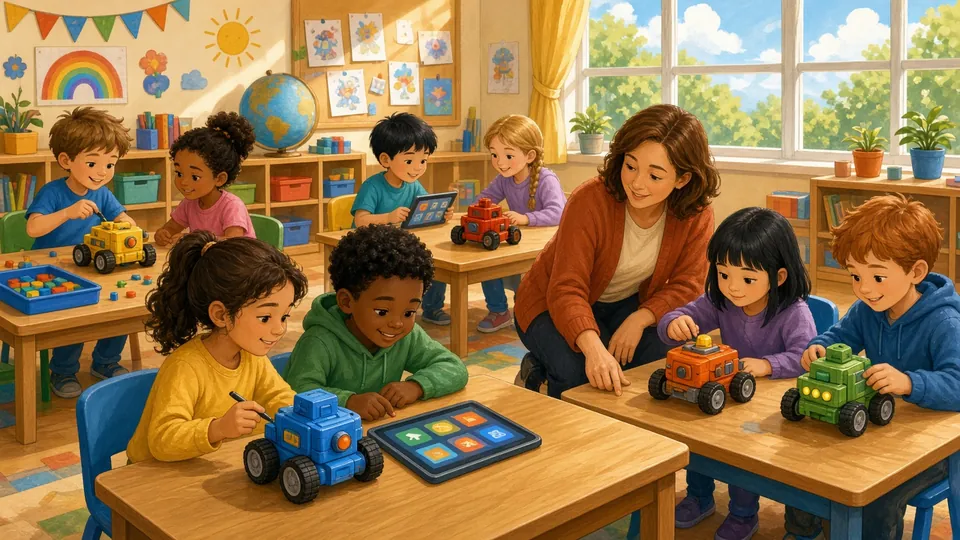
AI-generated illustration
Some links on this page are affiliate links. The button opens Amazon so you can check today’s price.
Euro amounts below are Amazon.com readings of 6 November 2026. They are not converted. French grade names are kept, with a short age note, because the curriculum references (Éduscol, NSI, SNT) are the French ones.
| Robot | Role in this guide | Unit price, Amazon.com, 6 November 2026 |
|---|---|---|
| Makeblock mBot | Best value | around $95 |
| Makeblock mBot2 | Best choice for collège (French middle school, about ages 11–15) | around $185 |
A robot for class is not chosen like a gift. It passes through many hands, it has to last several years, and it has to follow students from one cycle to the next without a change of ecosystem in the middle of the project. This guide is for teachers, coordinators, and teams putting together a purchase case.
On Amazon.com, on 6 November 2026, the mBot is around $95 and the mBot2 is around $185. Amazon.com (mBot, around $95 on Amazon.com). Amazon.com (mBot2, around $185 on Amazon.com). Batteries, mats, cases, and training are not in this reading: check their price, without adding them to the robots. The number of machines and the pack detail are taken up in equipping a class. The budget calculator is for testing a headcount, not for replacing a quote.
Twenty to thirty students handle the same fleet. Knocks are part of the session. A chassis in thick plastic, or in metal, can be repaired. Wheels and a distance sensor that unscrew save you from throwing the whole robot away. After-sales support you can reach in France, and a warranty of at least one year, are checked on the listing before the purchase order, not in a slogan.
The same robot should cross several years. In CM1–CM2 (the last two years of French elementary school, about ages 9–10), blocks and short challenges are enough. In 6e–5e (the first two years of collège, about ages 11–12), you add sensors and longer programs. In 4e–3e (the last two years of collège, about ages 13–14), text, often Python, takes over on a machine that allows it. A robot frozen at a single age forces you to buy the whole fleet again when the cycle changes. The age landmark, outside the school frame, is in when to start.
With six to twelve robots, logistics count as much as the model. Identical chargers and a power strip avoid the session that starts with three empty batteries. A case or a dedicated cupboard has a place, not a corner of a desk. Updates are done in one pass when possible, and spare parts stay in a labeled bin, not in the drawer of the person who built the first robot.
The curriculum has to be able to host the session without a full rewrite. In technology, the landmarks published on Éduscol ask students to write a program, test it, and correct it. In lycée (French high school), NSI (Numérique et sciences informatiques) and SNT (Sciences numériques et technologie) have their own texts. The robot fits into a sequence that is already there, and assessment is on a skill from the common core, not on the brand of the chassis.
At this age, the session lasts ten to fifteen minutes. The child codes a path with buttons or cards, with no screen. CP is the first year of French elementary school, about age 6. The TTS Bee-Bot was around $95 on 6 November 2026. Amazon.com (Bee-Bot, around $95 on Amazon.com). The Blue-Bot is not in the reading: check the price. The Tale-Bot Pro, a fuller set, was around $130 on 6 November 2026. Amazon.com (Tale-Bot Pro, around $130 on Amazon.com). Another Tale-Bot set does not reuse that amount.
CE is the middle of French elementary school, about ages 7–8. You need blocks, several sensors (line, distance, light), and a robot that can stand being taken apart by students.
Makeblock mBot — ages 8–12. Programming: Scratch, Arduino. Badge: best value.
Amazon.com (mBot)
You program the mBot in mBlock, whose blocks look like Scratch, then it can move toward Arduino later. Assembly fits in a discovery session, on the order of a quarter of an hour when the screws are sorted. It runs on AA cells: the manual states the number, and they are not in the price recorded here. Twelve robots, for pairs in a class of twenty-four, cost 12 × around $95, or roughly $1188 of robots alone at the 6 November 2026 price. That is not a lot price observed at Amazon, and it is not the class budget: cells, mats, and a case still have to be priced. Ready sessions are in the ten mBot projects.
The machine has to show the same behavior in blocks and in text, and accept a connected project without a change of robot.
Makeblock mBot2 — ages 10–14. Programming: Scratch, Python. Badge: best choice for collège.
Amazon.com (mBot2)
The mBot2 carries the CyberPi: a screen, Wi-Fi, and Python inside mBlock. The rechargeable battery is supplied with the robot, which removes the AA-cell chore. The teaching detail is in the mBot2 guide. Twelve mBot2s are 12 × around $185, or roughly $2200 of robots alone in the 6 November 2026 reading. Extensions, the floor course, and storage are not in that figure. For a collège technology room, the grades 6e–3e guide splits mBot and mBot2 by level.
NSI, SNT, or engineering science ask for long projects, in Python or in C++, sometimes with a camera. The mBot2 remains usable in Python. An open board goes further, at the cost of the wiring.
The Raspberry Pi 5 8 GB was around $231 on 6 November 2026, and the 4 GB board was around $160. Amazon.com (Raspberry Pi 5 8 GB, around $231 on Amazon.com). Amazon.com (Raspberry Pi 5 4 GB, around $160 on Amazon.com). Those are prices for a bare board. The 27 W power supply, the microSD, the case, and a chassis are not in the reading: check their price. The minimum list is in the Raspberry Pi 5 kit. An Arduino Mega kit with its extension boards is not in the reading either: check the price of the exact Mega reference.
The money usually comes from several lines, not from a single pot: the school’s equipment budget, a call from the region or the department, a grant from the rectorat (the regional education authority), a foundation (La Main à la pâte, corporate foundations), or the parents’ association. Amounts change every year. This page does not republish ranges: the useful figure is the one in the current call, compared with the cost of the robots alone calculated above.
A case that goes through explains the project in skills and in a calendar, separates the robot price from the rest (training, maintenance, storage), and says who takes the fleet over the following year. A link with a local workshop or company helps, provided it is real.
To train without waiting for the hardware, M@gistère (the French teacher-training platform) offers paths that vary by academy, La Main à la pâte publishes resources from cycle 2 to cycle 4, and Éduscol puts sequence landmarks online. Makeblock provides paths for mBot and mBot2. On this site, the one-hour projects cover a club or an AP hour (accompagnement personnalisé, a scheduled support period). Exchanges between colleagues happen on the Makeblock and Arduino forums, and in technology-teacher groups. The names of online events change: the useful core is a sequence already tested, not the social network.
With twelve robots and twenty-four students, stable pairs know which robot is theirs. You can rotate the machines from one session to the next so everyone sees the same sensors. One student in the pair explains while the other holds the robot, then you swap. Five minutes at the start and at the end are enough to count the cables and note a fault, if that time is inside the timetable and not “extra.”
The simplest storage is a rolling case with the robots, the cables, and a manual. A cupboard is justified only if the room is always the same. A number on each robot, and an incident sheet, let you know which one went for repair. A case with no label becomes a pile of cables by November.
The silly faults can be prevented. Batteries are charged at the end of the session, not on the morning you notice. One USB cable per robot, marked with the same color, avoids the cable “that sometimes works.” A grouped update once in the term is better than a fix in the middle of an assessment. Two wheels and a distance sensor in reserve cover ordinary breakage. Their price is checked when you order parts. It is not in the reading.
The tables reuse the unit price of 6 November 2026 and multiply it. Amazon does not show, in this reading, a lot of twelve. The other lines stay without an amount.
| Line | Detail | Amount |
|---|---|---|
| mBot | Unit price, Amazon.com, 6 November 2026 | around $95 |
| 12 mBots | 12 × around $95, robots alone | roughly $1188 |
| AA cells, mats, parts, case | Absent from the reading | Check the price |
Spread across twenty-four students, roughly $1188 is 1,079.88 ÷ 24, a little under 45 euros per student for the robots alone. That is not the cost of schooling, and it is not an accessory price.
| Line | Detail | Amount |
|---|---|---|
| mBot2 | Unit price, Amazon.com, 6 November 2026 | around $185 |
| 12 mBot2s | 12 × around $185, robots alone | roughly $2200 |
| Battery | Supplied with the mBot2 | No separate purchase |
| Extensions, course, cupboard, training | Absent from the reading | Check the price |
Here too there is no class total. A one-day training course on the mBot is often found in the academy plan, through the digital education officer. That is not a guaranteed free place: ask about the course before you write it as zero euros in the case.
Ten to fifteen robots allow pairs or groups of three. Six robots force groups of about five, and a lot of waiting. The price follows the model: six mBots are 6 × around $95, or roughly $594 of robots alone in the 6 November 2026 reading. Fifteen mBot2s are not deduced from a ready-made range. Calculate number × unit price, then price the storage separately.
Not for mBlock. You write the program on one machine, then send it to the robot, often wirelessly. You need enough computers so groups are not queuing all period, not a computer bolted to each robot.
Rarely. A Makeblock sensor does not screw onto an Arduino kit as if nothing were different. Choose one ecosystem, Makeblock, Arduino, or another range, and keep it for the length of the cycle. The alternatives to LEGO Spike compare other fleets if the school is starting from there.
The warranty length is on the listing. After that, a fleet that is looked after (batteries charged, falls avoided, parts in stock) lasts several years in many rooms, without the manufacturer promising it. Batteries are the first part you replace.
For an elementary class or the start of collège, twelve mBots are roughly $1188 of robots at the unit price of 6 November 2026. For a class moving into Python, twelve mBot2s are roughly $2200 still excluding accessories. The full quote adds what this page cannot price.
Was this page helpful?
Thank you!
What should we improve?
Torn between two models or stuck on a build? Drop us a line and we will get back to you by email.
Cookies and analytics
We use Google Analytics 4 to understand how the site is used (page views, navigation). It is only switched on if you accept. Declining does not stop you using the site. More: cookie settings and privacy policy (in French).