Arduino C lesson 2: types, variables and constants
int, unsigned long, float, bool and const char*: which Arduino type fits speed, distance, time and state. Lesson 2 of the course, 12 solved exercises.

int, unsigned long, float, bool and const char*: which Arduino type fits speed, distance, time and state. Lesson 2 of the course, 12 solved exercises.
AI-generated illustration
Quick answer (November 2026) — Use
intfor counters and motor speeds (whole numbers),unsigned longfor anything frommillis()(milliseconds since the board booted),floatonly when you need decimals, andboolfor on/off states. If a robot drives backward, you often fix it with a negative speed—that is a sign issue, not a new type.
This lesson is part of our Arduino C course hub (lesson 2 of 14). Prerequisite: Lesson 1 — sketch structure and Serial. Parents and teachers: pair it with programmable robots for kids once block coding is comfortable.
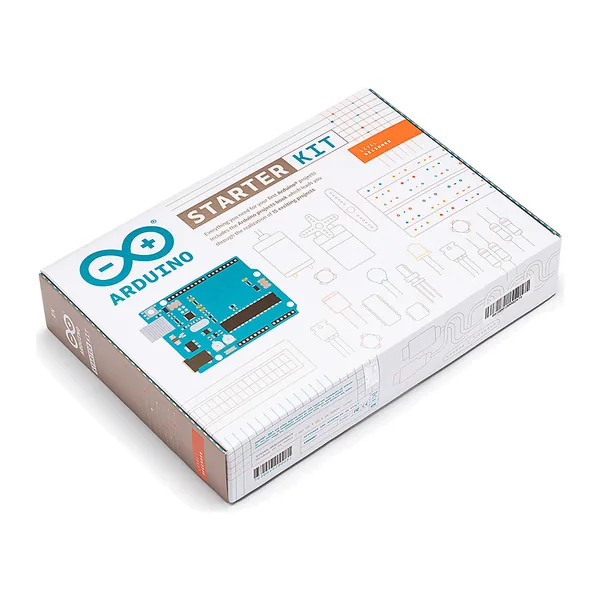
Arduino Starter Kit — editorial hardware illustration.
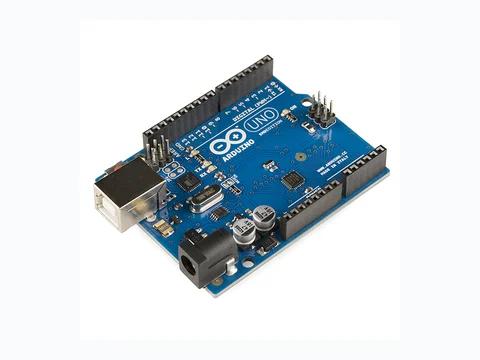
Arduino UNO R3 — typical board used in these exercises.
int: whole number (counter, speed, threshold). On an UNO it is 16-bit, from −32,768 to 32,767 (Arduino reference).unsigned long: time from millis(), which returns this type.float: decimal number (measurement, average, calculation).bool: true/false (state, flag).char: one character ('A').const char*: constant text, handy for messages.Rule of thumb: if you are counting events, it’s a whole number, so
int, notfloat.
int global;        ← visible in setup() and loop()

void loop() {
  int local;       ← visible only in loop()
}const int LED_PIN = 13;
const int BAUD = 9600;
const int DELAY_MS = 100;Give names that say why the number exists.
int n = 3; float f = n; works (3 becomes 3.0).float f = 3.7; int n = (int)f; truncates (3.7 becomes 3).For text output, keep numbers as int and print them with Serial.print rather than building global String objects.
Solutions are hidden: click Show solution.
Exercise 1: Declare int counter = 0; and increment it in loop(). Easy
int counter = 0;
void setup() {}
void loop() { counter++; }
Exercise 2: Declare bool alarm = false; and set it to true in setup(). Easy
bool alarm = false;
void setup() { alarm = true; }
void loop() {}
Exercise 3: Declare unsigned long t0 = 0; and store millis() in it in setup(). Easy
unsigned long t0 = 0;
void setup() { t0 = millis(); }
void loop() {}
Exercise 4: Print an int and a float on one line with Serial.print. Easy
int n = 7;
float f = 3.5;
void setup() {
  Serial.begin(9600);
  Serial.print("n=");
  Serial.print(n);
  Serial.print(" f=");
  Serial.println(f);
}
void loop() {}Exercise 5: Scope: declare a local int x in loop() and explain in a comment why setup() cannot use it. Intermediate
void setup() {
  // x does not exist here if it is declared in loop()
  // Scope: a local variable is only visible inside its block.
}
void loop() {
  int x = 0;
  x++;
}
Exercise 6: Declare a text const char* msg = "OK"; and print it at start-up. Intermediate
const char* msg = "OK";
void setup() {
  Serial.begin(9600);
  Serial.println(msg);
}
void loop() {}
Exercise 7: Conversion: with float d = 12.9; compute int n = (int)d; and print n (it should print 12). Intermediate
void setup() {
  Serial.begin(9600);
  float d = 12.9;
  int n = (int)d;
  Serial.println(n); // 12
}
void loop() {}
Exercise 8: Write int clampInt(int v, int minV, int maxV) that keeps v between min and max. Intermediate
int clampInt(int v, int minV, int maxV) {
  if (v < minV) return minV;
  if (v > maxV) return maxV;
  return v;
}Exercise 9: Explain in a comment why millis() must be stored in an unsigned long. Advanced
void setup() {
  // millis() returns a large positive number (ms since start-up)
  // unsigned long matches its return type and keeps the full range.
  unsigned long t = millis();
  Serial.begin(9600);
  Serial.println(t);
}
void loop() {}
Exercise 10: Write bool isNear(int distanceCm, int threshold) that returns true if distanceCm <= threshold. Advanced
bool isNear(int distanceCm, int threshold) {
  return distanceCm <= threshold;
}
Exercise 11: static: write a function that counts how many times it has been called. Advanced
int countCalls() {
  static int c = 0;
  c++;
  return c;
}
Exercise 12: Mini-project: with int distance_cm = 42; print Distance: 42 cm. Advanced
void setup() {
  Serial.begin(9600);
  int distance_cm = 42;
  Serial.print("Distance: ");
  Serial.print(distance_cm);
  Serial.println(" cm");
}
void loop() {}
← Previous: Lesson 1: sketch structure and Serial · Next: Lesson 3: conditions, sensors and actuators → · Back to the course
What type for an ultrasonic distance in cm?
Usually int distance_cm — ultrasonic modules return whole centimetres in most classroom sketches.
Why not store everything in float?
It works for small programs, but int is clearer for counters and saves RAM on an UNO (the common Arduino board with 2 KB SRAM).
Where does this fit in the full course?
After lesson 1 (Serial monitor) and before lesson 3 (if/else and sensors). See also Arduino robot kit for kids for hardware that matches these lessons.
Torn between two models or stuck on a build? Drop us a line and we will get back to you by email.