mBot accessories: mBuild sensors, packs and extensions (2026 guide)
mBot (RJ25) and mBot2 (mBuild) accessories: ultrasonic sensors, LEDs, packs and Makeblock extensions. What to add after the base kit.

mBot (RJ25) and mBot2 (mBuild) accessories: ultrasonic sensors, LEDs, packs and Makeblock extensions. What to add after the base kit.
Some links on this page are affiliate links. If you buy through them, we may earn a commission at no extra cost to you. Check today’s price on Amazon.com or Amazon.com before you buy.
Once your mBot is up and running, accessories extend the life of the kit: new challenges, repairs, or mechanical variants. The classic mistake is to pile up purchases without a clear goal. It is better to have one sensor and one project than a cupboard full of incompatible boxes.
On the classic mBot (often called mBot v1), the mCore board (the robot’s “brain”) has RJ25 ports. These are small rectangular connectors, similar to a telephone socket, numbered 1 to 4. Each Makeblock RJ25 sensor plugs into the port given in its own leaflet.
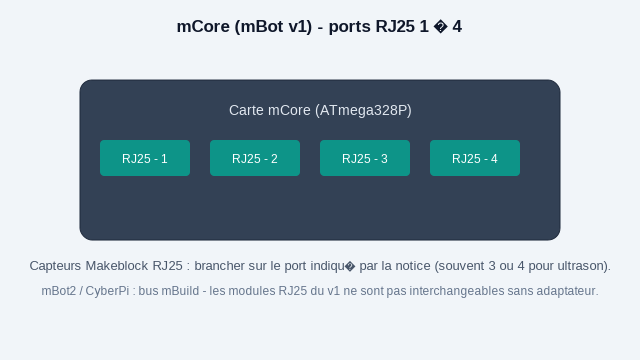
Teaching diagram of ports 1 to 4 on the mCore. On mBot2 and its CyberPi controller, the bus is called mBuild (magnetic connectors): the RJ25 modules of the v1 cannot be swapped with it without a suitable adapter.
Before buying, read the product title and the connector type on the listing: RJ25 for the classic mBot, mBuild for the mBot2. The two generations are not interchangeable without a suitable adapter. Also open the Makeblock compatibility matrix to check that the module matches your robot generation.
Direct answer (October 2026) — On the classic mBot, plug the official RJ25 sensors into ports 1 to 4 of the mCore. A sensible buying order is: rechargeable batteries → storage → one sensor matched to a project (often ultrasonic) → spare parts → mechanical extensions. On mBot2, choose the mBuild bus, not the RJ25 modules of the v1.
| Generation | Connector / bus | Where it plugs in |
|---|---|---|
| mBot v1 | RJ25 (4-pin Makeblock cable) | mCore ports 1 to 4 |
| mBot2 | mBuild (modular, magnetic connectors) | CyberPi / mBot2 mBuild chain; not the classic RJ25 sensors of the v1 |
Do not buy an mBuild-only module expecting it to plug into a classic mBot v1 RJ25 port. The reverse is usually wrong as well.
When the robot already works, the most useful pair is often rechargeable batteries plus an ultrasonic rangefinder (a sensor that measures distance with sound waves), to measure distances. The classic mBot kit already includes the ultrasonic sensor, the line follower and the infrared remote. A second sensor is only for another robot or a spare, and only if the listing says RJ25. Amazon.com around £90 on 9 November 2026.
| Priority | Type | Why |
|---|---|---|
| 1 | Rechargeable batteries + suitable charger | Without reliable power, everything else is frustrating. |
| 2 | Storage (compartment box) | Fewer lost parts means fewer children giving up. |
| 3 | Sensor matched to a project (e.g. ultrasonic) | A clear goal: see our activities below. |
| 4 | Spare parts (wheels, screws) | If the robot often leaves the school or club. |
| 5 | “Fun” extensions (arm, tracks) | Once the basic scripts are mastered, not before. |
Arms, tracks and other structures are interesting when the child has run out of ideas on the original model and wants to rebuild it mechanically before going back to code. They are not a first purchase if the basic program is still unclear.
Is an “all-in-one” pack worth it?
Yes, if buying the pieces separately would cost you more and you will use every item. Otherwise, buy as you go.
Should I get a second battery?
It is useful in a club or on a project day; at home, good rechargeable batteries are often enough.
Amazon.com first, then Amazon.com:
Amazon partner — commission possible on eligible purchases.
In practice: a new sensor plus a new goal (a course, an alarm, a counter) restarts enthusiasm without multiplying purchases. For ideas for short sessions, see mBot projects in one hour.
Author: Emmanuel Sauvage.
Torn between two models or stuck on a build? Drop us a line and we will get back to you by email.