mBot, mBot2, and Ranger prices in 2026: which kit to buy
Typical Amazon.ca band in late 2026: mBot around CA$95, mBot2 around CA$185, Ranger around CA$210. Accessory prices not rolled in.

Typical Amazon.ca band in late 2026: mBot around CA$95, mBot2 around CA$185, Ranger around CA$210. Accessory prices not rolled in.
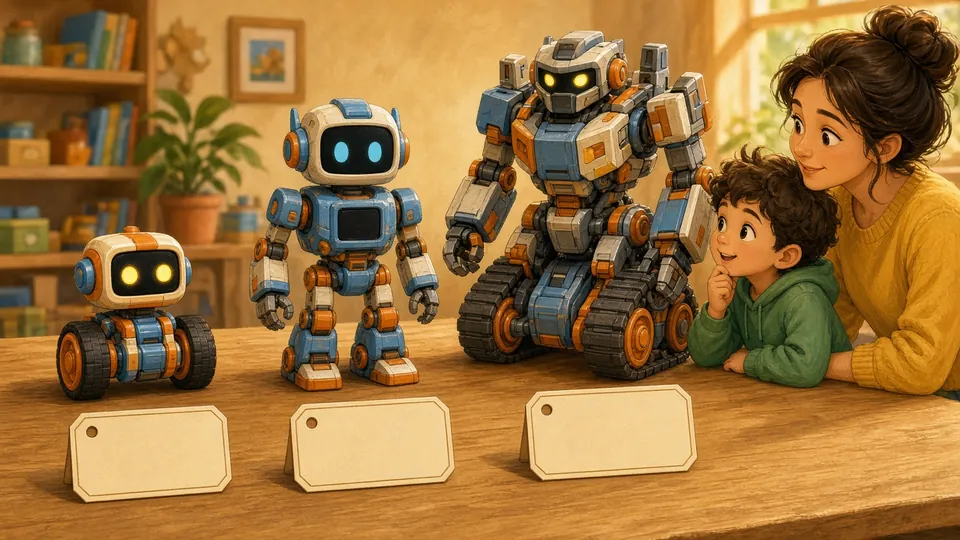
AI-generated illustration
Some links on this page are affiliate links. The button opens Amazon so you can check today’s price.
| Kit | Badge in this comparison | Price on 6 November 2026 |
|---|---|---|
| mBot | Best value in the reading | around CA$95 |
| mBot2 | Python and Wi-Fi | around CA$185 |
| Ranger | Three forms | around CA$210 |
The Makeblock mBot range is read here as three kits: the mBot, the mBot2, and the mBot Ranger. The prices come from typical Amazon.ca listings. They can move after that. Batteries, chargers, and modules that are not in this reading are not added to the robot.
| Model | Price on 6 November 2026 | Recommended age | What sets it apart |
|---|---|---|---|
| mBot | around CA$95 | 8–12 | Blocks, a short build, a large set of tutorials |
| mBot2 | around CA$185 | 10–14 | Python, CyberPi, Wi-Fi |
| mBot Ranger | around CA$210 | 10–14 | Off-road, three forms, balancing |
Listings: mBot, mBot2, and Ranger below. A commission is possible on an eligible purchase, at no extra cost. The functional comparison, beyond price, is in mBot or mBot2.
Amazon.ca (Makeblock mBot, ASIN B07XR98YYQ)
Amazon.ca (Makeblock mBot2, ASIN B0919F9CKS)
Amazon.ca (Makeblock mBot Ranger, ASIN B07KG4JHBH)
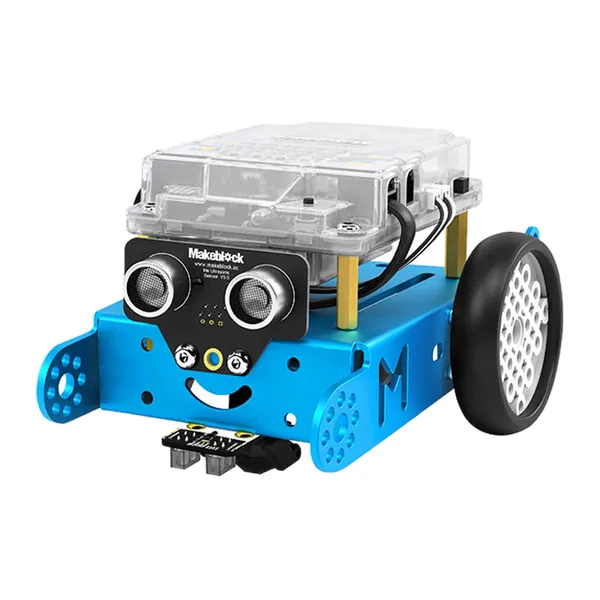
Makeblock mBot — ages 8–12 — Scratch, Arduino — badge: Best value for money
Strengths:
The box brings together an aluminum chassis, two DC motors, an ultrasonic sensor, a two-sensor line follower, RGB LEDs, a buzzer, the mCore board (Arduino compatible), an infrared remote, the cables, and the screws. You program first in blocks, in mBlock, close to Scratch. A first program often fits in an hour when an adult is there for the connection. The walkthrough is in your first mBot program.
It suits a first robot, around 8–10, and a class that wants several stations without moving up to the mBot2 price. It has no Wi-Fi from the start, and no color screen: feedback goes through the LEDs and the buzzer. The next step, if you stay on this chassis, is Arduino rather than Python. Possible add-ons are presented in mBot accessories, with no price until they appear in the reading.
Amazon.ca (Makeblock mBot)
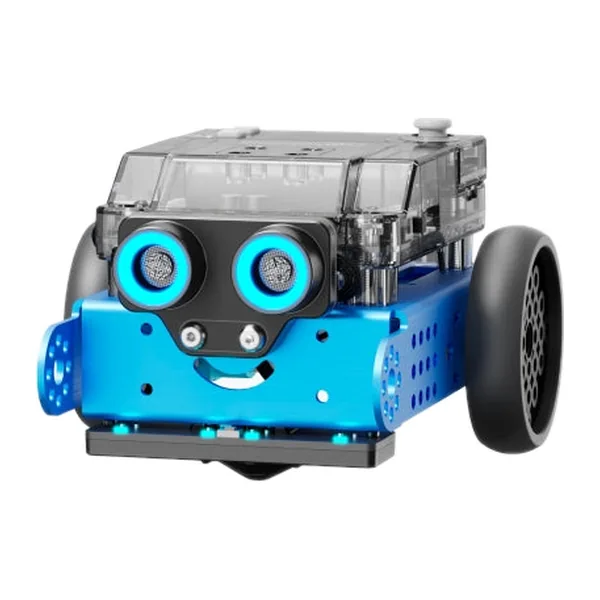
Makeblock mBot2 — ages 10–14 — Scratch, Python — badge: Best choice for Python
Strengths:
The difference is the CyberPi board: color screen, microphone, speaker, accelerometer, light sensor, 2.4 GHz Wi-Fi, and a rechargeable lithium battery. You start in blocks, then move to Python without changing robots. Connected projects (a published measurement, a small dashboard) become possible. That still does not make it a general-purpose computer.
The gap with the mBot, around CA$85 in the reading (167.95 − 89.99), makes sense if Python is already the goal, in middle school or in a club, and if the robot needs to last several years. It does not make sense for a first discovery, or if the child would rather take a chassis apart than write. Eight mBots at around CA$95 come to roughly CA$792 for the kits alone. Six come to roughly CA$594. That sum includes neither batteries nor a demonstration mBot2: those lines are checked separately.
Amazon.ca (Makeblock mBot2)
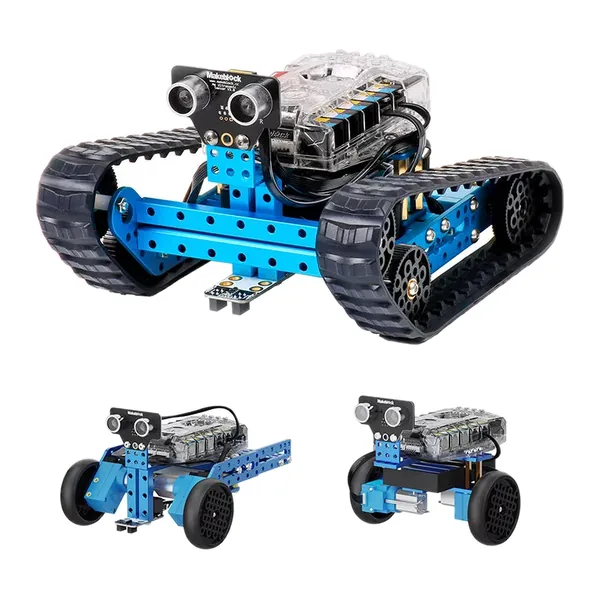
Makeblock mBot Ranger — ages 10–14 — Scratch, Arduino — badge: Mechanical range
Strengths:
The Ranger is rebuilt. The Tank Raptor runs on tracks. The car form points the ultrasonic sensor forward. The balancing robot stands up, gyroscope helping, in the spirit of a small self-balancing scooter. The build is longer than the mBot’s, often two or three hours the first time. You program in blocks, then in Arduino, not in native Python as on the mBot2. The link is Bluetooth, not Wi-Fi.
| Criterion | mBot2 | Ranger |
|---|---|---|
| Typical US listing | around CA$185 | around CA$210 |
| Programming | Blocks and Python | Blocks and Arduino |
| Link | Wi-Fi and Bluetooth | Bluetooth |
| What changes | Software, screen, connected projects | Three mechanical forms |
You take the Ranger if mechanics come first. You take the mBot2 if Python and Wi-Fi come first. The price gap in typical listings is on the order of CA$25 between Ranger and mBot2.
Amazon.ca (Makeblock mBot Ranger)
The three kits do not all say the same thing about batteries. Check the manual: AA cells, a battery already in the box, or a separate charger. A course mat, servos, an LED strip, or a color sensor are separate purchases. Their prices are not in this reading. Check each listing, and do not add them in your head to the around CA$95, CA$185, or CA$210 kit prices.
The CyberPi Scratch and Python learning kit was around CA$65 in the same reading. That amount describes that kit, not the price of swapping an mCore board into an mBot you have already built. A bare board can lack the screen and functions that belong to the mBot2. The map of the families is in which robot to choose in 2026.
Amazon.ca (CyberPi learning kit, ASIN B0BBZY9L59)
For a class, an education reseller can quote. This Amazon reading contains no negotiated discount. Second-hand has no price here either: you check the firmware, the Bluetooth, the manual, and the cables before you accept an amount the seller states. Promotions sometimes return on Black Friday, at back-to-school, or on Prime Day. The percentage is not known in advance: that day’s listing is what counts.
For a first discovery around 8–10, the mBot at around CA$95 is enough: blocks, a short build, and the remaining budget goes to batteries if the manual asks for them, at their price that day. For a middle-school student aiming at Python, the mBot2 at around CA$185 removes the step of a separate board. For a child of 10–14 who wants to transform the robot, the Ranger at around CA$210 is the mechanical kit. In class, several mBots allow work in pairs; one or two mBot2 robots are enough if the teacher wants to show Python. All three boxes together serve a club. A second robot, six months or a year later, is a better plan than a grouped purchase on day one.
No. The Ranger has a chassis and a gyroscope meant for balancing and for changing shape. The mBot2 does not become that robot if you only change the program.
Not fully. You can look at a CyberPi board, but the around CA$65 kit in the reading is not priced as a graft into an mBot. The screen and part of the mBot2’s functions stay tied to that model.
No, unless you are collecting or running a club. One model matched to the age and the language you are aiming at, then a second later if the interest holds.
The mBot at around CA$95 remains the lowest ratio in the reading for a start. The mBot2 at around CA$185 makes sense as soon as Python is the goal. The Ranger at around CA$210 is for someone who wants three machines in the same box.
Torn between two models or stuck on a build? Drop us a line and we will get back to you by email.