Which ESP32 board for smart home: classic, S3, C3, C6 or H2?
Espressif ESP32 family compared: cores, Wi-Fi, Bluetooth, Thread/Zigbee, USB and GPIO. Pick the right board for ESPHome sensors, cameras or Thread experiments.

Espressif ESP32 family compared: cores, Wi-Fi, Bluetooth, Thread/Zigbee, USB and GPIO. Pick the right board for ESPHome sensors, cameras or Thread experiments.
Also available in French.
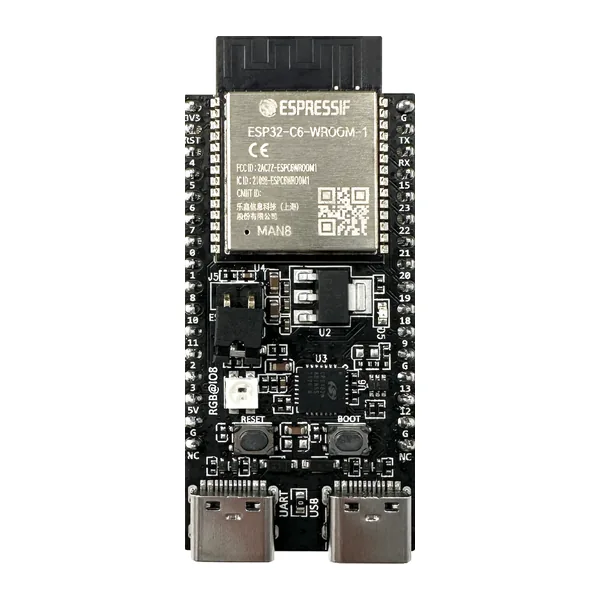
“ESP32” today means a whole family of Espressif chips (the company that designs them). For ESPHome (open firmware that talks to Home Assistant, a local smart-home hub), the chip you buy decides Wi-Fi (wireless internet at home), Bluetooth, Thread (a low-power mesh protocol), USB and how many GPIO pins (general-purpose wires on the board) you get. Below are the five SoCs (System-on-Chip: processor + radio on one silicon die) most often found on dev boards, with specs taken from Espressif product pages (checked November 2026).
Short answer: start with a classic ESP32 DevKit for tutorials; pick ESP32-S3 for cameras; choose ESP32-C6 only if you explicitly want Wi-Fi 6 plus 802.15.4 (Thread/Zigbee radio). See also our smart-home hub for beginners.
| Chip | Cores / max clock | Wi-Fi | Bluetooth | IEEE 802.15.4 (Thread, Zigbee) | Native USB | SRAM |
|---|---|---|---|---|---|---|
| ESP32 (classic) | 2 × Xtensa LX6, 240 MHz | Wi-Fi 4 (802.11n), 2.4 GHz | Classic + BLE 4.2 | No | No | 520 KB |
| ESP32-S3 | 2 × Xtensa LX7, 240 MHz | Wi-Fi 4, 2.4 GHz | BLE 5 | No | Yes (OTG) | 512 KB |
| ESP32-C3 | 1 × RISC-V, 160 MHz | Wi-Fi 4, 2.4 GHz | BLE 5 | No | Serial/JTAG | 400 KB |
| ESP32-C6 | 1 × RISC-V 160 MHz + low-power core | Wi-Fi 6 (802.11ax), 2.4 GHz only | BLE 5 | Yes | Serial/JTAG | 512 KB |
| ESP32-H2 | 1 × RISC-V, 96 MHz | No Wi-Fi | BLE 5 | Yes | Serial/JTAG | 320 KB |
Our default for beginners: classic ESP32 (DevKitC). Best documented in ESPHome and forums; enough for most projects on ESP32 smart-home ideas. Choose ESP32-S3 for cameras or extra GPIO; ESP32-C6 if you want to experiment with Thread on the same chip as Wi-Fi.

Two cores, Wi-Fi and Bluetooth (including Bluetooth Classic, useful for some audio or legacy gadgets), plenty of GPIO—the chip in our ESPHome temperature and garage door guides. Bluetooth also works as a proxy so Home Assistant can reach distant BLE (Bluetooth Low Energy) sensors.
Dual 240 MHz cores, native USB OTG (On-The-Go: plug the board like a USB device without an extra serial chip), more GPIO and vector instructions useful for signal work. Common on camera and display boards. No Bluetooth Classic—BLE 5 only.
Single RISC-V core (an open CPU architecture), Wi-Fi and BLE 5—enough for a sensor or relay. Boards are often tiny for enclosures. Fewer pins than classic ESP32.
The C6 combines Wi-Fi 6 on 2.4 GHz, BLE 5 and IEEE 802.15.4 (the radio used by Thread and Zigbee). It does not replace your router’s 5 GHz Wi-Fi—it only adds faster 2.4 GHz Wi-Fi and the 802.15.4 radio on one board.
The H2 has no Wi-Fi—built for battery Thread or Zigbee end devices. ESPHome support for these radios is still evolving: check ESPHome ESP32 docs before you commit. Background: smart-home protocols.
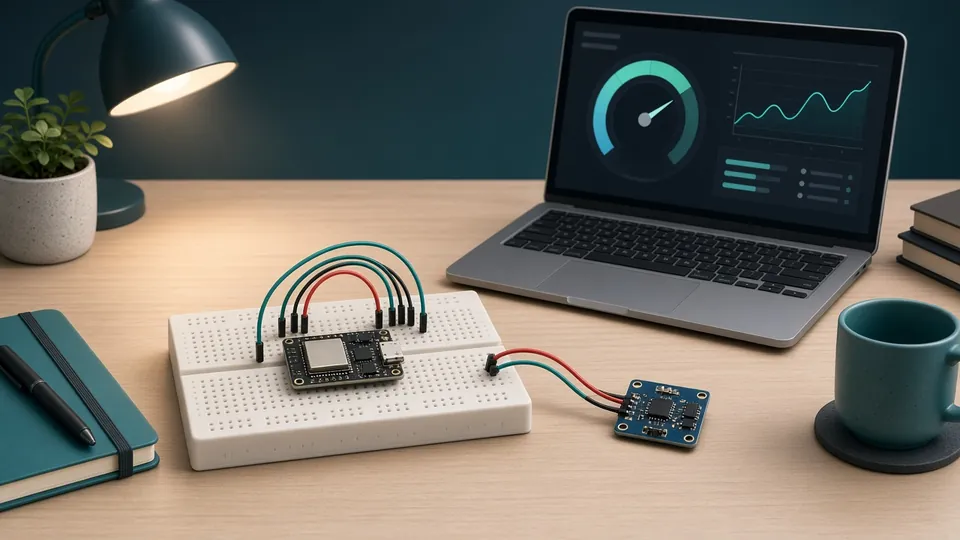
Then follow the ESPHome temperature guide and pick a project from ESP32 smart-home ideas.
Do I need Thread to use ESPHome?
No. Most ESPHome nodes use Wi-Fi only. Thread matters if you build a Matter or Thread border router experiment.
ESP32-C6 vs classic ESP32 for a temperature sensor?
Classic ESP32 is cheaper and better documented. C6 only if you already plan 802.15.4 tests.
What is BLE?
Bluetooth Low Energy—low-power wireless for sensors. Home Assistant can read them through an ESP32 Bluetooth proxy.
Can I run Zigbee on ESP32-C6 inside ESPHome today?
Support moves quickly; read the current ESPHome release notes before buying hardware for Zigbee-only use.
Torn between two models or stuck on a build? Drop us a line and we will get back to you by email.