Raspberry Pi weather station with BME280 and SQLite history (step-by-step)
Build an indoor or sheltered outdoor weather logger on Pi 4/5: enable I2C, wire the BME280, Python script, SQLite every 5 min, daily min/max, CSV export.

Build an indoor or sheltered outdoor weather logger on Pi 4/5: enable I2C, wire the BME280, Python script, SQLite every 5 min, daily min/max, CSV export.
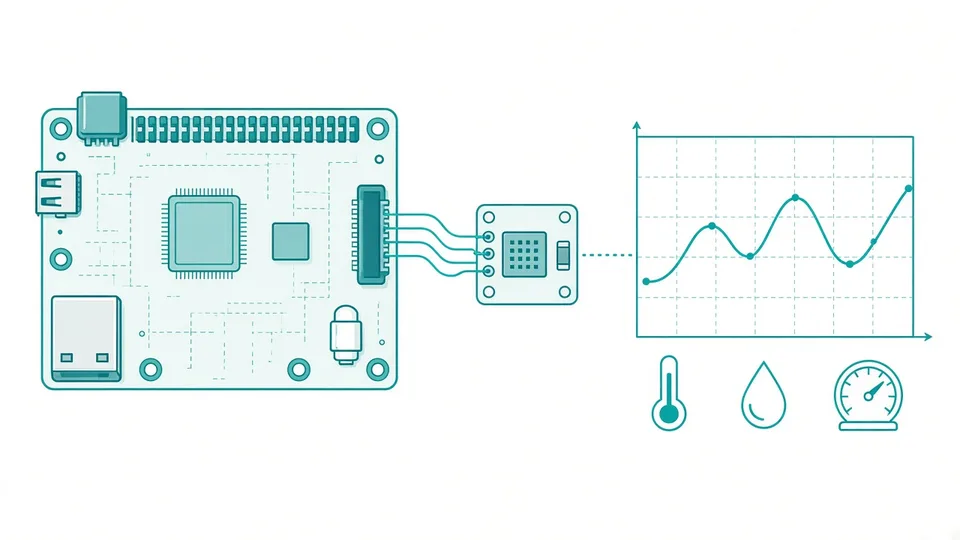
AI-generated illustration
French version: station météo BME280.
Direct answer — A BME280 module on a Raspberry Pi (4 or 5) gives you temperature, humidity and pressure logged every 5 minutes into a local SQLite database. You need four Dupont wires, I2C enabled, a Python virtual environment, and about one hour for a first run. Smart-home hub: smart home guides · Pi brand page: Raspberry Pi · complete kit: Pi 5 kit guide · CO₂ variant: SCD41 MQTT · ESP alternative: ESPHome BME280.
Photo-style illustration: Pi + I2C sensor; keep the chip away from the board’s heat.
| Step | Result |
|---|---|
| 1 | I2C bus enabled on Bookworm |
| 2 | BME280 wired at 3.3 V (not 5 V) |
| 3 | Address 0x76 or 0x77 confirmed with i2cdetect |
| 4 | Python script writes to ~/meteo.db every 300 s |
| 5 | --resume prints 7-day daily min / max / mean |
| 6 | --csv exports for Excel or LibreOffice |
| 7 | Optional systemd service for boot-time logging |
Level: beginner to intermediate · Cost: one generic BME280 module (check seller price; no subscription).
I2C (Inter-Integrated Circuit) is a two-wire bus (SDA + SCL). SQLite is a single-file database — no server to install.
| BME280 pin | Pi physical pin | Role |
|---|---|---|
| VCC / VIN | Pin 1 (3V3) | Power 3.3 V only |
| GND | Pin 6 (GND) | Ground |
| SDA | Pin 3 (GPIO2 / SDA1) | I2C data |
| SCL | Pin 5 (GPIO3 / SCL1) | I2C clock |
After wiring, run:
sudo raspi-config nonint do_i2c 0 sudo reboot i2cdetect -y 1
You should see 76 or 77 in the grid. If you see 76, export BME280_ADDR=0x76 when running the script.
Bookworm blocks pip install outside a venv. Use system GPIO packages via --system-site-packages:
sudo apt update sudo apt install -y python3-venv python3-gpiozero python3-lgpio i2c-tools mkdir -p ~/capteurs && cd ~/capteurs python3 -m venv —system-site-packages venv source venv/bin/activate pip install adafruit-circuitpython-bme280
Download the full script: meteo_bme280_sqlite.py (same logic as the French tutorial).
Set ALTITUDE_M to your site elevation in metres so pressure can be compared with weather forecasts (sea-level reduction):
cd ~/capteurs && source venv/bin/activate ALTITUDE_M=150 python meteo_bme280_sqlite.py
In another terminal:
python meteo_bme280_sqlite.py —resume python meteo_bme280_sqlite.py —csv > meteo.csv
Create /etc/systemd/system/station-meteo.service with Environment=ALTITUDE_M=150 and Environment=BME280_ADDR=0x76 if needed, then sudo systemctl enable --now station-meteo.service.
sqlite3 ~/meteo.db “SELECT ROUND((SELECT pression FROM mesures ORDER BY ts DESC LIMIT 1) - (SELECT pression FROM mesures WHERE ts <= strftime(‘%Y-%m-%dT%H:%M:%S’, ‘now’, ‘-3 hours’) ORDER BY ts DESC LIMIT 1), 1);”
A negative value means falling pressure locally — a hint only, not a professional forecast.
| Symptom | Likely cause | Fix |
|---|---|---|
No device on i2cdetect |
Wrong wiring or I2C off | Re-check 3V3/GND/SDA/SCL; enable I2C |
| Chip ID 0x58 | BMP280, not BME280 | Replace module |
| Temperature +5 °C high | Sensor on Pi board | Move sensor ≥10 cm away |
ModuleNotFoundError |
No venv / no pip package | Activate venv; pip install adafruit-circuitpython-bme280 |
BME280 vs DHT22?
BME280 adds barometric pressure and stable I2C reads; DHT22 is one-wire and slower.
Can I feed Home Assistant?
Yes — MQTT or REST after export; see Home Assistant Green vs Pi 5 for where a Pi fits in your stack.
Outdoor mounting?
Use a Stevenson screen or ventilated shade; never expose the chip to direct sun or rain.
/domotique/ on the main siteTorn between two models or stuck on a build? Drop us a line and we will get back to you by email.