Cada ficha muestra dificultad, tiempo, coste y herramientas. Filtrad por sistema o buscad el error.
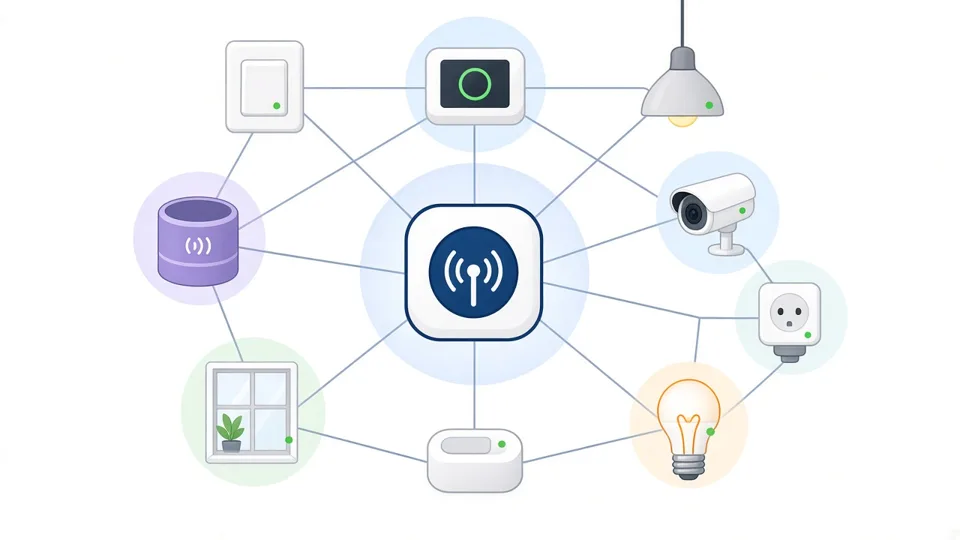
Credit: site illustration — Zigbee stack choice (ZHA vs Zigbee2MQTT).
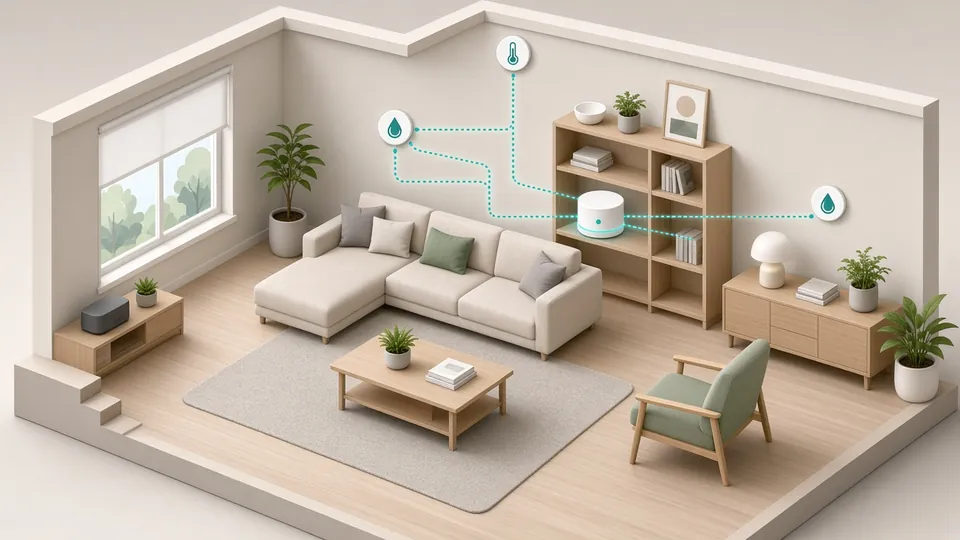
Credit: site illustration — typical Zigbee sensor pairing scenario.
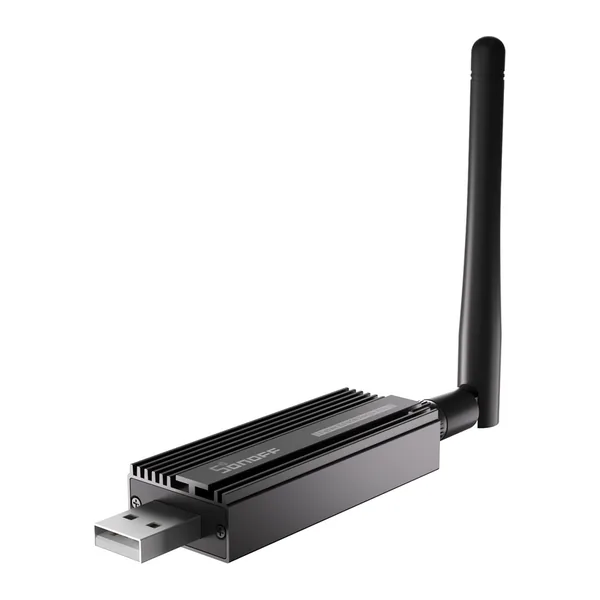
Credit: product reference photo (Sonoff ZBDongle-E).
Ajustes de software, cable USB o sensor adicional: puede hacerlo el usuario. Hardware defectuoso o en garantía (hub, micromódulo Shelly/Sonoff, placa mCore) debe pasar por el SAV oficial de la marca.
¿Falta un producto o código de error? Propóngalo a nuestro equipo
Zigbee2MQTT — Error 205 (timeout respuesta ZDO)
Síntomas — Emparejamiento bloqueado; « Error 205 » o timeout ZDO en los logs.
Solución — Acercad el sensor al coordinador (< 1 m), iniciad el emparejamiento en el dispositivo y repetid la entrevista. Si continúa: canal Zigbee fijo, quitad un router inestable, reiniciad Zigbee2MQTT. En Sonoff-E: firmware Ember actualizado.
En caso de duda, contacte con la asistencia oficial del fabricante o el servicio posventa de la marca (para conexiones a 230 V, recurra a un electricista cualificado).
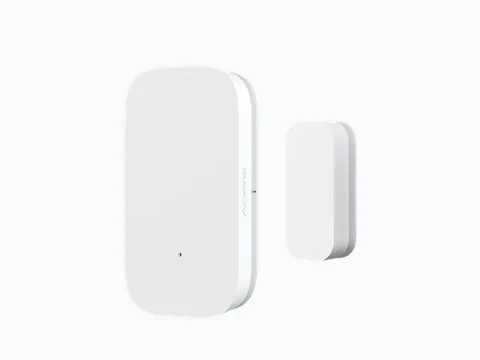
Zigbee2MQTT — « No network route » / dispositivo inalcanzable
Síntomas — Entidades « unavailable », órdenes ignoradas, LQI bajo en el mapa.
Solución — Añadid un **router Zigbee enchufado** entre coordinador y sensor. Los sensores a pilas no enrutan. Revisad el LQI del padre. Último recurso: reemparejar junto a un router.
En caso de duda, contacte con la asistencia oficial del fabricante o el servicio posventa de la marca (para conexiones a 230 V, recurra a un electricista cualificado).
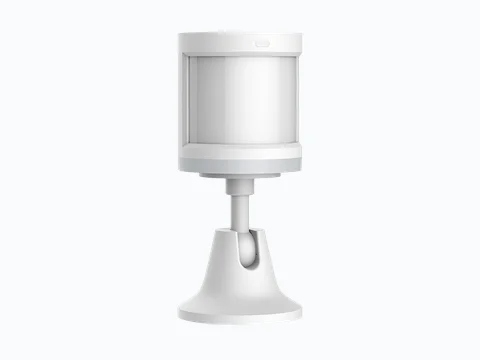
Zigbee2MQTT — « Interview failed »
Síntomas — Dispositivo visible pero entidades faltantes o « unsupported ».
Solución — Actualizad Zigbee2MQTT. Eliminad el dispositivo, reset de fábrica, reemparejad a 50 cm del dongle.
Garantía / SAV — Sigue « unsupported »: compruebe la garantía antes de abrir el sensor.
En caso de duda, contacte con la asistencia oficial del fabricante o el servicio posventa de la marca (para conexiones a 230 V, recurra a un electricista cualificado).
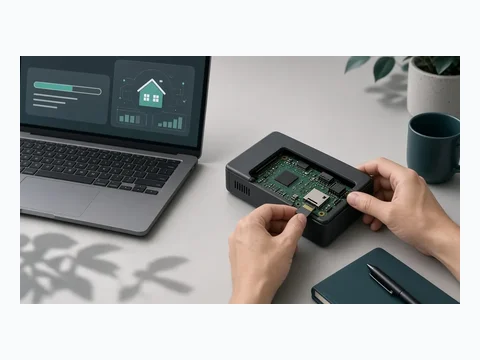
ZHA — « Failed to probe » / emparejamiento fallido
Síntomas — Error ZHA al emparejar; no se crea el dispositivo.
Solución — Un solo coordinador: detened Zigbee2MQTT si compartís el mismo dongle. Reset y acercad el dispositivo.
En caso de duda, contacte con la asistencia oficial del fabricante o el servicio posventa de la marca (para conexiones a 230 V, recurra a un electricista cualificado).
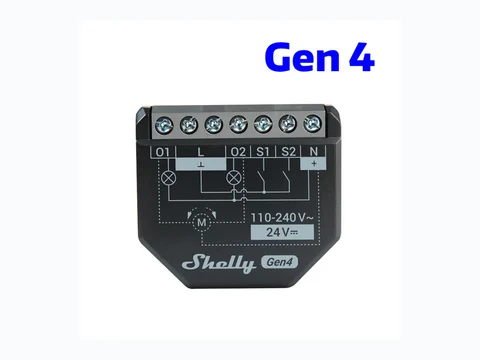
Shelly — « Device offline » / inalcanzable
Síntomas — El relé no responde; LED apagado o rojo.
Solución — Comprobad alimentación y Wi-Fi 2,4 GHz. Reset 5 s si hace falta.
Garantía / SAV — Relé Shelly defectuoso en garantía: support.shelly.cloud — no sustituya empotrados sin electricista.
En caso de duda, contacte con la asistencia oficial del fabricante o el servicio posventa de la marca (para conexiones a 230 V, recurra a un electricista cualificado).
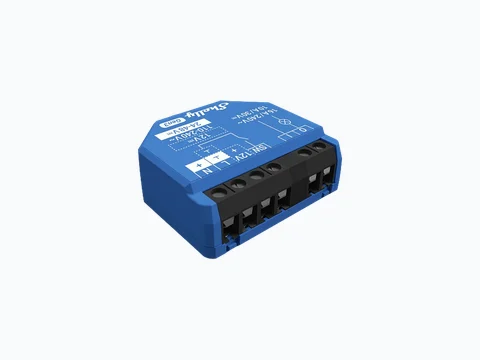
Shelly — no conecta al Wi-Fi (5 GHz)
Síntomas — Bucle de configuración AP Shelly.
Solución — Solo **2,4 GHz**, WPA2-PSK.
En caso de duda, contacte con la asistencia oficial del fabricante o el servicio posventa de la marca (para conexiones a 230 V, recurra a un electricista cualificado).
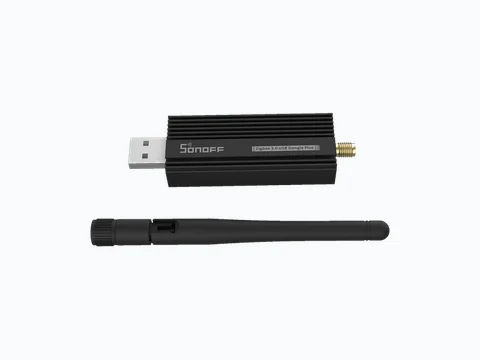
Sonoff Dongle-P vs Dongle-E — EZSP / Ember
Síntomas — Zigbee2MQTT no inicia el adaptador.
Solución — **Dongle-P**: zStack; **Dongle-E**: **ember**.
Garantía / SAV — Dongle Sonoff averiado: support@itead.cc antes de reparar por su cuenta.
En caso de duda, contacte con la asistencia oficial del fabricante o el servicio posventa de la marca (para conexiones a 230 V, recurra a un electricista cualificado).
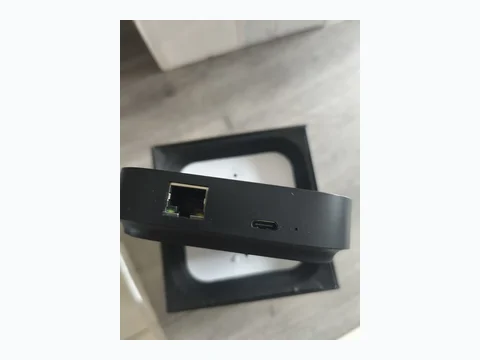
Homey Pro / Mini — red Zigbee llena
Síntomas — No se pueden añadir nuevos Zigbee.
Solución — Eliminad dispositivos fantasma; añadid routers enchufados.
Garantía / SAV — Homey defectuoso en garantía: support.homey.app — no abra la carcasa.
En caso de duda, contacte con la asistencia oficial del fabricante o el servicio posventa de la marca (para conexiones a 230 V, recurra a un electricista cualificado).
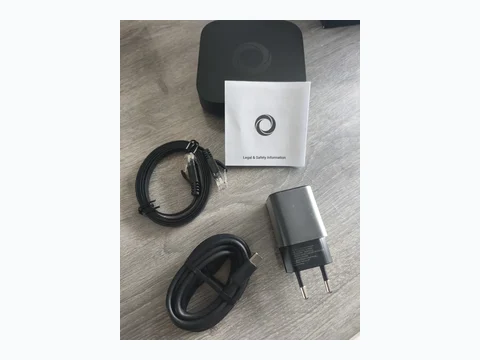
Homey — emparejamiento Matter fallido
Síntomas — QR Matter escaneado pero falla el commissioning.
Solución — Reset del dispositivo Matter. Homey actualizado.
En caso de duda, contacte con la asistencia oficial del fabricante o el servicio posventa de la marca (para conexiones a 230 V, recurra a un electricista cualificado).
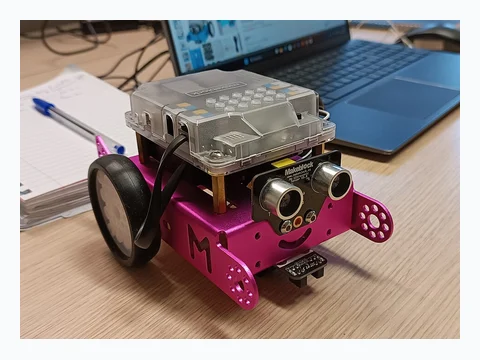
mBlock / Arduino — stk500_getsync(): not in sync
Síntomas — Carga termina con stk500_getsync() o « programmer not responding ».
Solución — USB directo, puerto COM correcto, cerrar monitor serie, reiniciar mBot, cable de datos.
En caso de duda, contacte con el soporte oficial de Makeblock (support.makeblock.com) o el SAV de la marca — no abra la placa principal (mCore, CyberPi).

mBlock — puerto COM no visible
Síntomas — Sin puerto serie en mBlock.
Solución — Driver CH340/CP2102, puerto USB trasero.
En caso de duda, contacte con el soporte oficial de Makeblock (support.makeblock.com) o el SAV de la marca — no abra la placa principal (mCore, CyberPi).
mBot — motor al revés
Síntomas — El robot retrocede al pedir avance.
Solución — Velocidad negativa o intercambiar M1/M2.
En caso de duda, contacte con el soporte oficial de Makeblock (support.makeblock.com) o el SAV de la marca — no abra la placa principal (mCore, CyberPi).
mBot — ultrasonido fijo en 0 o 400 cm
Síntomas — La distancia no cambia.
Solución — Cable RJ25, distancia a la pared, firmware.
En caso de duda, contacte con el soporte oficial de Makeblock (support.makeblock.com) o el SAV de la marca — no abra la placa principal (mCore, CyberPi).
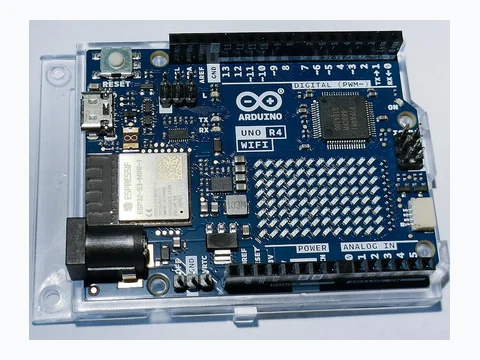
Arduino — permission denied (Linux)
Síntomas — Carga fallida: acceso denegado a /dev/ttyUSB0.
Solución — Añadir usuario a dialout, cerrar sesión, puerto serie correcto, no ejecutar como root.
En caso de duda, contacte con el soporte oficial de Makeblock (support.makeblock.com) o el SAV de la marca — no abra la placa principal (mCore, CyberPi).
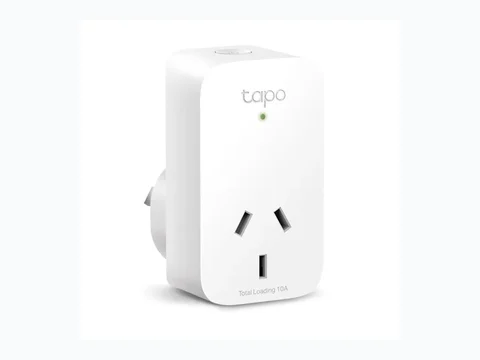
Tapo P110 — enchufe inalcanzable
Síntomas — Entidad unavailable.
Solución — Cuenta Tapo, IP fija, recargar integración.
En caso de duda, contacte con la asistencia oficial del fabricante o el servicio posventa de la marca (para conexiones a 230 V, recurra a un electricista cualificado).
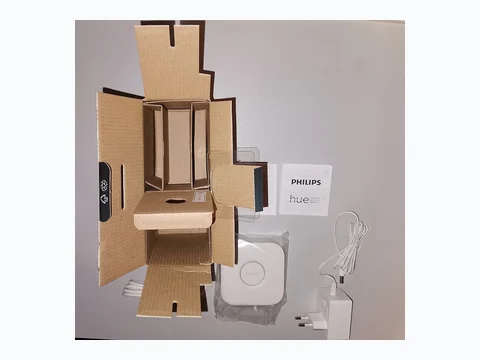
Hue Bridge — inalcanzable
Síntomas — Bridge no detectado.
Solución — Ethernet directo, misma subred.
En caso de duda, contacte con la asistencia oficial del fabricante o el servicio posventa de la marca (para conexiones a 230 V, recurra a un electricista cualificado).
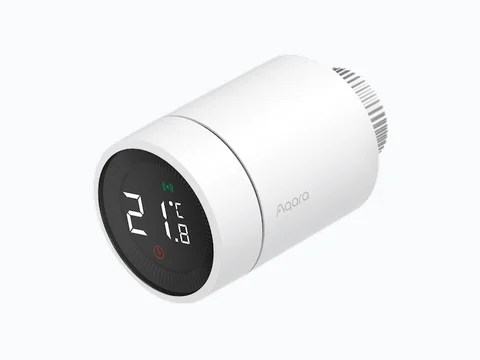
Aqara T1 — desviación de temperatura
Síntomas — Habitación demasiado caliente/fría.
Solución — Offset en app, modo válvula.
En caso de duda, contacte con la asistencia oficial del fabricante o el servicio posventa de la marca (para conexiones a 230 V, recurra a un electricista cualificado).
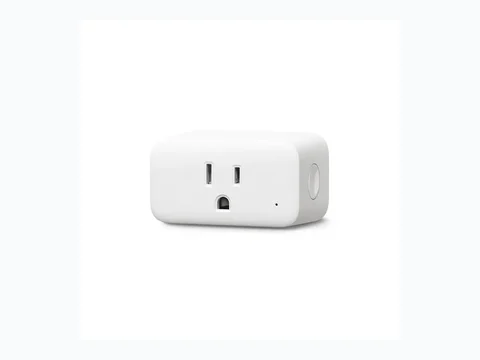
SwitchBot Curtain — timeout motor
Síntomas — Cortina se detiene a mitad.
Solución — Recalibrar límites, Hub cercano.
En caso de duda, contacte con la asistencia oficial del fabricante o el servicio posventa de la marca (para conexiones a 230 V, recurra a un electricista cualificado).
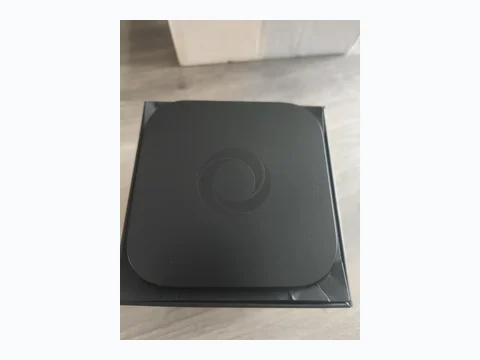
Homey Mini — ERR_THREAD_BR_UNAVAILABLE (Thread / Matter unavailable)
Síntomas — Matter/Thread devices go offline; Homey logs or community reports ERR_THREAD_BR_UNAVAILABLE, no Thread border router.
Solución — Update Homey and the app. Enable Thread on a Homey Pro/Bridge on the same account if Mini is not the border router. Move Matter device closer, power-cycle Mini 30 s. Avoid duplicate Thread coordinators without a migration plan.
Garantía / SAV — In-warranty Homey Mini: support.homey.app — do not open the enclosure.
En caso de duda, contacte con la asistencia oficial del fabricante o el servicio posventa de la marca (para conexiones a 230 V, recurra a un electricista cualificado).
Homey Mini — solid red LED, bootloop (USB-C power)
Síntomas — Solid red LED, reboot loop; Homey community: USB-C supply below 5 V 2 A or charge-only cable.
Solución — Use a **5 V ≥ 2 A** adapter and a **data** USB-C cable. Avoid unpowered hubs. USB Recovery Tool if bootloop continues after 10 minutes offline.
Garantía / SAV — Brick after recovery: Athom support via support.homey.app.
En caso de duda, contacte con la asistencia oficial del fabricante o el servicio posventa de la marca (para conexiones a 230 V, recurra a un electricista cualificado).
Homey — Cloud Bridge disconnected / ETIMEDOUT
Síntomas — Mobile app « Cloud Bridge disconnected », Mini/Pro satellites stop syncing; ETIMEDOUT to cloud.athom.com.
Solución — Check DNS (no blocking Pi-hole), correct NTP on router, disable phone VPN. Reboot router + Homey. Re-link Athom account if error lasts over 24 h.
En caso de duda, contacte con la asistencia oficial del fabricante o el servicio posventa de la marca (para conexiones a 230 V, recurra a un electricista cualificado).
Homey Pro: eMMC recovery (red ring)
Síntomas — Pulsing red LED ring, web UI unreachable; common causes: full or corrupted eMMC after power loss.
Solución — Cool down 15 min. Try official Athom USB recovery (CM4). Remove heavy apps/logs if web UI returns. Backup then contact support before opening the case.
Garantía / SAV — Opening Homey Pro voids warranty — support.homey.app only.
En caso de duda, contacte con la asistencia oficial del fabricante o el servicio posventa de la marca (para conexiones a 230 V, recurra a un electricista cualificado).
Homey — Matter pairing failed (0x000005 / mDNS IPv6)
Síntomas — Matter commissioning fails at the end, code 0x000005; mDNS issues on IPv6 or isolated VLAN.
Solución — Enable mDNS across VLANs. Pair on the same 2.4 GHz SSID as Homey. Temporarily disable router IPv6 if your model needs it. Factory-reset the Matter device before retry.
En caso de duda, contacte con la asistencia oficial del fabricante o el servicio posventa de la marca (para conexiones a 230 V, recurra a un electricista cualificado).
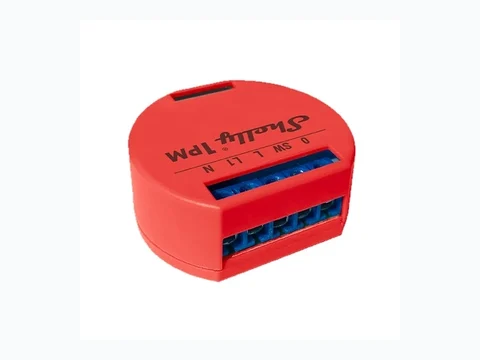
Shelly — ERR_OVERTEMP (> 95 °C, in-wall box)
Síntomas — Relay trips, overtemperature alert or ERR_OVERTEMP in app / Shelly forum.
Solución — Reduce load (incompatible LEDs, motor). Let cool. Deep back box, no insulation pressed on module. Dimmer: respect minimum load.
En caso de duda, contacte con la asistencia oficial del fabricante o el servicio posventa de la marca (para conexiones a 230 V, recurra a un electricista cualificado).
Shelly — ERR_OVERPOWER / max power protection
Síntomas — Automatic trip above configured wattage; Plus 1PM/2PM meter turns red.
Solución — Check real load (heater). Adjust max power threshold if wiring is compliant. Upgrade model if overload repeats.
Garantía / SAV — Burnt Shelly module: support.shelly.cloud under warranty.
En caso de duda, contacte con la asistencia oficial del fabricante o el servicio posventa de la marca (para conexiones a 230 V, recurra a un electricista cualificado).
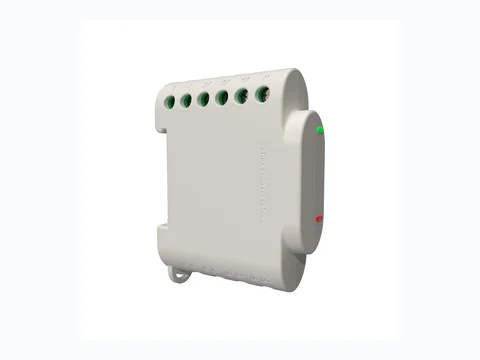
Shelly Pro 3EM — negative power (CT clamps)
Síntomas — One phase shows negative kW in the Shelly app or Home Assistant; often reversed CT arrow or swapped L1/L2/L3.
Solución — Switch off mains. Verify Shelly L1/L2/L3 mapping and CT arrow direction toward the panel. Recalibrate in the 3EM app. Never swap live wires energized.
En caso de duda, contacte con la asistencia oficial del fabricante o el servicio posventa de la marca (para conexiones a 230 V, recurra a un electricista cualificado).
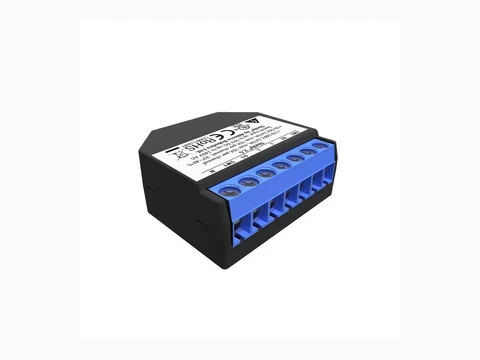
Shelly Dimmer 2 — calibration failed (flicker / load < 10 W)
Síntomas — 0–100 % flicker, calibration fails; LED load under 10 W without bypass.
Solución — Add Shelly bypass or test halogen bulb. Run full calibration in app. Check shared neutral at the light.
En caso de duda, contacte con la asistencia oficial del fabricante o el servicio posventa de la marca (para conexiones a 230 V, recurra a un electricista cualificado).
Shelly Plus 2PM — cover calibration error (end stops)
Síntomas — Roller shutter stops early or strains; Cover Calibration Error.
Solución — Cover roller mode, measure travel time. Recalibrate 0 % / 100 % positions. Check S1/S2 wiring and motor within 2PM limits.
En caso de duda, contacte con la asistencia oficial del fabricante o el servicio posventa de la marca (para conexiones a 230 V, recurra a un electricista cualificado).
Shelly — Device offline (mDNS CoIoT & RPC WebSocket)
Síntomas — Home Assistant loses RPC WebSocket; ping OK but entities unavailable; Shelly forum: blocked mDNS.
Solución — DHCP reservation, disable AP isolation. Same VLAN as Home Assistant. Re-enable CoIoT/RPC in Shelly. Avoid distant mesh node.
En caso de duda, contacte con la asistencia oficial del fabricante o el servicio posventa de la marca (para conexiones a 230 V, recurra a un electricista cualificado).
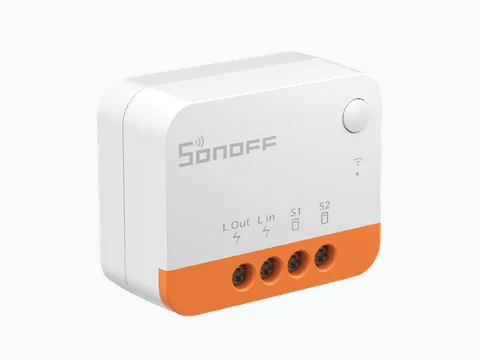
Sonoff ZBMini-L2 — LED blink (no neutral / load < 3 W)
Síntomas — Lamp flickers, glows faintly or will not turn off; ZBMini-L2 no-neutral wiring, LED load under 3 W or picky driver.
Solución — Switch off the breaker first. Confirm no-neutral wiring. Install Sonoff bypass across the lamp for low LED loads. Otherwise add minimum load. Re-pair Zigbee near the USB coordinator.
En caso de duda, contacte con la asistencia oficial del fabricante o el servicio posventa de la marca (para conexiones a 230 V, recurra a un electricista cualificado).
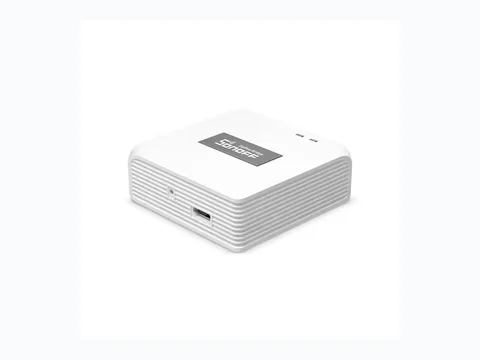
Sonoff Zigbee Bridge Pro — coordinator offline / 32 device limit
Síntomas — Sub-devices won’t pair; eWeLink « coordinator offline »; over 32 direct children (ITEAD forum).
Solución — Reboot Bridge Pro (stable USB power). Update eWeLink firmware. Remove ghost devices. Add Zigbee routers to extend mesh beyond direct limit.
En caso de duda, contacte con la asistencia oficial del fabricante o el servicio posventa de la marca (para conexiones a 230 V, recurra a un electricista cualificado).
Sonoff ZBDongle-E — EZSP / Ember driver (firmware 7.4+)
Síntomas — After a Zigbee2MQTT (**Z2M**) update or **7.4+** firmware flash, logs refuse the old **EZSP** driver and ask for the **ember** driver (Koenkk GitHub).
Solución — Confirm ZBDongle-E (not P). Set `adapter: ember` in Z2M configuration.yaml with stable by-id path. Flash Sonoff Ember firmware if needed. Restart Z2M. Never use Dongle-P zStack config on port E.
En caso de duda, contacte con la asistencia oficial del fabricante o el servicio posventa de la marca (para conexiones a 230 V, recurra a un electricista cualificado).
Aqara P2 — Matter setup failed (PASE / Thread border router)
Síntomas — Matter commissioning fails on P2; PASE timeout without Thread border router on the same account.
Solución — Enable Thread border router on same account. Move P2 within 3 m. Factory reset 10 s. Avoid QR bound to another ecosystem. Retry Matter before Zigbee migration.
En caso de duda, contacte con la asistencia oficial del fabricante o el servicio posventa de la marca (para conexiones a 230 V, recurra a un electricista cualificado).
Aqara — interview failed (sensor asleep)
Síntomas — Zigbee interview interrupted; battery sensor sleeps before ZCL completes.
Solución — Wake sensor (open door / motion), pair within 1 m of coordinator. Set `reporting` and `availability` in Z2M. CR2032 battery above 2.7 V.
En caso de duda, contacte con la asistencia oficial del fabricante o el servicio posventa de la marca (para conexiones a 230 V, recurra a un electricista cualificado).
Aqara Thermostat T1 — code E1 / E2 (M30 valve)
Síntomas — E1 or E2 on display; M30x1.5 valve travel not calibrated or stuck piston (Aqara forum).
Solución — Run valve calibration in Aqara Home (Settings → Calibration). Remove head, check M30 adapter fits your valve body, turn valve manually without force. If piston stuck: bleed radiator or replace insert — contact Aqara warranty if covered.
En caso de duda, contacte con la asistencia oficial del fabricante o el servicio posventa de la marca (para conexiones a 230 V, recurra a un electricista cualificado).
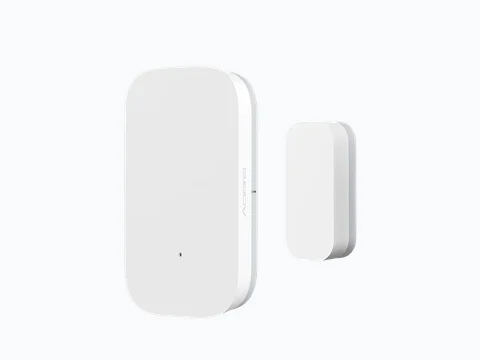
Aqara Hub M3 — Matter bridge migration error / lost Zigbee sensors
Síntomas — After Matter migration, Zigbee sensors missing; bridge migration message in app.
Solución — Update Hub M3 and app. Migrate stepwise (one ecosystem at a time). Re-pair Zigbee sensors on M3 if duplicated on old hub. Do not delete old hub before sync completes.
En caso de duda, contacte con la asistencia oficial del fabricante o el servicio posventa de la marca (para conexiones a 230 V, recurra a un electricista cualificado).
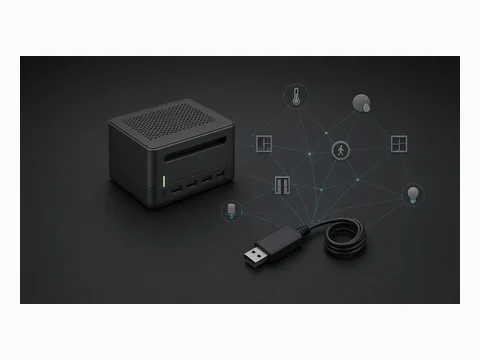
Home Assistant Yellow — PoE / CM4 won’t boot (yellow LED)
Síntomas — Solid yellow LED on Yellow, no HA access; forum: insufficient PoE or wrong UART jumper.
Solución — Test official 15 W USB-C before PoE. Check UART jumper per Nabu Casa docs. Reseat CM4 without force. Contact Nabu Casa if LED persists after power-cycle.
Garantía / SAV — In-warranty Yellow: Nabu Casa support — do not solder on CM4.
En caso de duda, contacte con la asistencia oficial del fabricante o el servicio posventa de la marca (para conexiones a 230 V, recurra a un electricista cualificado).
Home Assistant — eMMC wear / Recorder SQLite locked
Síntomas — Supervisor reports low **eMMC** lifespan on Green/Yellow; **Recorder** SQLite **database is locked**, slow UI, or corrupt DB after power loss.
Solución — Reduce recorder writes (retention, exclude noisy entities). Full backup then `ha core rebuild` if lock persists. Migrate DB to USB SSD on Green with db_url. Never rebuild without backup.
En caso de duda, contacte con la asistencia oficial del fabricante o el servicio posventa de la marca (para conexiones a 230 V, recurra a un electricista cualificado).
Home Assistant Yellow — Failed to probe (/dev/ttyAMA1)
Síntomas — ZHA or Z2M: failed to probe /dev/ttyAMA1 or ttyUSB0 on built-in Yellow radio.
Solución — Use documented device path for Yellow (Silabs firmware). Only one Zigbee stack active. Update radio firmware via Yellow dashboard. Remove conflicting USB dongle.
En caso de duda, contacte con la asistencia oficial del fabricante o el servicio posventa de la marca (para conexiones a 230 V, recurra a un electricista cualificado).
Tapo P110 — error 1002 / KLAP handshake failed (HA)
Síntomas — Tapo local HA integration: Error 1002, KLAP handshake failed after recent firmware.
Solución — Update HA and Tapo integration. Regenerate local credentials in Tapo app (linked cloud). Same subnet, no AP isolation. Disable and re-enable entity.
En caso de duda, contacte con la asistencia oficial del fabricante o el servicio posventa de la marca (para conexiones a 230 V, recurra a un electricista cualificado).
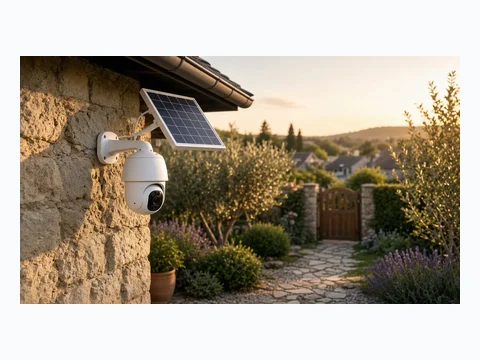
Tapo C220 — RTSP/ONVIF stream dropped (Error 401)
Síntomas — Frigate or HA: RTSP 401 Unauthorized; dedicated camera account not enabled.
Solución — In Tapo: Advanced Settings → Camera Account, create RTSP user/password. Use rtsp://user:pass@IP:554/stream1. Enable ONVIF if required.
En caso de duda, contacte con la asistencia oficial del fabricante o el servicio posventa de la marca (para conexiones a 230 V, recurra a un electricista cualificado).
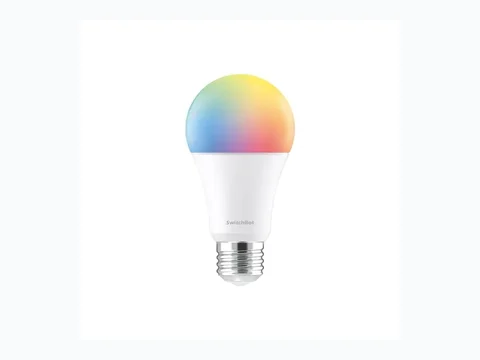
SwitchBot Hub 2 — Matter bridge sync error (entity limit)
Síntomas — Partial Matter exposure, sync error in app; forum: exposed entity limit.
Solución — Reduce Matter-exposed devices (prioritize Curtain/sensors). Update Hub 2. Reset Matter bridge then re-link one ecosystem at a time.
En caso de duda, contacte con la asistencia oficial del fabricante o el servicio posventa de la marca (para conexiones a 230 V, recurra a un electricista cualificado).
SwitchBot Curtain 3 — lost calibration / rail slip
Síntomas — Motor slips on U-rail or rod; torque error, calibration lost after cleaning.
Solución — Clean rail and rollers. Full recalibration in app (top/bottom limits). Check load under SwitchBot max weight. Hub 2 within stable Bluetooth range.
En caso de duda, contacte con la asistencia oficial del fabricante o el servicio posventa de la marca (para conexiones a 230 V, recurra a un electricista cualificado).
Hue Bridge — memory full (RulesFull / 50 lights)
Síntomas — Cannot add light or accessory; RulesFull error (~50 lights / 12 accessories).
Solución — Delete unused scenes and automations. Second Hue Bridge for another zone. Avoid duplicate rules in HA and Hue app.
En caso de duda, contacte con la asistencia oficial del fabricante o el servicio posventa de la marca (para conexiones a 230 V, recurra a un electricista cualificado).
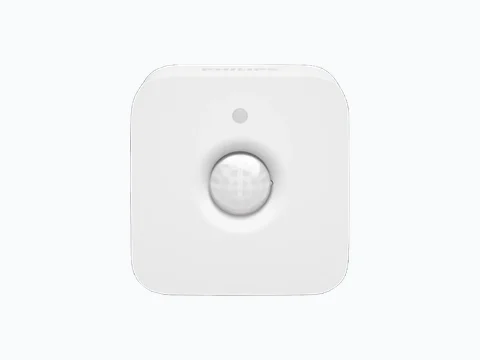
Hue Motion — red LED on trigger (Zigbee ch 25 / battery)
Síntomas — Red LED blinks on each detection; Zigbee channel 25 drop-off or CR2450 battery under 2.7 V.
Solución — Replace CR2450 battery. Move closer to mains-powered Hue router. Change Bridge Zigbee channel if 2.4 GHz Wi-Fi interferes. Re-pair near Bridge. Fix Bridge unreachable first if needed.
En caso de duda, contacte con la asistencia oficial del fabricante o el servicio posventa de la marca (para conexiones a 230 V, recurra a un electricista cualificado).

CyberPi / mBot2 — OSError [Errno 28] ENOSPC (mBlock 5)
Síntomas — Firmware update stuck; Makeblock forum: CyberPi storage full.
Solución — Delete unused CyberPi projects in mBlock, factory reset then reflash. Free disk space if mBlock cache is full.
En caso de duda, contacte con el soporte oficial de Makeblock (support.makeblock.com) o el SAV de la marca — no abra la placa principal (mCore, CyberPi).
Arduino Uno R4 WiFi — DFU / bossac upload error
Síntomas — Upload fails in bossac mode; IDE asks for double-tap Reset for DFU.
Solución — Double-tap RESET quickly (LED fade) then upload within 8 s. Select correct « Arduino UNO R4 WiFi » port. Update arduino:renesas_uno core. Data USB cable.
En caso de duda, contacte con el soporte oficial de Makeblock (support.makeblock.com) o el SAV de la marca — no abra la placa principal (mCore, CyberPi).
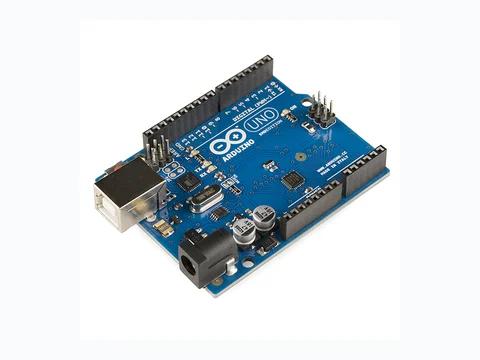
Arduino Uno R3 — avrdude stk500_getsync(): not in sync
Síntomas — IDE upload: stk500_getsync(): not in sync, resp=0x00.
Solución — Close serial monitor. Correct COM port, CH340 driver if clone. Press reset just before upload. Try another cable / rear USB port.
En caso de duda, contacte con el soporte oficial de Makeblock (support.makeblock.com) o el SAV de la marca — no abra la placa principal (mCore, CyberPi).
Sin resultados — amplíad los filtros o propongáis el código.
Asistencia oficial y SAV del fabricante
- Shelly (Allterco Robotics)
- Sonoff (ITEAD)
- Soporte oficial
- Correo: support@itead.cc
- Homey (Athom)
- Aqara
- Soporte oficial
- Correo: support@aqara.com
- Makeblock (mBot / mBlock)
- Portal SAV
- Correo: support@makeblock.com
- Teléfono: +86 755 2639 2228