Which smart home hub for beginners?
Home Assistant, Homey, Jeedom or no hub at all: find the option that fits your goal, your home and your budget, and avoid hidden subscriptions.

Home Assistant, Homey, Jeedom or no hub at all: find the option that fits your goal, your home and your budget, and avoid hidden subscriptions.
You want to automate your home, but you wonder whether you need a central box, and which one. That box is called a smart home hub (or controller). It plays the role of conductor: it receives what your sensors say and decides what to do, for example turning on a lamp or switching off a radiator.
Two names come up all the time: Home Assistant, free software that gathers all your devices in one place, and Homey, a ready-made box you buy off the shelf. You will also run into Zigbee, a low-power radio used by battery sensors, and Matter, a common language that more and more brands understand.
By the end of this page you will know which option matches your project, how much to plan for a start, and which traps to avoid. There is no “best” hub for everyone: there is the one that suits your goal, your home and your taste for tinkering.
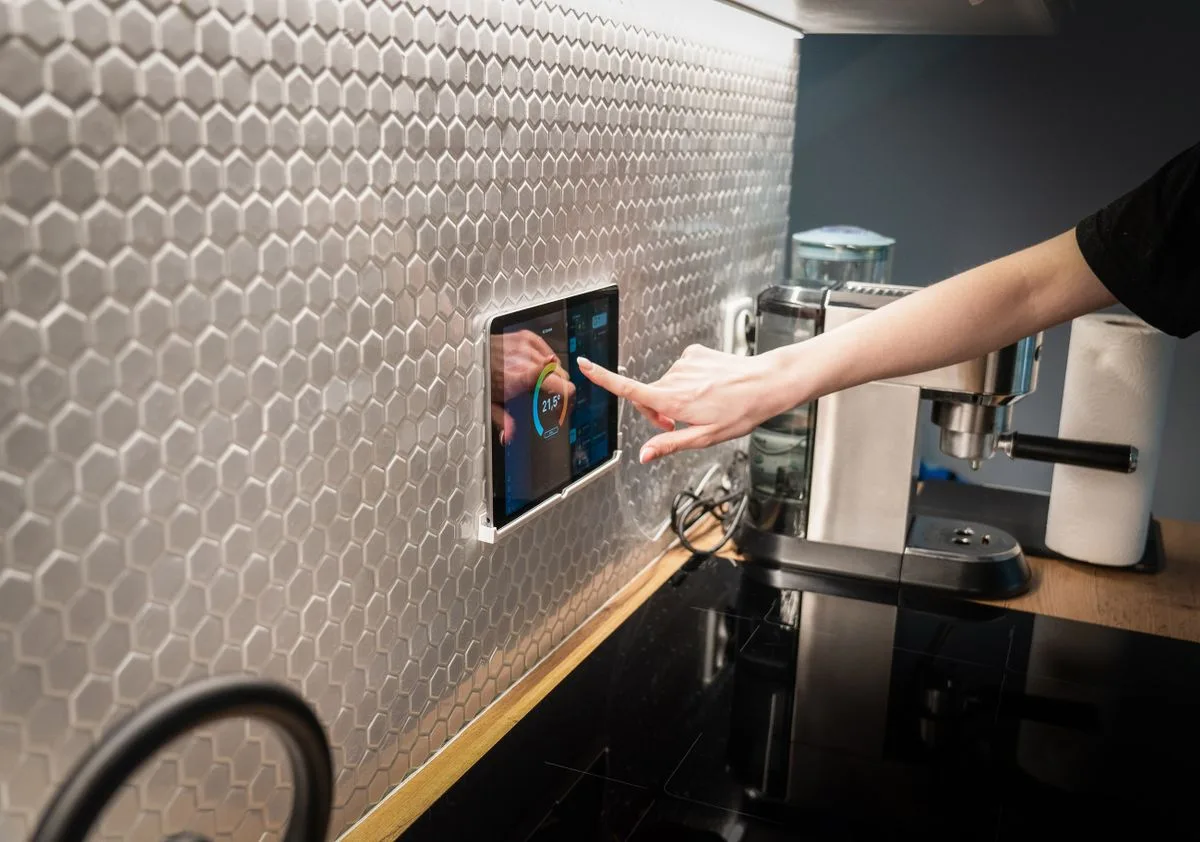
A tablet fixed to a kitchen wall that shows the temperature and controls the house: a hub lets you gather all your devices on a dashboard like this one. Photo: Jakub Zerdzicki, Pexels, free licence.
| You want… | The most realistic option |
|---|---|
| To start locally, be able to grow, and not pay for the software | Home Assistant, on a Green box or a Raspberry Pi 5 |
| A box that works almost straight away, with few settings | Homey Pro or Homey Pro mini |
| Open-source software with a plugin catalogue | Jeedom |
| To control a few objects by voice, without installing anything | No hub, just the brands’ apps or the voice assistant you already use |
| To stay in the Samsung world | SmartThings, which often relies on the internet and on a hub |
For most readers who want to automate without a mandatory subscription, Home Assistant is the most complete choice. For something that “just works”, Homey is simpler. And to test without investing in a box, you can start with Wi-Fi smart plugs and bulbs, then move to a hub later.
You need two families of devices: sensors, which measure temperature (and sometimes consumption), and devices that act, such as thermostatic radiator valves, small heads that screw onto the radiator to regulate the heat. Home Assistant excels here: it keeps a history of temperatures and allows very fine rules. Homey also drives valves through its apps.
Without a hub, brand thermostats (tado, Netatmo and others) work well, but they often lock you into their ecosystem.
You need contact sensors for doors and windows, motion detectors, and possibly a camera. A local hub has one advantage: it can sound a siren or turn on the lights as soon as the door opens, even if the internet is down. Before buying a camera, check that it can work locally with your hub; some Reolink models do, for example.
Without a hub, Wi-Fi bulbs or plugs, or Matter-compatible ones, do the job. With a hub, you can use Zigbee bulbs, such as those from IKEA or Philips Hue, or Shelly Wi-Fi modules that are controlled locally. Start simple: five different apps for five lamps is the surest way to get tired of it.
They often need a module slipped behind the switch or inside the shutter box. This is homeowner work, with an electrician if you are not qualified. If you rent, choose a different goal to start with.
A presence detector can turn on the light when you arrive or start some music. There are two types: the classic infrared detector (PIR), which reacts to the heat of a moving person, and the radio-wave detector (mmWave), which senses even someone sitting still on the sofa. Home Assistant and Homey both handle them very well.
Plugs, battery sensors, buttons and thermostatic valves need no tools. Our page on smart home for renters covers all of this. A hub such as the Home Assistant Green or Homey plugs in without drilling anything.
Home Assistant on a Raspberry Pi or a mini PC, combined with ESP32 boards (small programmable electronic boards with Wi-Fi) and the ESPHome software (used to program them), gives maximum freedom. The flip side: more maintenance. You will find ideas in our ESP32 project ideas.
The table below is wide: on a phone, scroll it to the right. It shows no fixed prices on purpose, because they change from one retailer and one country to another.
| Option | Who is it for? | Works without internet?* | Difficulty | Common trap | Starting budget |
|---|---|---|---|---|---|
| Home Assistant Green | A beginner who wants a plug-in box | Yes, everything stays at home | Low to medium | Forgetting to buy the Zigbee stick for battery sensors | Box alone is mid-range; more with stick and sensors. Check the retailer |
| Home Assistant on Raspberry Pi 5 | A tinkerer who likes to understand | Yes | Medium | Weak power supply, unreliable storage card | Depends on the kit (Pi, power supply, storage), plus the Zigbee stick |
| Home Assistant on a mini PC | Someone recycling a machine or wanting more power | Yes | Medium | Power use, noise, choice of drive | Very variable, from a spare computer to a new machine |
| Homey Pro or Pro mini | Someone who wants an all-in-one box without tinkering | Yes, for locally supported devices | Low | App catalogue to check, proprietary hardware | Often the most expensive of the list; check locally |
| Jeedom | Someone who wants open-source software with plugins | Yes | Medium | Some plugins are paid, learning curve | Depends on the box or Raspberry Pi chosen, plus plugin budget |
| SmartThings | A Samsung user | Partly | Low | Dependence on the account and on Samsung’s servers | Check by hub and offer |
| No hub | A curious person who just wants to test | Often no | Very low | Several apps, few rules across brands | A few plugs and bulbs |
*“Works without internet” means locally controlled devices keep working, while online services such as voice control stop.
These are orders of magnitude, drawn from retailers and manufacturers’ documentation, without any fixed price. Always check the current price with the seller on the day you buy.
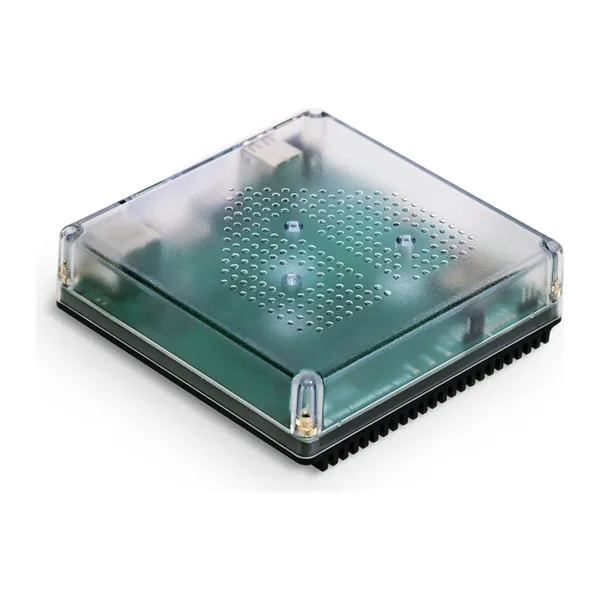
Start without tinkering
The simplest box: Home Assistant is already installed, and automations stay on your network.
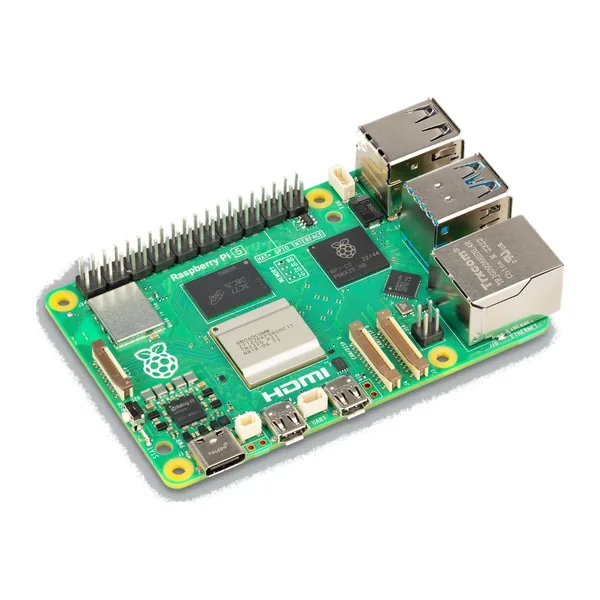
If you like to understand it
A similar budget once you add a proper power supply and storage. You install Home Assistant yourself.
The Green is the simplest way to start: it arrives with Home Assistant already installed. To compare it with the Raspberry Pi, read our Green versus Pi 5.
The Raspberry Pi 5 costs roughly the same once fully equipped, but you install it yourself: follow our installation tutorial. You also need a suitable official power supply and reliable storage. In return, its GPIO pins (connectors that let you plug small electronic components directly in) open the door to DIY projects.
The mini PC is interesting if you already have a machine set aside or plan on many cameras and integrations.
In every case, for Zigbee sensors you will need to add a radio stick. The model below is a common USB coordinator for Home Assistant. Other sticks are compared in the best Zigbee dongle guide.
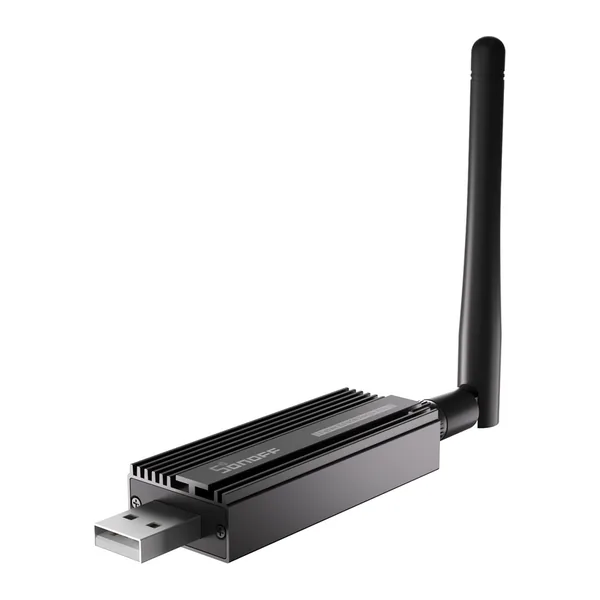
Add this for Zigbee
A USB stick for the Green or the Raspberry Pi. It creates the network that battery sensors use.
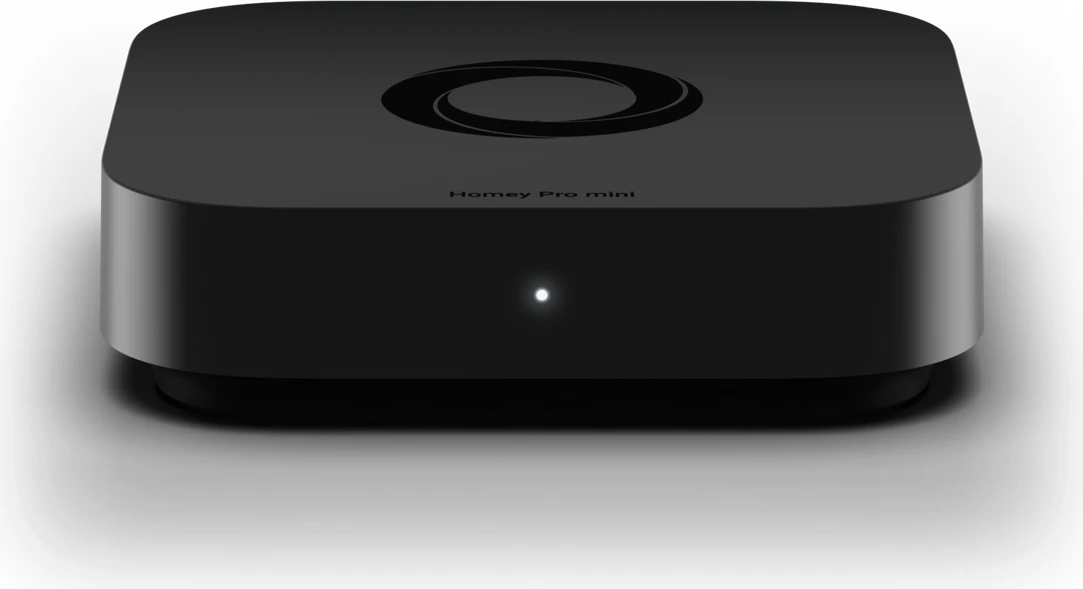
Homey packs several radios into a single box. Your rules are built with “Flows”, cards you assemble visually without writing code. Brands provide their own apps, which simplifies setup. Today’s price is on Amazon. A price converted from another country is not a local price.
If you want nothing to install
A ready-made hub. Zigbee, Thread and Matter are already in the box, with no software to install.
For the mini model, our article details the Homey Pro mini unboxing and setup. The larger Homey Pro adds more radios. The hands-on test is Homey Pro: unboxing and setup. The product page is on homey.app.
Jeedom is open-source software with an active community. It works with add-on modules called plugins, some of which are paid on the official store. It is a good choice if you like a plugin-based system with documentation. Before buying a Jeedom box, read the official documentation to spot the plugins you will need.
SmartThings (Samsung) and the voice assistants from Google, Amazon (Alexa) and Apple make voice control and Matter compatibility easier. For advanced scenarios, or for everything to keep working without internet, though, they are more limited than a Home Assistant or a Homey running at your place. Many homes therefore keep them as a complement: Home Assistant can “present” its devices to them so you can control them by voice.
It is possible, and very useful for testing: one or two Wi-Fi plugs that measure consumption, a Matter-compatible bulb, and off you go. The limit is that devices from different brands do not talk to each other, and they often depend on the internet. When you get a taste for it, bring everything together in Home Assistant or Homey instead of piling up apps.
If you want to start tomorrow without tinkering, take Homey or the Home Assistant Green. If you want to start locally and learn, take the Home Assistant Green, or a Raspberry Pi 5 with a Zigbee stick. For maximum room to grow, Home Assistant is the most open: it accepts a huge number of brands, ESPHome boards, and the MQTT messaging system that tinkerers use a lot.
Three traps come up often. The first is a mandatory cloud (meaning operation that requires the manufacturer’s servers) that is not clearly announced: read the product sheet before buying. The second is a subscription required for basic functions: check what works locally. The third is incompatibility between a device and your hub: cross-check the compatibility table with the manufacturer’s documentation.
For what comes next, move on to the first devices to buy or go back to the complete beginner guide.
Is Home Assistant free? The Home Assistant software is free. The hardware (a Green box or a Raspberry Pi, a Zigbee stick) is paid separately. An optional subscription called Nabu Casa makes remote access easier, but nothing forces you to take it for a setup that stays entirely at home.
Does Homey replace Home Assistant? For many everyday uses at home, yes. Home Assistant stays more open for DIY, ESPHome and rare integrations. The safest approach is to compare your list of devices with the Homey app catalogue and with the list of Home Assistant integrations.
Can I change hub later? Yes, especially if you chose devices that speak open languages such as Zigbee or Matter. Devices that depend entirely on their brand’s servers are harder to migrate. The compatibility table helps you check this before buying.
Is SmartThings suitable in the UK and Europe? Hubs and devices are sold country by country, and Matter improves compatibility. Check availability where you live, the plug type and voltage, and what keeps working without internet.
Affiliate disclosure: Amazon.ca links carry the site’s tag (roboteducatif-20). If you buy through them, a commission may be paid at no extra cost to you. Check prices with the seller. Author: Emmanuel Sauvage.
Torn between two models or stuck on a build? Drop us a line and we will get back to you by email.