GMKtec M6 Ultra as a home-automation server: Home Assistant, Homey and a local voice assistant

I turned the GMKtec M6 Ultra mini-PC into my home-automation server: Home Assistant in a VM (2 cores, 2 GB, ready in 59 s), reading the Homey Pro through its local API, and a Whisper + Piper voice assistant that answers in 1.1 to 1.3 s. Measurements, finish and limits.

GMKtec M6 Ultra as a home-automation server: Home Assistant, Homey and a local voice assistant

Also available in French.

Product received free for this review

GMKtec gave me this mini-PC so I could try it at home. I remain free to write what I find, and the measurements are mine. The Amazon links on this page are affiliate links: a purchase may earn Robot Éducatif a commission, at no extra cost to you. As an Amazon Associate I earn from qualifying purchases.

Tests carried out from 22 to 25 November 2026.

The GMKtec NucBox M6 Ultra is a small mini-PC running Windows 11 Pro, with an AMD Ryzen 5 7640HS processor, 16 GB of memory, a 512 GB SSD and the integrated Radeon 760M graphics. I have already described on LocAIhome how it handles local AI models (the local-AI review of the GMKtec M6 Ultra). Here I give it another role: that of the house’s home-automation server, left on all the time next to my main PC. Home Assistant, talking to my Homey Pro, a voice assistant that does not go through the cloud: here is what actually works, with numbers.

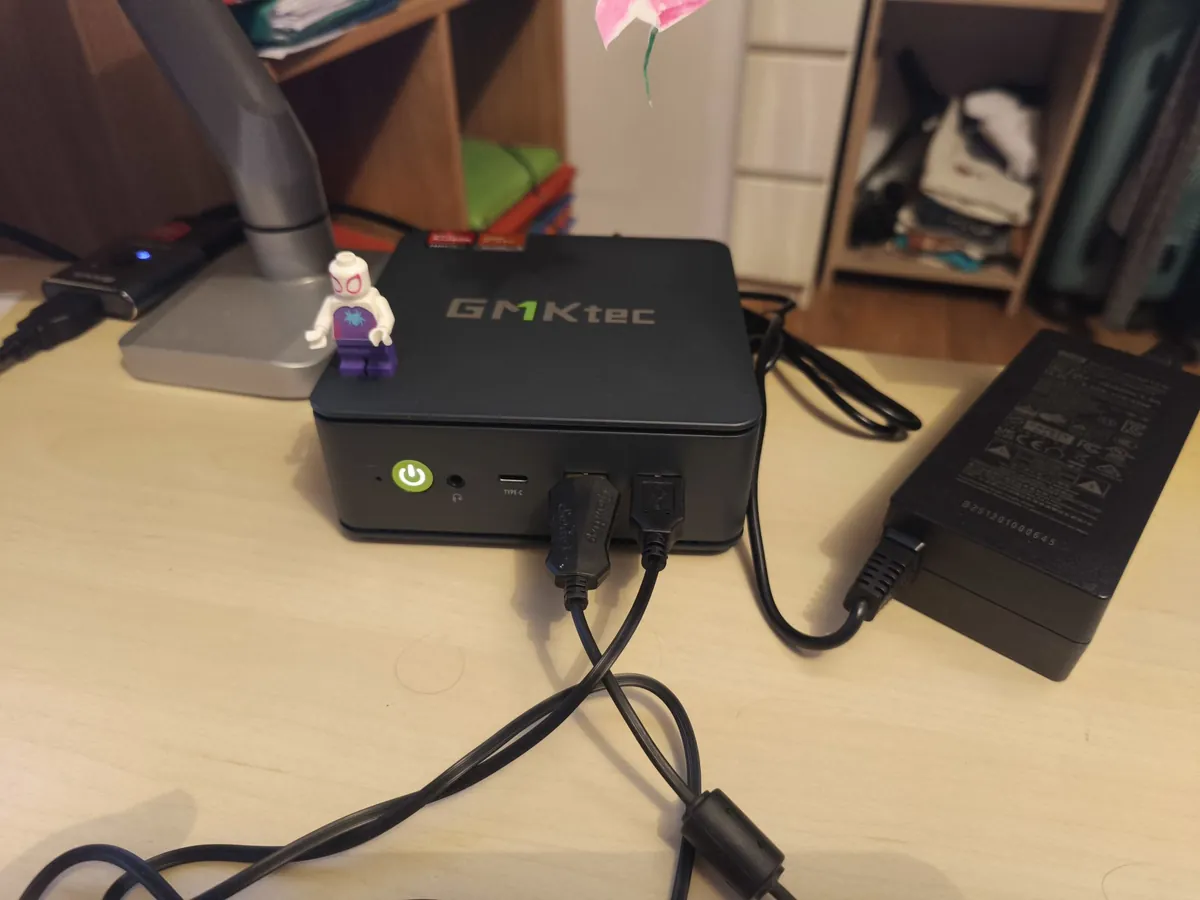
GMKtec M6 Ultra mini-PC switched on on a desk, green power button lit, power brick beside it
The M6 Ultra in use on my desk, next to its power supply.

In short

What I liked

  • Home Assistant runs in a virtual machine with 2 cores and 2 GB and answers in 59 s after a reboot, without touching Windows.
  • A fully local voice assistant answers “Is the garage door closed?” in 1.1 to 1.3 s.
  • The Homey Pro can be read from the mini-PC through its local API, in a few tens of milliseconds.
  • Around 10 W at idle (a software estimate), a sober, well-finished case, and two 2.5 G Ethernet ports.

The limits

  • With 6 GB reserved for the graphics chip, Windows only sees about 9.8 GB of memory: Home Assistant plus a 7-billion-parameter AI model is a tight fit.
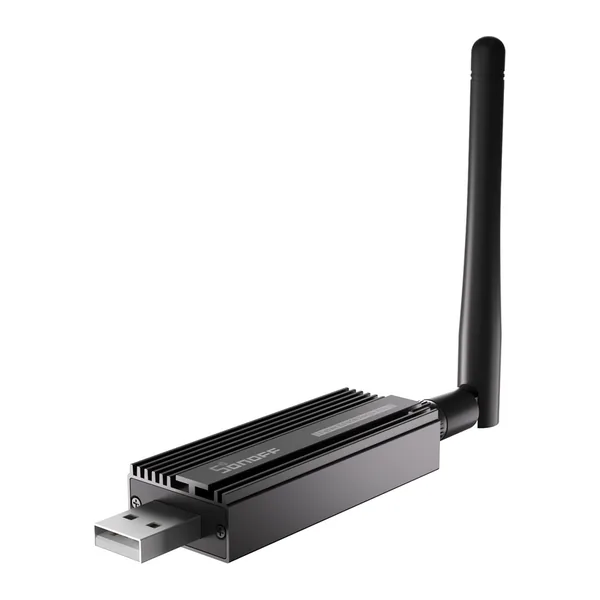
  • No built-in Zigbee or Thread radio: you need a USB dongle or a hub such as a Homey.
  • The GMKtec does not stand out from the room’s ambient noise (measured on a smartphone, with no figure in decibels).

Unboxing, finish and design

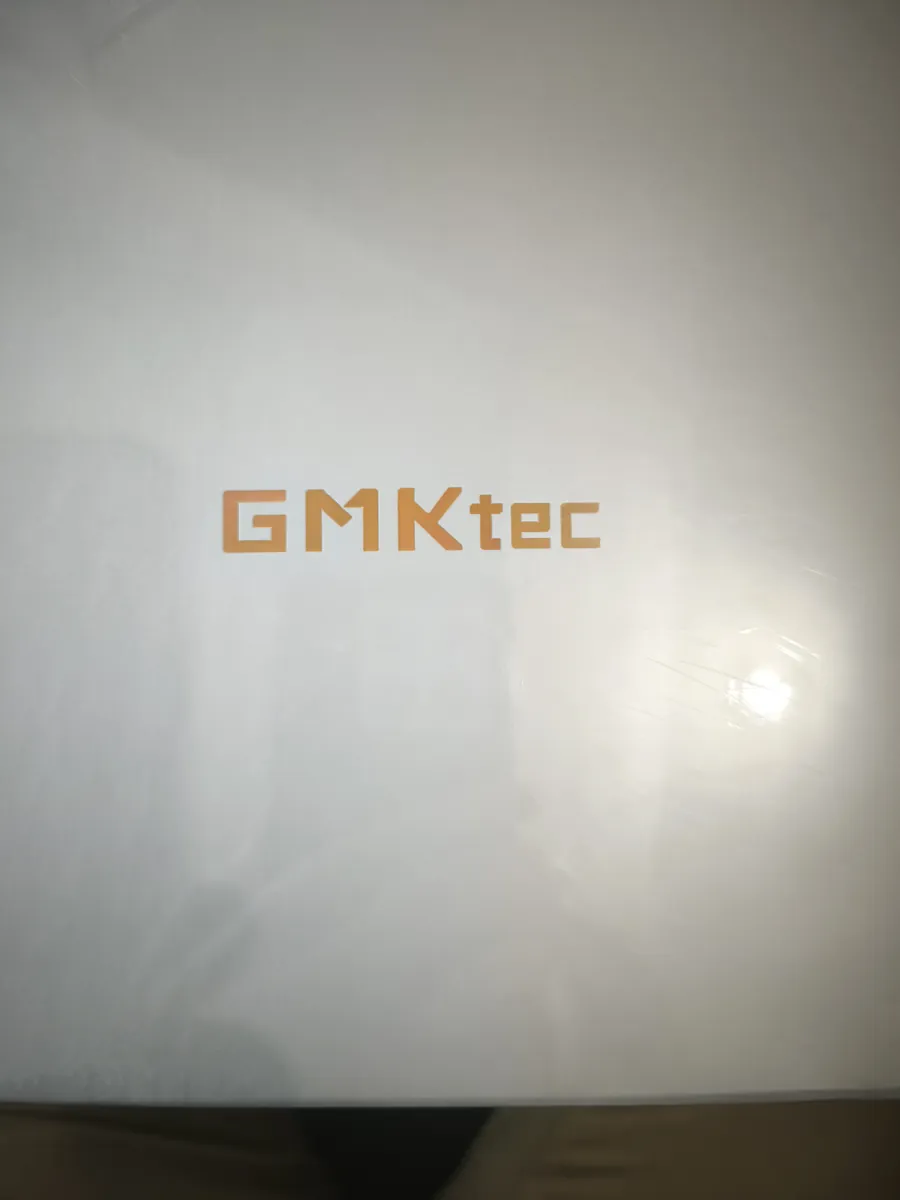
The box is white and plain, with the GMKtec logo in gold lettering. Inside, the mini-PC sits in a tray, with the power supply, an HDMI cable, a VESA mount for fixing it behind a screen, and the manual beside it.

White GMKtec mini-PC box with the gold logo
The box of the GMKtec M6 Ultra.

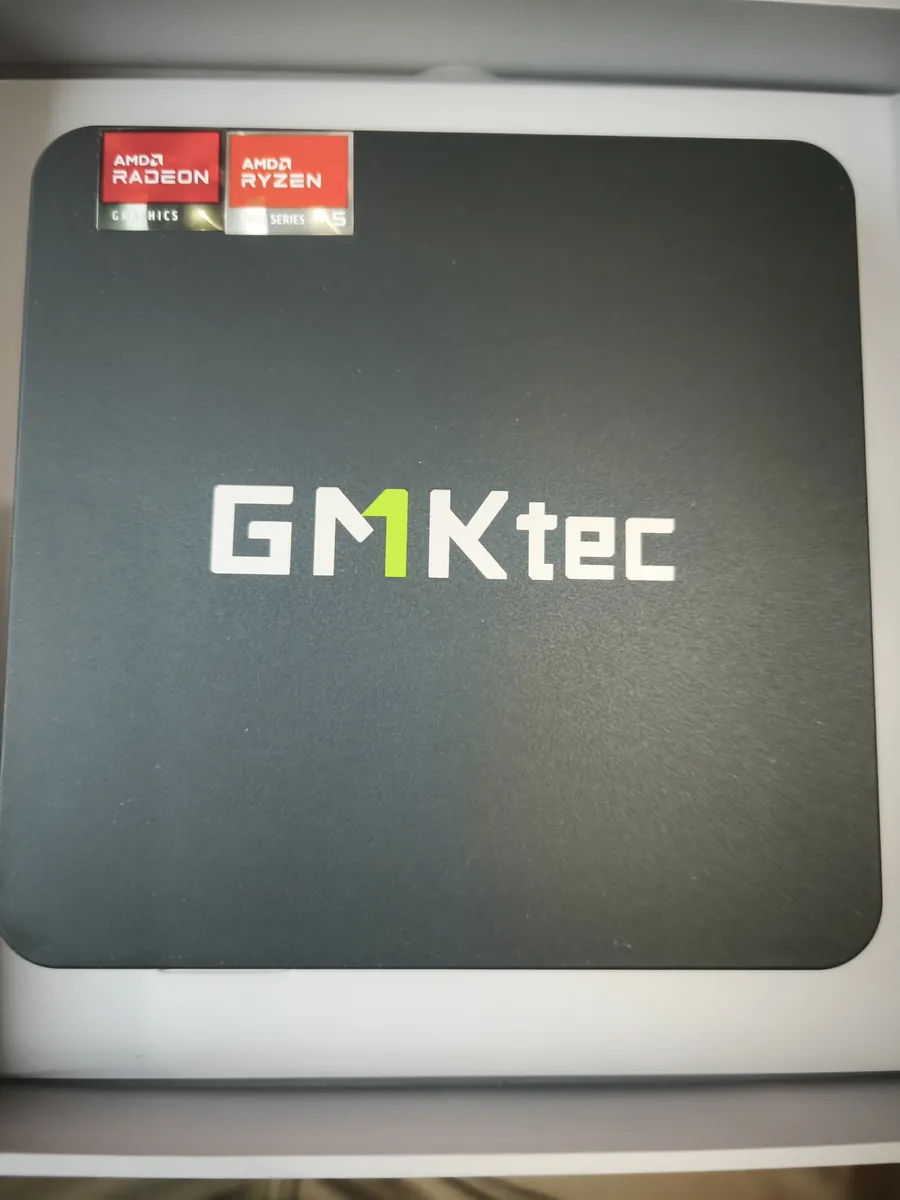
The case is a dark-grey matte square of about 12.9 × 12.7 × 4.8 cm and 528 g according to the manufacturer’s sheet. The GMKtec logo, with its green “1”, sits on the top, next to the AMD Ryzen and Radeon badges. It is clean, with no gamer styling or pointless LED: it blends easily into a desk or a shelf near the internet box.

Top of the GMKtec M6 Ultra, dark-grey matte, with the GMKtec logo and AMD badges
The top of the case, still in its tray.

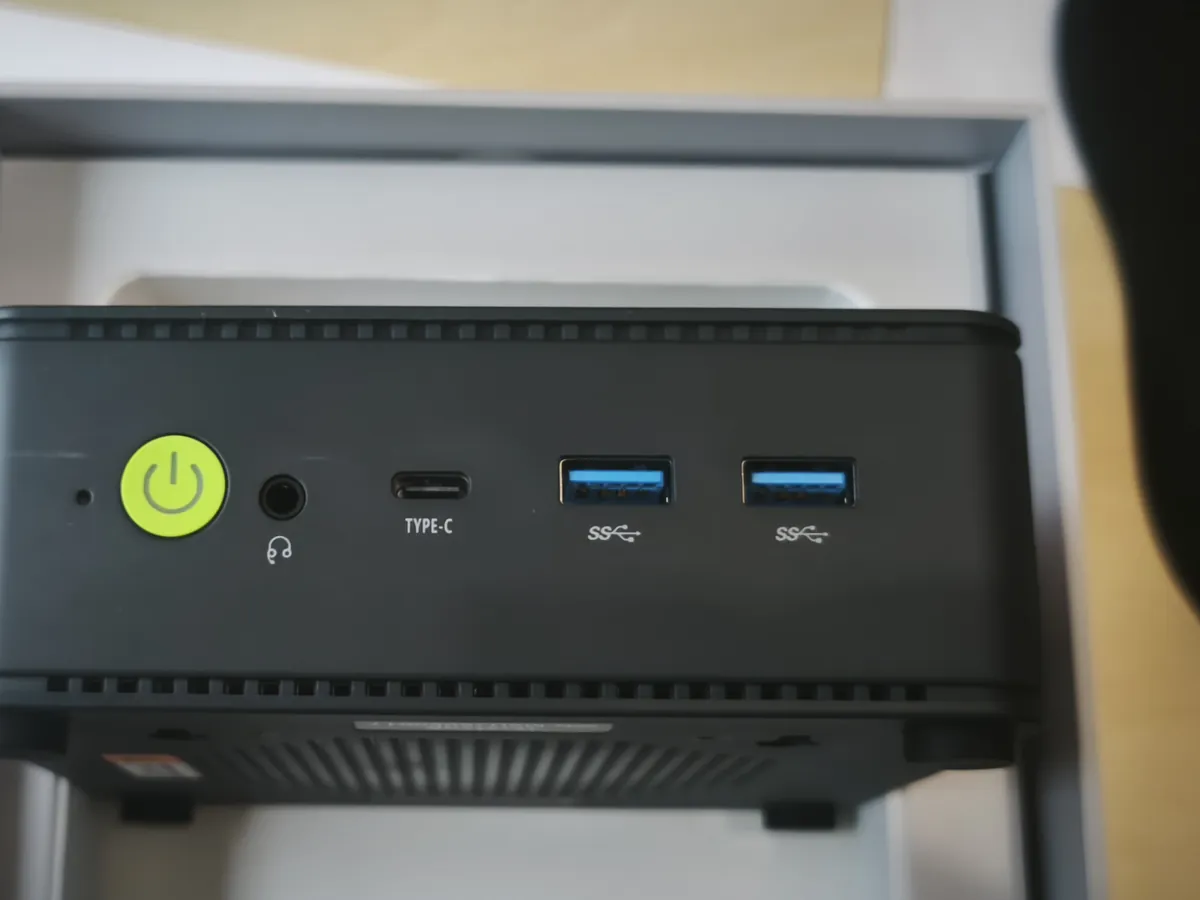
On the front you find the lime-green power button, a headphone jack, a USB4 (Type-C) port and two USB 3.2 ports. For home automation that is handy: a Zigbee dongle or a USB microphone plugs in at the front, without hunting around the back.

Front of the GMKtec M6 Ultra with green power button, headphone jack, USB-C port and two USB-A ports
The front: green button, jack, USB4 and two USB 3.2 ports.

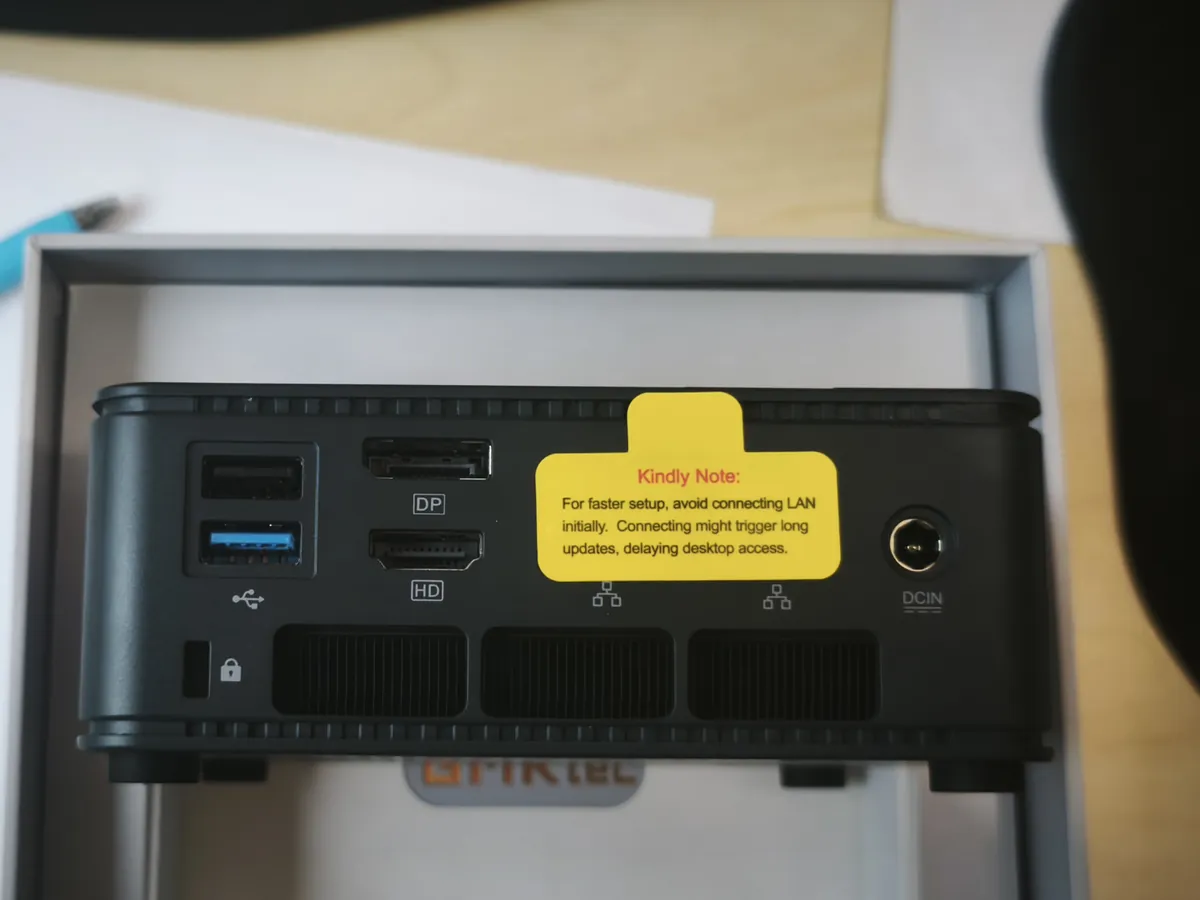
At the back, two USB ports, an HDMI output, a DisplayPort output, the two 2.5 G Ethernet sockets and the power inlet. On delivery, a yellow sticker covers the network sockets: GMKtec advises against plugging in the Ethernet cable during the first Windows setup, to avoid a long round of updates before you reach the desktop. I followed that, then connected the mini-PC to the network once Windows was ready.

Back of the GMKtec M6 Ultra: USB, HDMI, DisplayPort, two Ethernet ports under a yellow sticker, and DC inlet
The back, with the sticker recommending that you connect the network after setup.

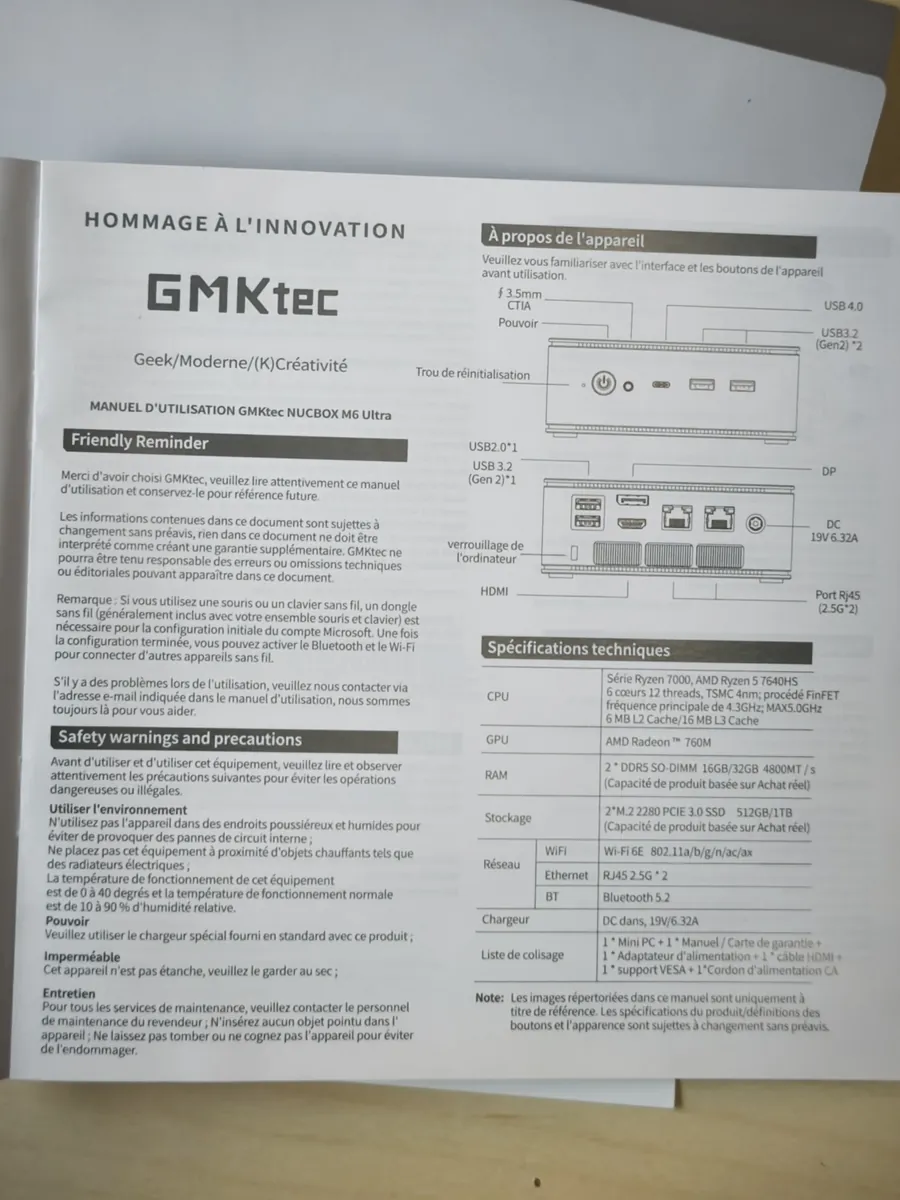
The manual, in several languages including English and French, describes the ports and the specifications of this unit (16 GB / 512 GB configuration). The vents on the sides and the underside are a reminder that there is a fan: this is not a fanless case like a Home Assistant Green.

GMKtec M6 Ultra manual open on the page that presents the ports
The supplied manual.

My setup: one screen for two computers

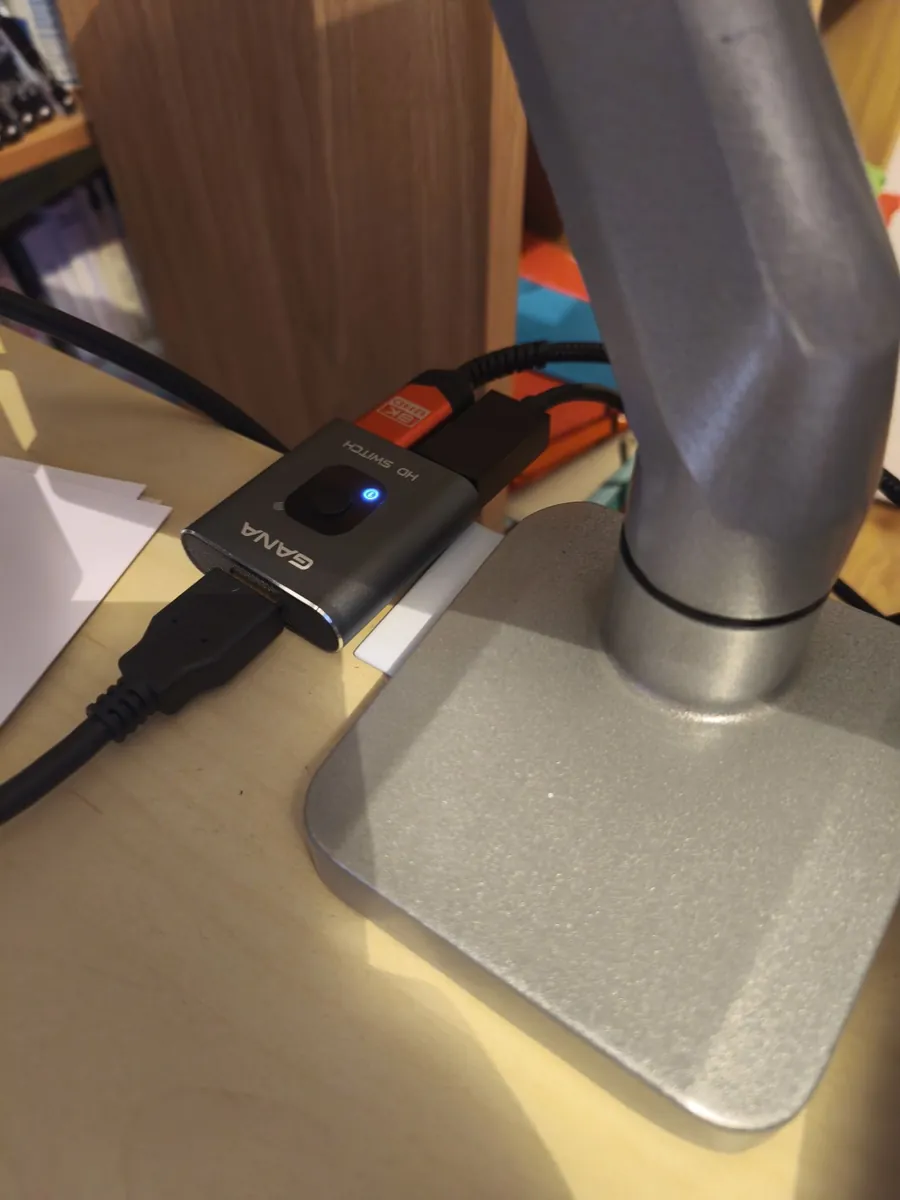
The mini-PC lives next to my main PC and shares its screen. To switch from one to the other without unplugging a cable, I use a small aluminium HDMI 4K GANA switch: two sources, one display, and a button with a blue LED to swap. It needs no power supply. The GMKtec has its own keyboard and mouse: the switch is only used for the picture.

Grey aluminium HDMI 4K GANA switch at the foot of a monitor arm, blue LED button lit
The HDMI 4K GANA switch at the foot of the screen: one press and the picture moves from the main PC to the GMKtec.

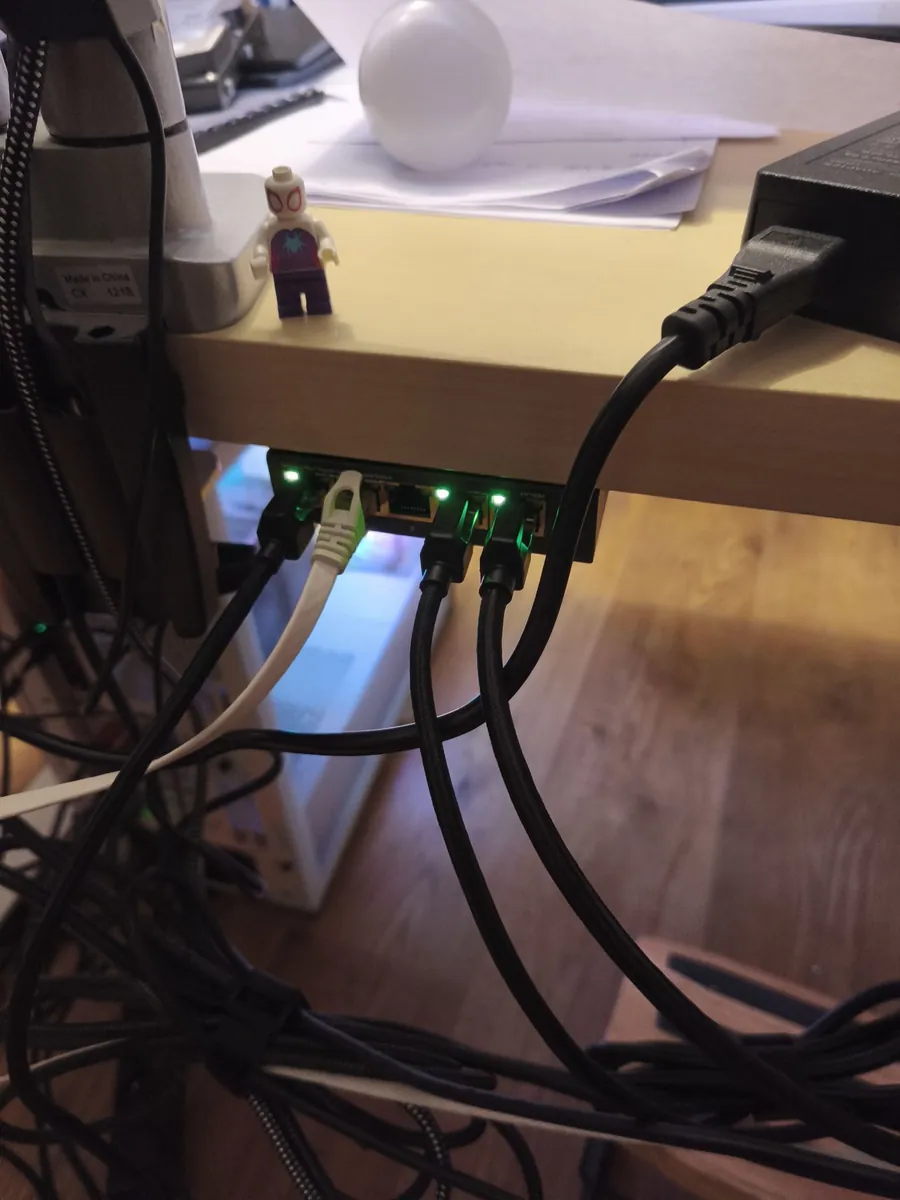
On the network side, the GMKtec is connected by Ethernet to a small metal Gigabit switch, fixed under the desk top. For a home-automation server, a cable is better than Wi-Fi: the link with the internet box, the Homey and the Wi-Fi devices stays stable, and the mini-PC remains reachable even when Wi-Fi is congested.

Small black Ethernet switch fixed under a desk with four cables plugged in and green LEDs on
The Ethernet switch fixed under the desk, which links the GMKtec to the rest of the network.

Home Assistant in a virtual machine

I wanted to keep Windows on the machine: I also use it for local AI and a few scheduled tasks. So I started the official Home Assistant OS 18.4 image in a QEMU virtual machine, with Windows hardware acceleration (WHPX), without turning on the Hyper-V role. The VM is given 2 cores and 2 GB of memory, the minimum recommended by Home Assistant.

The very first boot is the longest: the Home Assistant console appears in 28 s, but it takes about 2 min 36 s before the web interface answers, while the system downloads and installs its components. After that, a full VM reboot until the interface is up takes 59 s.

At idle, once Home Assistant has started, the VM occupies about 2,060 MB of memory and uses about 11 % of one logical CPU core (measured over 3 minutes). The Ryzen 5 7640HS has 12 threads: Home Assistant alone asks almost nothing of it, and there is plenty of headroom left for automations, dashboards, Node-RED or sensor history. I finished the initial setup (local account, Europe/Paris time zone, metric units) without entering an address.

If you do not need Windows, the other route is to wipe the SSD and install Home Assistant OS directly on the mini-PC (the “Generic x86-64” image): simpler for plugging in USB dongles, but the machine then does only that. To compare with dedicated boxes, see Home Assistant Green or Raspberry Pi 5.

I already have a Homey Pro at home, which among other things drives my garage door with a NodOn relay. The GMKtec does not replace it: the two complement each other. The Homey keeps the radios (Zigbee, Z-Wave, Thread, 433 MHz, infrared) and its Flows; the mini-PC brings the computing power.

With an API key created in the Homey settings, the mini-PC queries its local API on the home network, without going through the internet. I find there the 5 declared devices (the outdoor socket with its voltage and power draw, the garage-door sensor and relay, a bulb, a radio gateway), the 21 rooms and zones, and the advanced Flow “Garage open ≥ 10 min”. Over ten readings of the full device list, the reply arrived in 32 to 85 ms. I limited myself to reading: the only device one could actuate without consequences, the bulb, was offline during the test, and I was not going to open the garage door for a demo.

On the Home Assistant side, there is a community Homey integration (via HACS) that uses this same API key, and the MQTT route, which works with every Homey model. The comparison Home Assistant, Jeedom or Homey helps to see what each system does best.

A 100 % local voice assistant

This is the use that most justifies a mini-PC over a small hub: a voice assistant that understands French, answers out loud and sends nothing to the cloud. It rests on three free building blocks: Whisper to turn speech into text, Piper for speech synthesis, and Ollama for a language model if you want free-form answers.

I measured each block on the GMKtec’s processor, with Piper’s French “siwis” voice. Piper generates a sentence of a little over 4 seconds in 0.25 to 0.38 s, that is 6 to 9 % of its duration. For Whisper, I had Piper speak the question “Quelle température fait-il dans le salon, et est-ce que la porte du garage est fermée ?”, then had it transcribed:

Whisper modelTranscription time (4.2 s of audio)Result
base1.25 to 1.5 sOne agreement slip (“Quel température”), meaning understood
small3.1 to 4.5 sExact sentence

I then assembled a short complete chain: the question “Est-ce que la porte du garage est fermée ?” is transcribed by Whisper, the mini-PC reads the sensor state from the Homey, then Piper speaks the answer. Over three trials, the answer is ready in 1.09 to 1.27 s, most of it for the transcription (0.9 to 1.1 s), 25 to 50 ms to query the Homey and 0.13 to 0.18 s for the voice. All of that without any internet connection. These times were measured while an AI job was also running on the machine: on a quiet mini-PC they can only be better.

For more open answers (“Summarise the weather for me and tell me whether I should water”), you add a language model with Ollama. I did not repeat that timing on 25 November: another job was already using Ollama on the machine. The throughputs below were measured on 22 November 2026 on this same unit, and are detailed in the local-AI review on LocAIhome: qwen2.5:7b produces 11 to 13 tokens per second (13.07 tokens/s during the 180 s HWiNFO window, on the Radeon 760M) and llama3.2:3b 22 to 27 tokens per second. For a one-sentence answer, that would add one to two seconds (an estimate from these throughputs, not timed on 25 November). The real point to watch is memory: during my tests, with the Home Assistant VM and qwen2.5:7b loaded, Windows was using 10.0 GB of the 10.5 GB it can see. For a day-to-day voice assistant, I therefore recommend the small llama3.2:3b, or reducing the memory reserved for the graphics chip in the BIOS (Windows then sees about 13.8 GB), or moving up to 32 GB of RAM: the M6 Ultra has two SO-DIMM slots.

Noise, heat and power draw

The machine is very quiet. With a phone “Sound measurement” app, the GMKtec does not stand out from the room’s ambient noise: the curve stays flat for about twenty seconds. A smartphone app’s calibration is relative, so I do not draw any figure in decibels from it. Windows also does not expose this model’s fan speed to the tools I used, so I give no revolutions per minute either. Here, though, are the power-draw and temperature figures I measured.

With HWiNFO, on 22 November, the processor (including the graphics chip) draws on average 10.2 W at idle, 35.0 W with the processor at 100 % and 42.9 W when an AI model is running at full tilt on the Radeon 760M. These are software estimates, not a wall-socket measurement. The temperatures I recorded stay reasonable: 42 °C at idle, 72 °C at most in AI on the graphics chip, 78 °C at most at 100 % processor.

On 25 November, during a long AI job that had been holding the processor at about 69 % for several hours, the thermal sensor Windows exposes showed 89 to 93 °C, with no performance throttling reported. That is a different sensor from the HWiNFO one, and an extreme case: in normal home-automation use, Home Assistant and the voice assistant only load the processor for a few seconds at a time, and the machine spends most of its time idle. For a server left on day and night, it is this idle regime around 10 W that matters. For more on the subject, LocAIhome covers noise and power draw of a mini-PC left on 24 hours a day in its guide.

Who is it for?

The GMKtec M6 Ultra is comfortable as a Home Assistant server for a whole house, with history, dashboards and automations, and as a bridge between several systems: here Home Assistant and the Homey, tomorrow MQTT or Node-RED. Its real difference from a Raspberry Pi or a Home Assistant Green is the local voice assistant: French transcription and speech run quickly on its processor, and it can host a small language model. Its two 2.5 G Ethernet ports also open the door to a network role (firewall, software router) for those who like to tinker.

It is less relevant if you only want to switch lights and receive alerts: a Home Assistant Green uses less power, makes no noise and plugs in with no setup. And it does need accessories: a Zigbee dongle for Zigbee sensors if you do not have a Homey, and more memory if you plan to run Home Assistant, a 7- or 8-billion-parameter model and camera detection at the same time.

GMKtec NucBox M6 Ultra (Ryzen 5 7640HS, 16 GB, 512 GB)

Tested at home

GMKtec NucBox M6 Ultra (Ryzen 5 7640HS, 16 GB, 512 GB)

Mini-PC Windows 11 Pro, testé comme serveur domotique (Home Assistant en VM, assistant vocal local, lien avec un Homey Pro).

check the seller's price
  • Home Assistant in a VM ready in 59 s
  • Local voice assistant in ~1.2 s
  • Around 10 W at idle (estimate)
  • 2 × 2.5 G Ethernet ports

Watch-outs

  • ~9.8 GB visible with 6 GB reserved for the GPU
  • No built-in Zigbee or Thread radio

For a simpler setup, or as a complement for the radios:

Home Assistant Green
check the seller's price
  • Ready to use, no setup
  • Silent, very low power draw

Watch-outs

  • Not powerful enough for a local AI voice assistant

To reproduce my desk setup, the HDMI 4K GANA switch and the Ethernet switch are described above, with photos. I do not give a product listing: I could not tie the GANA or the network switch to a precise Amazon reference with certainty. The GMKtec has its own keyboard and mouse; the switch is only used to swap the picture.

And for heavier uses than what the M6 Ultra allows with 16 GB:

Frequently asked questions

Can you run Home Assistant on the GMKtec M6 Ultra without wiping Windows? Yes. I ran it in a QEMU virtual machine (2 cores, 2 GB) with Windows WHPX acceleration, without enabling Hyper-V. Home Assistant answers in 59 s after a reboot and uses only about 11 % of one core at idle.

Can the GMKtec replace a Homey Pro? Not for the radios: it has no built-in Zigbee, Z-Wave or Thread. It does, however, talk to it very well through its local API (a reply in 32 to 85 ms in my setup), and the two complement each other.

Is a local voice assistant fast enough? Yes for simple commands and questions: 1.09 to 1.27 s between the end of the question and the answer being ready, with Whisper “base” and Piper, reading a sensor state on the Homey. The Whisper “small” model is more accurate but three times slower.

How much does it use when left on all the time? About 10.2 W on average at idle according to HWiNFO (an estimate of the processor and the graphics chip, not a wall-socket measurement), 35 to 43 W at full load.

Is 16 GB of memory enough? For Home Assistant and the voice assistant with a small model, yes. For Home Assistant plus a 7-billion-parameter model running all the time, it is tight with 6 GB reserved for the graphics chip: reduce that reservation in the BIOS or move up to 32 GB.

To go further: install Home Assistant on a Raspberry Pi 5, the best Zigbee dongle for Home Assistant, my Homey Pro review and the whole smart-home section.

Further reading

Was this page helpful?

Have a question about this guide or need advice? Ask us here

Torn between two models or stuck on a build? Drop us a line and we will get back to you by email.