mBot ultrasonic sensor (2/4): parking radar in bands
mBot parking radar, part 2: three ultrasonic zones, silence past 70 cm, then a beep every 1 second and every 0.25 seconds in a guided mBlock activity.

mBot parking radar, part 2: three ultrasonic zones, silence past 70 cm, then a beep every 1 second and every 0.25 seconds in a guided mBlock activity.

AI-generated illustration
Direct answer (November 2026) — With the ultrasonic sensor plugged into the mBot RJ25 port, program three zones: beyond 70 cm, silence; between 35 and 70 cm, one beep every 1 s; below 35 cm, one beep every 0.25 s. You reuse the
distance_cmvariable from part 1 and addwaitblocks so the rhythm holds.
This lesson is part of the mBot activities hub and the ultrasonic sensor series (episode 2 of 4). If you are new to mBlock, see My first mBot robot and the mBot vs mBot2 comparison.
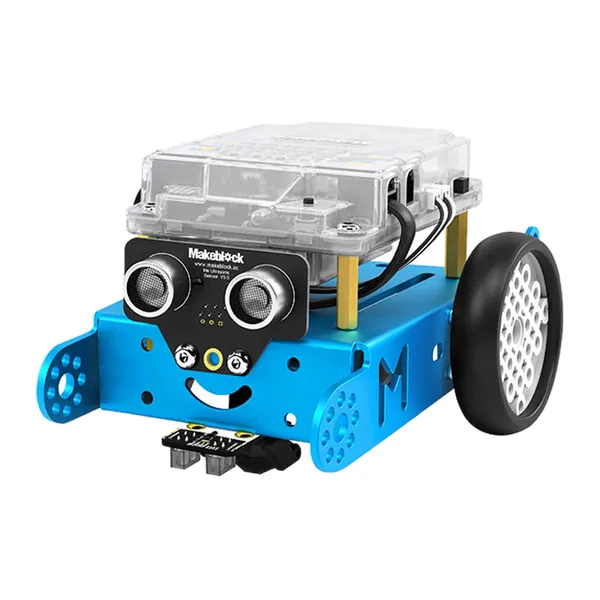
Product photo: the ultrasonic sensor plugs into the ultrasonic connector on the mBot chassis (cable included in the kit).
In mBlock 5, find the blocks “ultrasonic sensor distance in cm,” “if … then,” and “play note” in the mBot category.
Program the mBot so it behaves like a parking radar:
Keep this one simple on purpose: the same note, only the rate changes. In activity 3, the rate becomes “proportional.”
              distance_cm (ultrasonic sensor)
                         |
        +----------------+-----------------+
        |                                  |
   distance >= 70 ?                    no (so < 70)
        |                                  |
     nothing                           distance >= 35 ?
                                           |        |
                                          yes      no (so < 35)
                                           |        |
                                   beep every      beep every
1 s 0.25 sReuse the variable from activity 1:
distance_cmAnd update it in a loop:
If you write:
if distance < 35 then play a noteinside a forever loop with no pause, the robot will “beep” as fast as it can (it can turn into an almost continuous sound).
So here, time is part of the brief: you put a different wait in each zone.
Pseudo-logic (easy to turn into blocks):
when started
  forever
    set distance_cm to (ultrasonic distance)
    if distance_cm >= 70
      wait 0.1 s
    else
      if distance_cm >= 35
        play a note (e.g. C4) for 0.25 beats
        wait 1 s
      else
        play a note (e.g. C4) for 0.25 beats
        wait 0.25 s
Why a
waitin the “nothing” zone? So you do not hammer the sensor at full speed, and so the loop stays stable.
Typical blocks you need:
when mBot starts (for a standalone program)when green flag clicked (to test in Live)foreverset [distance_cm] to (...)ultrasonic sensor distance in cmif ... then / else (nested conditions)>= (comparisons) + the numbers 70 and 35play note (...) for (...) beats (or the equivalent buzzer block)wait (1) s and wait (0.25) s (plus wait (0.1) s on the silent side)In activity 3, you keep the radar idea, but instead of 2 fixed rates (1 s / 0.25 s), you make a rate that depends on the distance: the closer you are, the faster it beeps.
The sensor always shows 0 cm — Check the RJ25 connection, move obstacles stuck against the “horns,” test in mBlock Live, then upload again.
The beeps never change rhythm — Check that you really compare distance_cm with the thresholds 70 and 35, and that each “beep” branch contains a wait block (otherwise the loop runs too fast).
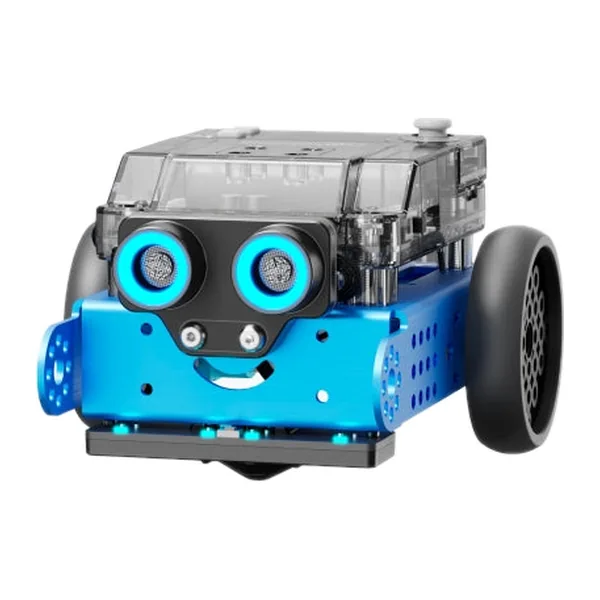
mBot or mBot2? — The activity works on both with the Makeblock ultrasonic sensor; see mBot vs mBot2.
Rest of the series — One-hour mBot activities for more challenges once the four ultrasonic episodes are done.
← Previous episode · Next episode →
Torn between two models or stuck on a build? Drop us a line and we will get back to you by email.