Arduino C: loops and timing (delay vs millis)
Arduino for and while loops, counters, and timing: delay blocks the robot, millis does not. Twenty corrected exercises on beeps, sensors and cadence.

Arduino for and while loops, counters, and timing: delay blocks the robot, millis does not. Twenty corrected exercises on beeps, sensors and cadence.
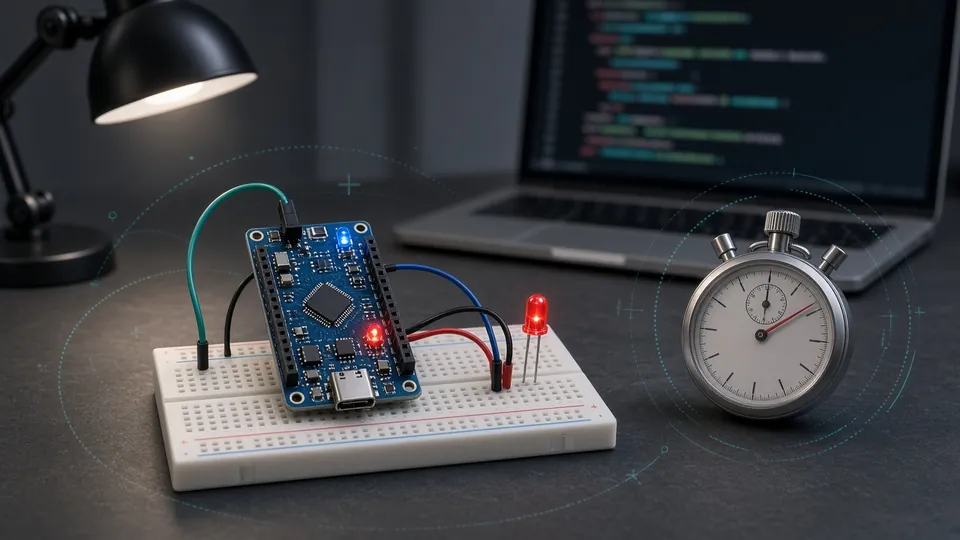
AI-generated illustration
Direct answer (November 2026) — In robotics, a
whileloop insideloop()rereads the sensors continuously;delay()is simple but blocks the whole program;millis()lets a blink or a beep happen without freezing the reading of the buttons.
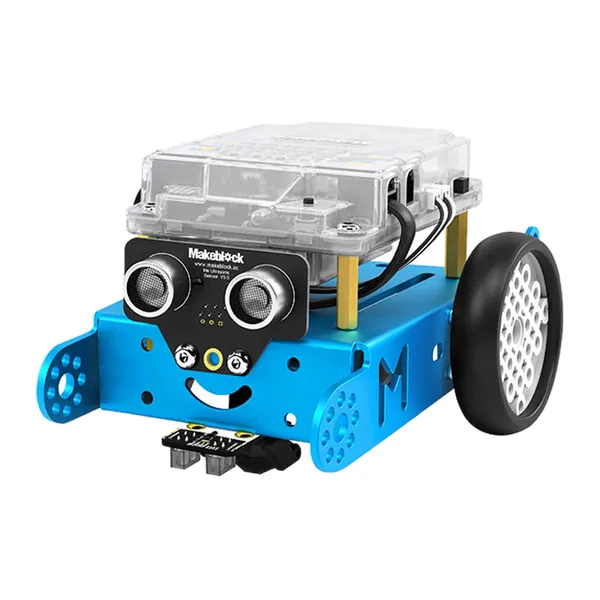
In robotics, loops are used to:
distance_cm = lireCapteur();),Be careful: a robot that runs delay(5000) can no longer react for 5 seconds. That is why millis() is useful for non-blocking timing.
The logical next step in the Arduino C series: lesson 5 — functions and modularity.
for: when you know the number of turnsfor (int i = 0; i < 5; i++) {
Serial.println(i);
}while: as long asint n = 3;
while (n > 0) {
Serial.println(n);
n--;
}delay(ms) (simple but blocking)Serial.println("beep");
delay(1000);millis() (non-blocking)The idea:
last (the previous instant),now - last >= periode.Exercise 1 — Print 0 through 9 with a for loop. Easy
void setup() {
Serial.begin(9600);
for (int i = 0; i < 10; i++) Serial.println(i);
}
void loop() {}Exercise 2 — Print a dot . 5 times with for, with delay(200) between each one. Easy
void setup() {
Serial.begin(9600);
for (int i = 0; i < 5; i++) {
Serial.print('.');
delay(200);
}
Serial.println();
}
void loop() {}Exercise 3 — Sum: compute the sum 1..20 with a for and print it. Easy
void setup() {
Serial.begin(9600);
int total = 0;
for (int i = 1; i <= 20; i++) total += i;
Serial.println(total);
}
void loop() {}Exercise 4 — while: count down from 5 to 1. Easy
void setup() {
Serial.begin(9600);
int n = 5;
while (n > 0) {
Serial.println(n);
n--;
}
}
void loop() {}Exercise 5 — delay: print tick every 500 ms in loop(). Easy
void setup() { Serial.begin(9600); }
void loop() {
Serial.println("tick");
delay(500);
}Exercise 6 — Stepped radar: if d >= 70 do nothing, otherwise print beep then delay(1000) if d >= 35, otherwise delay(250). (Serial only.) Intermediate
void setup() { Serial.begin(9600); }
void loop() {
int d = 50; // test
if (d >= 70) {
delay(100);
} else if (d >= 35) {
Serial.println("beep");
delay(1000);
} else {
Serial.println("beep");
delay(250);
}
}Exercise 7 — Avoid blocking for 3 seconds: print READY after 3 s using millis() (no delay). Intermediate
unsigned long t0 = 0; bool done = false;void setup() { Serial.begin(9600); t0 = millis(); }
void loop() { if (!done && (millis() - t0 >= 3000)) { Serial.println(“READY”); done = true; } }
Exercise 8 — Non-blocking cadence: print beep every 1000 ms with millis() and last. Intermediate
const unsigned long PERIOD = 1000;
unsigned long last = 0;
void setup() { Serial.begin(9600); }
void loop() {
unsigned long now = millis();
if (now - last >= PERIOD) {
Serial.println(“beep”);
last = now;
}
}
Exercise 9 — Two cadences: print A every 1000 ms and B every 250 ms (two timers). Intermediate
unsigned long lastA = 0;
unsigned long lastB = 0;
const unsigned long PA = 1000;
const unsigned long PB = 250;
void setup() { Serial.begin(9600); }
void loop() {
unsigned long now = millis();
if (now - lastA >= PA) { Serial.print(‘A’); lastA = now; }
if (now - lastB >= PB) { Serial.print(‘B’); lastB = now; }
}
Exercise 10 — A “sensor reading” loop: simulate a changing distance_cm and print it every 200 ms (non-blocking). Intermediate
unsigned long last = 0;
const unsigned long PERIOD = 200;
int distance_cm = 70;
void setup() { Serial.begin(9600); }
void loop() {
unsigned long now = millis();
if (now - last >= PERIOD) {
Serial.println(distance_cm);
distance_cm—;           // simulation
if (distance_cm < 0) distance_cm = 70;
last = now;
}
}
Exercise 11 — Write a function bool every(unsigned long period, unsigned long* last) that returns true when it is time (a generic timer). Advanced
bool every(unsigned long period, unsigned long* last) {
  unsigned long now = millis();
  if (now - *last >= period) {
    *last = now;
    return true;
  }
  return false;
}
Exercise 12 — Use every to print . every 100 ms. Advanced
unsigned long last = 0;
bool every(unsigned long period, unsigned long* last) {
  unsigned long now = millis();
  if (now - *last >= period) { *last = now; return true; }
  return false;
}
void setup() { Serial.begin(9600); }
void loop() {
  if (every(100, &last)) Serial.print('.');
}
Exercise 13 — Convert the stepped radar to non-blocking (a single beep on each tick). Advanced
unsigned long last = 0;
void setup() { Serial.begin(9600); }
void loop() {
  int d = 30; // test
  unsigned long period = 100;
  if (d >= 70) period = 100;
  else if (d >= 35) period = 1000;
  else period = 250;
unsigned long now = millis();
if (now - last >= period) {
if (d < 70) Serial.println(“beep”);
last = now;
}
}
Exercise 14 — Write a for with a step of 2 (0, 2, 4, 6, 8). Advanced
void setup() {
  Serial.begin(9600);
  for (int i = 0; i < 10; i += 2) Serial.println(i);
}
void loop() {}
Exercise 15 — while(true) + break: find the first multiple of 7 between 1 and 100 and print it. Advanced
void setup() {
  Serial.begin(9600);
  int n = 1;
  while (true) {
    if (n % 7 == 0) { Serial.println(n); break; }
    n++;
  }
}
void loop() {}
Exercise 16 — Explain (in a comment) why delay(5000) is dangerous for a robot that must react. Advanced
void setup() {
  // delay blocks the loop: for 5 s, the robot no longer reads the sensors
  // => it cannot react to an obstacle.
}
void loop() {}
Exercise 17 — Write an unsigned long period; that depends on the distance (0..70) with a simple rule (for example period = d * 50). Advanced
void setup() {
  Serial.begin(9600);
  int d = 20;
  unsigned long period = (unsigned long)d * 50;
  Serial.println(period);
}
void loop() {}
Exercise 18 — Fix the rule from exercise 17 so it never goes to 0 ms (for example a minimum of 50 ms). Advanced
unsigned long clampUL(unsigned long v, unsigned long minV) {
  return v < minV ? minV : v;
}
void setup() {
  Serial.begin(9600);
  int d = 0;
  unsigned long period = (unsigned long)d * 50;
  period = clampUL(period, 50);
  Serial.println(period);
}
void loop() {}
Exercise 19 — Mini-project: print distance=... every 100 ms, and ALERT if the distance is <= 15 (non-blocking). Advanced
unsigned long last = 0;
const unsigned long PERIOD = 100;
int distance_cm = 20;
void setup() { Serial.begin(9600); }
void loop() {
unsigned long now = millis();
if (now - last >= PERIOD) {
Serial.print(“distance=”);
Serial.println(distance_cm);
if (distance_cm <= 15) Serial.println(“ALERT”);
last = now;
distance_cm—;
if (distance_cm < 0) distance_cm = 20;
}
}
Exercise 20 — Mini-project: “virtually” blink an LED: print LED ON then LED OFF every 500 ms without delay (with millis). Advanced
unsigned long last = 0;
bool on = false;
void setup() { Serial.begin(9600); }
void loop() {
unsigned long now = millis();
if (now - last >= 500) {
on = !on;
Serial.println(on ? “LED ON” : “LED OFF”);
last = now;
}
}
Torn between two models or stuck on a build? Drop us a line and we will get back to you by email.