mBot programming in 1 hour: challenge ideas and method
mBot programming for a one-hour session: minute-by-minute plan, 7 challenges (LED, ultrasonic, course) and links to the step-by-step tutorials for class.

mBot programming for a one-hour session: minute-by-minute plan, 7 challenges (LED, ultrasonic, course) and links to the step-by-step tutorials for class.
Looking for mBot programming ideas (the Makeblock educational robot programmed with blocks) that fit a one-hour class, club or home session? This page starts with the method (a minute-by-minute plan), then gives a list of challenges ready to launch, with links to the step-by-step tutorials on this site.
Direct answer (October 2026) — Plan 45–60 minutes per mBot challenge: 5 min for the goal, 30 min of code/test, 10 min of robustness, 5 min of demo. Quick ideas: LED, ultrasonic, intrusion. Install mBlock 5 before the session.
Prerequisites: mBlock installed, robot charged (or batteries OK), and first steps in mBlock already done. A few purchase links appear after the challenges; they are affiliate links (we may earn a commission). Check today’s price on Amazon.
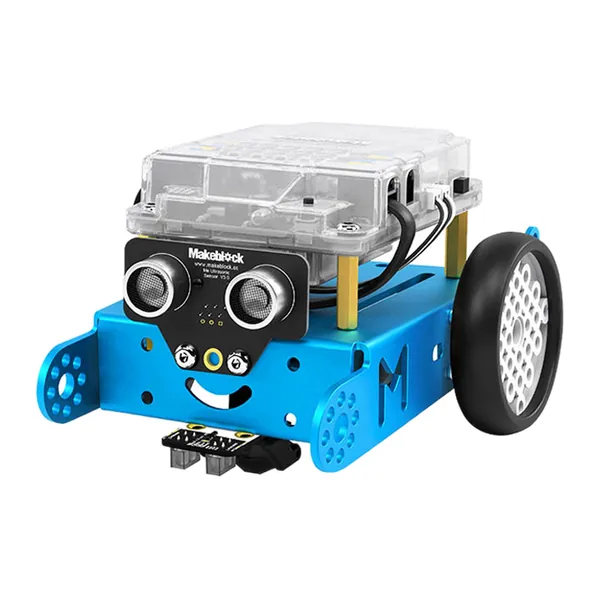
The classic mBot — well suited to short block-based challenges in Scratch / mBlock. Product photo used for this article.
| Minutes | Activity |
|---|---|
| 0–5 | Recall the goal + success criterion (“we stop when…”). |
| 5–35 | Code and short tests (no 80-block monster program). |
| 35–50 | Robustness: what happens if you move the robot or the obstacle? |
| 50–60 | Demo for 2 minutes + one sentence “what we would do next time”. |
This plan stops you spending the whole session chasing a bug without ever showing a result.
Alternate red / green (then orange if available) on the LEDs with timings — based on LED blinking.
Alert (LED or matrix) when the measured distance drops under a threshold — extends distance measurement.
Combine ultrasonic + counter + display — see intrusion detector.
The robot stays still as long as no sound above a threshold is detected — only if your model has a microphone usable in mBlock (the classic mBot v1 does not ship with one; mBot2 / CyberPi does). Otherwise, swap the trigger for the onboard button or a line sensor.
The robot “delivers” a message on the matrix or LEDs between two moves — excellent for an oral recap in class. Matrix scrolling: scroll text.
Program forward / turn / reverse with fixed durations to exit a chalk maze on the floor — no need for a line follower at the start. Starting point: first mBot program.
Chain the LED sequence with a distance threshold if the group moves fast: the light stays green while the way is clear and turns red as soon as an obstacle comes closer than the threshold. Keep the demo short.
Once the method and ideas are clear, here is the most common kit for these workshops. Amazon prices change: check the listing on the day you buy.
Makeblock mBot — ages about 8–12 · Scratch and Arduino · quick build for a workshop · LEDs and ultrasonic sensor suited to 1-hour challenges · Amazon.co.uk — ages about 8–14 · Arduino C · an original two-legged robot for a different kind of workshop · Amazon.co.uk · Amazon.co.uk
Author: Emmanuel Sauvage · updated 31 October 2026.
Torn between two models or stuck on a build? Drop us a line and we will get back to you by email.